




How to use WiFi Sharing Master:
1. Click the "Download Now" button above the WiFi Sharing Master to download the compressed package of "WiFiGXDS.zip";
2. After decompressing the compressed package, you can get the "WiFi Sharing Master.exe" file, double-click to run it;
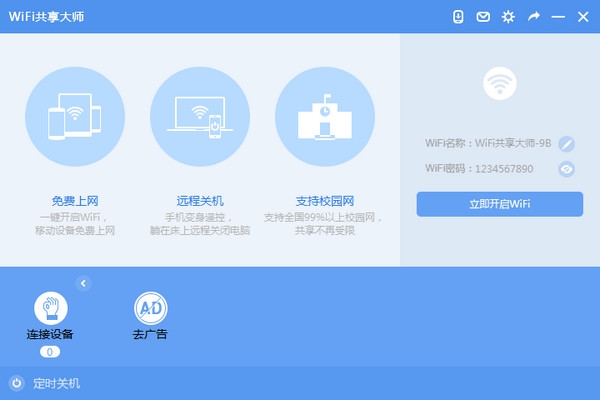
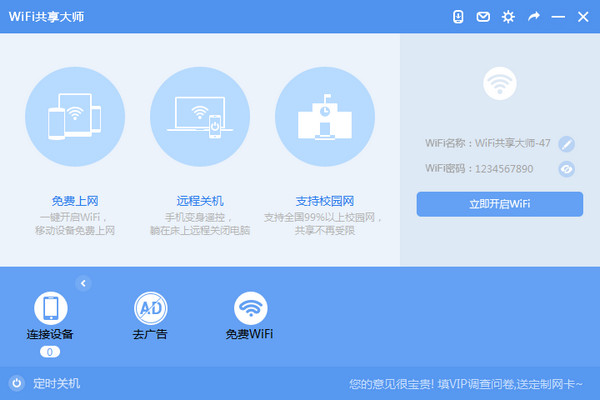
3. If you have a wireless network card in your computer, WiFi Sharing Master will default a WiFi network name and password, just click the "Create Free WiFi" button.
Features of WiFi Sharing Master software:
1. Enjoy free WiFi and turn your computer into a wireless router
2. Let Cengwang have nowhere to hide and easily identify various devices
3. One-click scheduled shutdown
WiFi Sharing Master FAQ:
The creation of WiFi hotspots by WiFi Sharing Master relies on the computer network. If the computer itself cannot connect to the Internet, it cannot be shared.
WiFi Sharing Master relies on the wireless network card that comes with the computer. If the computer itself does not have a wireless network card (such as a desktop), it cannot be shared. Just buy a USB wireless network card and plug it into the computer.
In addition to supporting the Internet on mobile phones, WiFi Sharing Master also supports the Internet on various devices such as PADs and computers that can receive wireless WiFi signals. The wireless network card can link to 10 wireless devices by default, but you can increase this value in the settings.

WiFi Sharing Master update log:
1. Improve support for RaLink7601 network card.
2. WiFi Sharing Master updates the processing of the campus side.








Useful
Useful
Useful