





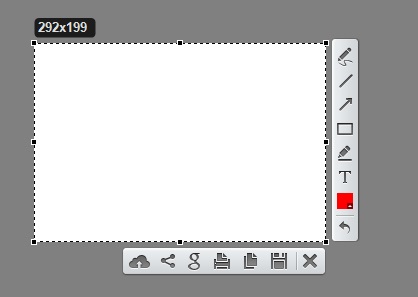
LightShot software features
·Select any part of the page.
·Edit screenshots in place.
· Take a screenshot and share it in a few clicks.
·Save on disk or upload to the cloud.
·Search for similar screenshots.
LightShot software features
1. Quickly capture the selected area
LightShot allows you to select any area on your desktop and take a screenshot with two mouse clicks.
2. Easy-to-use applications
Our app’s simple interface, its useful features and lightweight make your work quick and pleasant.
3. Share screenshots through the Internet
Upload your image to the server and get a short connection immediately.
4. Powerful editor
After the screenshot is taken, you can edit it immediately or later using the powerful online editor.
5. Similar image search
Search for similar images. Select any image on your screen and find many similar images.
6. Multi-platform
Available for Windows/Mac, Chrome, Firefox, IE & Opera.
LightShot installation steps
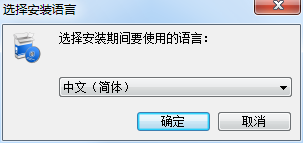
1. Download the latest version of LightShot installation package from Huajun Software Park. After unzipping, double-click the exe program, select the language, and click OK
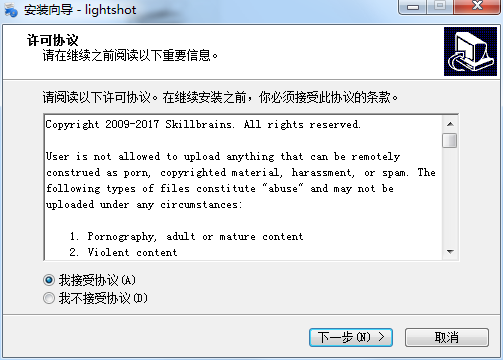
2. Read the license agreement, click "I accept..." and click Next
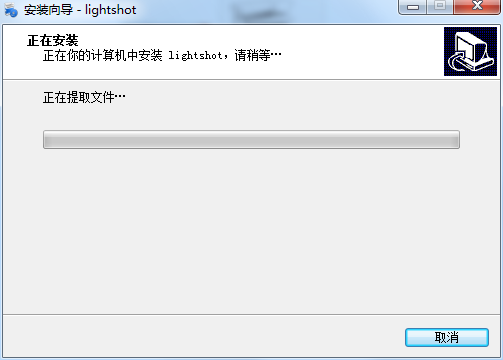
3. The software is being installed, please wait patiently.
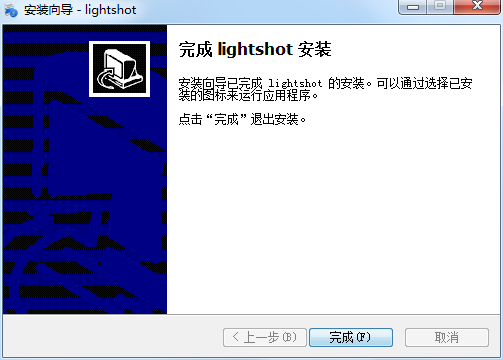
4.LightShot installation is complete, click Finish to exit the installation wizard
LightShot update log
The developer of GG said that there are really no bugs this time~
Huajun editor recommends:
The editor of LightShot personally verified it, and it is clear that no one can be deceived! There are similar software on this siteGetFlash,King of Han ocr,Wink,Snapshot software HprSnap,JPG screenshot tool, welcome to click to download and experience!




Useful
Useful
Useful