




- Green versionView
- Green versionView
- Green versionView
- Green versionView
- Green versionView
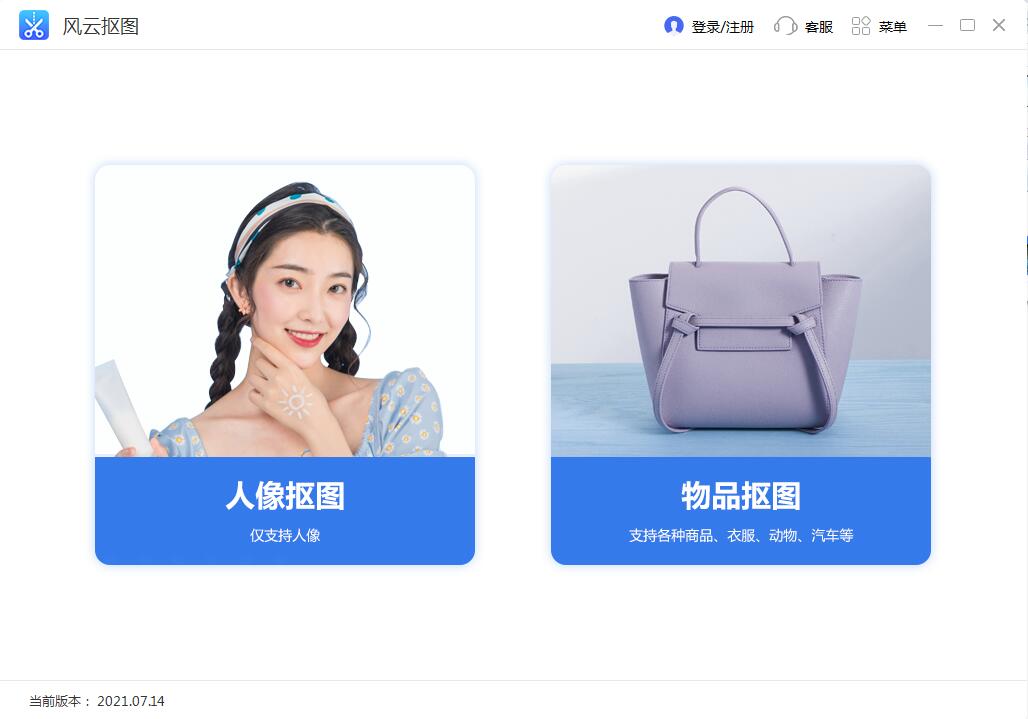
Features of Fengyun Cutout Software
Intelligent image cutout supports cutting out portraits, animals, and products, making it simple and convenient.
Quickly change the background color and support free cutting size.
Supports custom backgrounds, professional and fast.
Intelligent AI accurately identifies images, making cutout easier and more accurate.
One-click upload, automatic cutout, perfect presentation.
The method of use is very simple and does not require users to have professional skills.
Introduction to Fengyun Cutout Function
1. No need for PS, automatic cutout
mbOUT out of the complicated PS operations easily, the elderly and children can use it.
2. Simple operation, the picture can be produced in three seconds.
After uploading the image with one click, the cutout effect will automatically appear within three seconds, the background will be removed, and a transparent image will be generated.
3. Intelligent AI helps with efficiency
Intelligent AI has the ability to continuously identify, hair-level segmentation technology, and detailed processing without ambiguity.
Advantages of Fengyun Cutout Software
一键快速生成透明背景,创意玩图,给你的大片带来更多的可能
Built-in a variety of solid color backgrounds and photo ratios, which can be changed freely to meet different ID photo requirements
Supports custom uploading, giving you more freestyle fun and making your pictures stand out
Highlights of Fengyun Cutout Software
Portraits
Supports various photos such as ID photos, travel photos, selfies, etc. No matter how complex the background is, it can be easily cut out
Products
Covering various product images such as clothing, bags, shoes, accessories, furniture, toys, snacks, etc.
Official seal
Unique graphic recognition technology makes it easy to pick out official seals, logos, signatures, text, etc.
Others
Easily identify real pictures of animals, cars, houses, mobile phones, etc.
Fengyun cutout installation steps
1. Download the Fengyun Cutout official version installation package from Huajun Software Park. After unzipping, double-click the exe program to enter the installation interface.

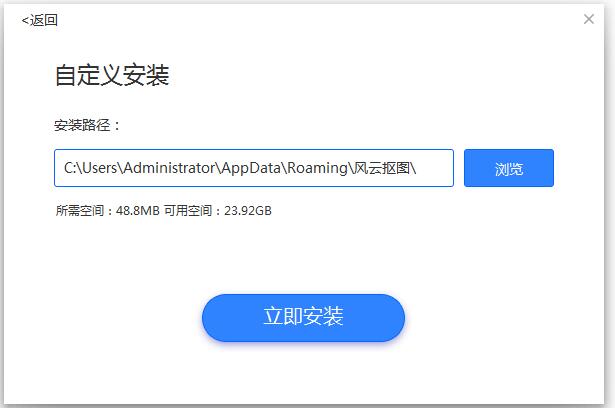
2. Click Custom Installation, select the installation path, and click Install Now
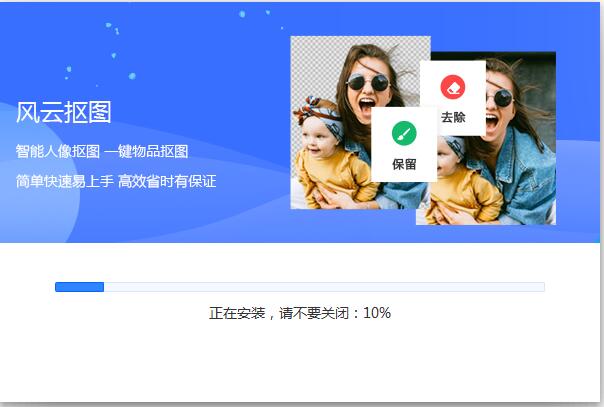
3. The software is being installed, please wait patiently.
4. The installation of Fengyun Cutout is completed, click to complete the installation

Fengyun cutout update log
1. The pace of optimization never stops!
2. More little surprises are waiting for you to discover~
Huajun editor recommends:
It is highly recommended to download Fengyun Cutout. Who knows who uses it? Anyway, I have already used it. In addition,Photo BlowUp,Adobe Illustrator CC,AutoCad 2020,Beautiful pictures,Picture Factory Official VersionIt is also a good software. Welcome to click to download and experience it!




Useful
Useful
Useful