




The Red Dragonfly Snapshot Wizard has a flexible way of capturing images. It can capture the entire screen, active windows, selected areas, fixed areas, selected controls, selected menus, etc. The image output methods are diverse and can be output to files, clipboards, drawings, printers, etc.
How to use
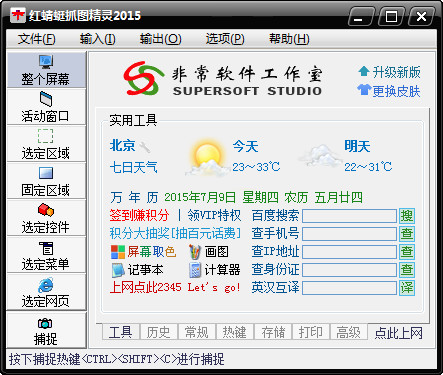
First download the software and install it. Note that custom installation prevents the installation of some included plug-ins. Then open the software. The interface is as shown below. The functions and menus are clear at a glance.
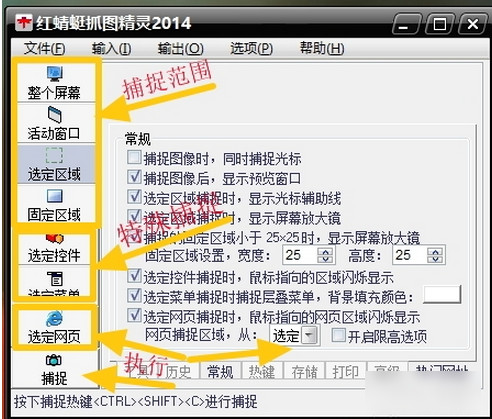
First, enter the general options and advanced options of the software options to set the capture conditions to facilitate capture. And can set capture watermark and time mark.
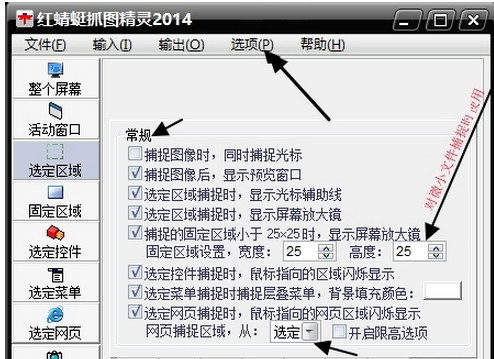

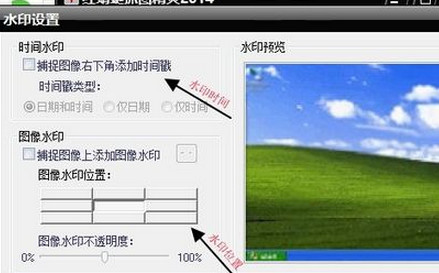
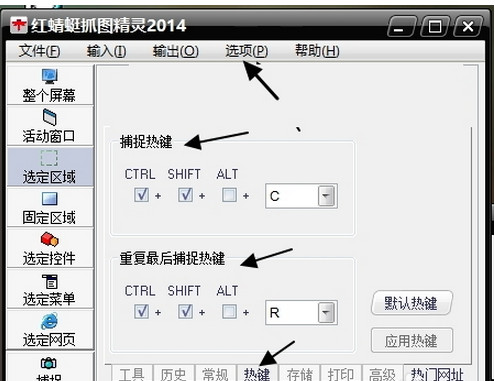
Next, enter the program options-Capture hotkeys, set the hotkeys for starting capture and repeating capture. Be careful not to repeat the hotkeys with other applications. ,
Red Dragonfly Snapshot Wizard update log:
1. Modify user-submitted bugs
2.Add new features
Huajun editor recommends:
Red Dragonfly Snapshot Wizard is a very good screenshot software. I secretly tell you that I also use this software, and I won’t tell others about it! Powerful, green and safe. Huajun Software Park also provides you withScreenshot Master,GetFlash,King of Han ocr,Wink,Snapshot software HprSnapWaiting for you to download.









Useful
Useful
Useful