




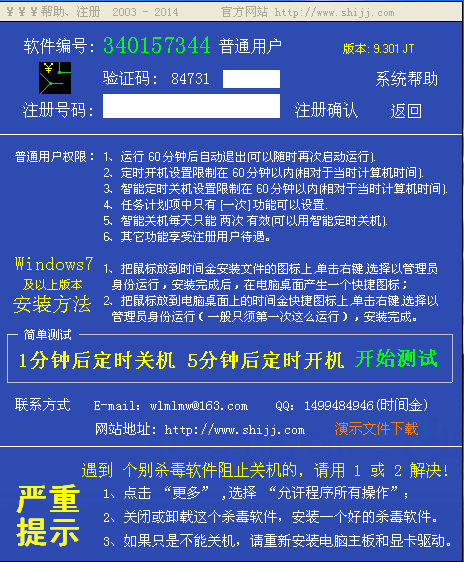
Features of time gold system timer switch software
1. It can be reproduced on site, ensuring that the user setting parameters do not make any changes.
2. Set a scheduled startup task any number of times, and you can also perform other tasks at the same time. Such as: running programs, opening web addresses, playing music, etc.
3. Monitor the battery power. If it is lower than the standard line, it will automatically shut down and collect the data of the currently executed file or program.
4. The timer system's scheduled power-off software will retain the status of all programs or files before the shutdown after the scheduled shutdown to ensure that you can continue editing the next time you open it. Such as:
A. Various documents and materials operated before shutting down;
B. The web pages browsed before shutting down;
C. The music and movies that were listened to and watched before shutting down;
D. The game that was running before shutting down;
E. Programs running before shutdown, etc.;
5. The task plan of the time gold system scheduled power-off software can be completed in cycles, such as one-time plan, hourly plan, daily plan, weekly plan, recurring plan, computer idle plan, computer startup login plan, etc. Set the tasks you need to perform regularly. Such as various file tasks, website browsing, program running, etc.
Installation tutorial of time gold system timer switch software
1. First, you need to find the "Download Address" on this page and select any address to start downloading. Do not continue the operation after downloading the time gold system scheduled power-on/off software package to the local computer. See the second step.
2. CheckPlease follow the prompts to close all running programs first, paying special attention to anti-virus software to prevent abnormal errors during installation.
3. After clearing the installation environment according to the above prompts, you can proceed with the installation tutorial. There are two installation situations.
1.)WindowsXP and 2003, 2000 systems can directly double-click to start the installation. Double-click the downloaded time gold system scheduled power on and off software package to unzip it and find the .exe format program. Double-click it to start the installation, as follows:
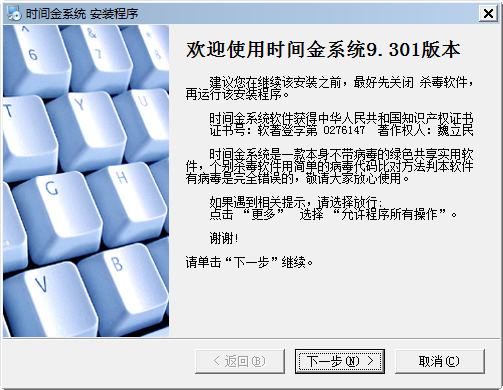
1. Directly double-click the [Next] button to start the installation tutorial of the time gold system scheduled power on and off software.
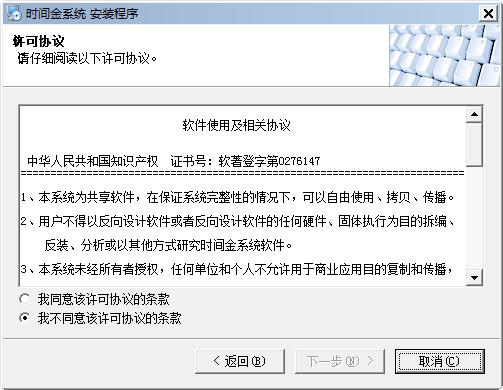
2. After starting the installation, the following screenshot will appear: Please follow the prompts on this interface to roughly understand the user agreement content of the time gold system scheduled power-off software, then agree to the option and click [Next]
Tip: My friends have also seen that if you do not agree to the agreement, you cannot continue the installation.
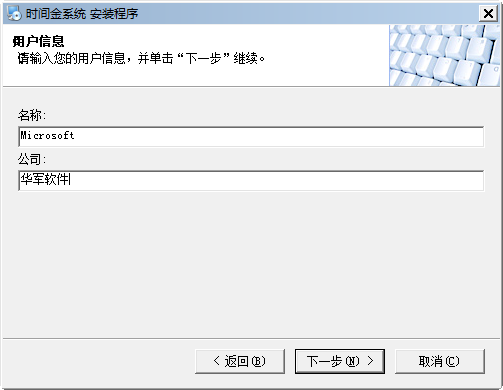
3. After agreeing to the agreement, the following screenshot appears: Here we need to fill in our user information, such as name and company. Just fill in the relevant information according to the prompts and click [Next] to proceed with the installation.
4. The next step is to enter the installation directory setting interface of the timer system timing switch software: here we need to set the specific installation location of the timer system timer switch software. If you do not need it, you can directly click [Next] to skip it. If you need to set it, please click the [Change] button to enter the setting interface and select the directory where you need to store it, and then click [Next]
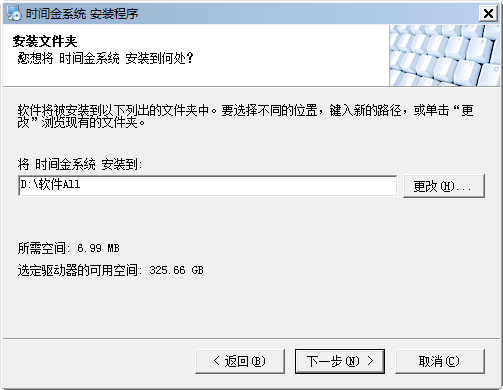
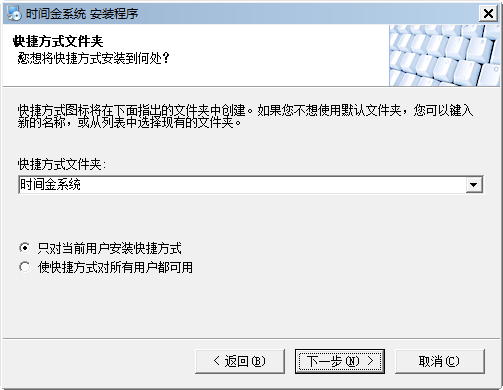
5. After setting the installation directory, you will enter the shortcut setting interface of the time gold system timer on and off software. Here we can set the shortcut storage folder of the time gold system timer power on and off software and target groups of people. You can set this folder to be visible to everyone or only to the current user. After setting, click [Next] to continue the installation.
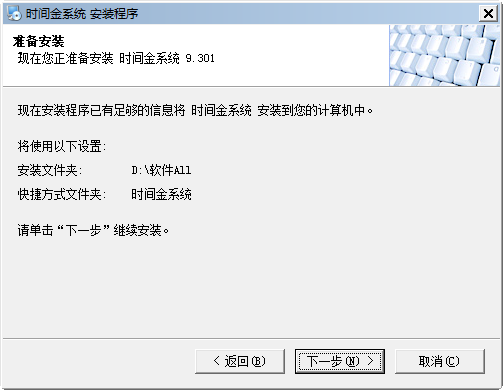
6. After setting the above information, you will enter the time gold system scheduled power-off software installation information confirmation interface. Here we can review the previously set information. If there is any mistake, you can choose [Return] to regret and reset. If everything is correct, click [Next] to continue the installation.
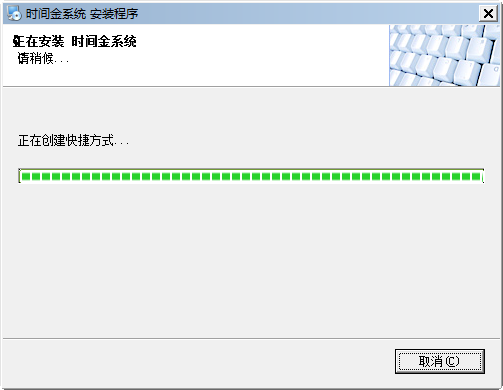
7. The next step is to enter the installation progress bar interface of the timer system timer on/off software. The screenshot below shows the timer system timer on/off software being installed on its own. We just need to wait patiently.
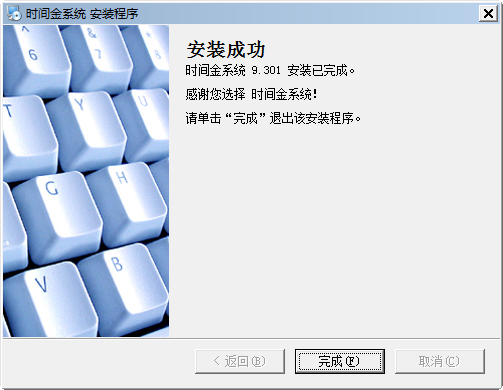
8. Finally, the time gold system timer on/off software is installed successfully and the following screenshot appears: We only need to click the [Finish] button to close the interface and start using the time gold system timer on/off software.
9. The editor will say one last thing: If after closing the interface, there is the following screenshot logo in the lower right corner, indicating that the time gold system timer switch software has been opened and can be used.

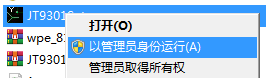
2.)If the above installation does not match your computer, please check whether it is a Windows 7 or higher version system. If so, please right-click the .exe format program and select the [Run as administrator] option to start the installation. (Please refer to the above installation tutorial steps)
Tutorial on how to use time gold system timing switch software
Set a scheduled power on
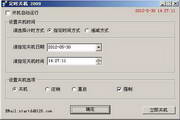
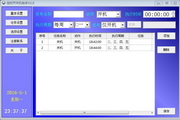
1. Set the date and time for scheduled startup (the startup time can be accurate to seconds ~ N years), you can choose once, every day, Monday ~ Sunday;
①Once: Execute only once after setting the timing information, and delete it automatically after execution;
②Every day:After setting the scheduled information, it will remind you regularly every day, no need to set it every day;
③Monday ~ Sunday:After setting the timing information, theMonday, Tuesday, Wednesday, Thursday, Friday, Saturday, Sunday time periodPeriodic execution, only needs to be set once;
2. When you need to automatically perform tasks during scheduled boot, you can choose [normal boot, password boot, direct boot, play music, keyboard and mouse, play music, execute files, etc., or just schedule the boot without doing any other operations.
①[Normal boot]: OrdinaryTimingPower on,After you set the scheduled power-on task, the timer system timer power-on and power-off software will help you automatically start the computer at the scheduled time to achieve automatic power-on;
②[Run program]: Run the program regularly. The time gold system timing switch software will start the program files that need to be run at the specified time you set; such as: audio and video software, documents, other programs, etc.
③[Play music]: Play music regularly,The time gold system timing switch software will start the required time at the specified time you set.Play music or video files;
④[Open URL]: Open the URL regularly.The time gold system timing switch software will start the required time at the specified time you set.The specified website or URL that is opened;
⑤[Keyboard and Mouse]: Scheduled keyboard and mouse tasks,The timer system timer switch software will start the mouse and keyboard tasks you have set before at the specified time you set. Such as scheduled power on. (certainlyThis function can be fully realized with the help of scheduled power-on);
⑥[Start directly]:The timer system timer on/off software will help you turn on your computer at the designated time you set, and can run keyboard, mouse, and mouse actions.(Invalid for normal boot);
⑦[Password boot]:The time gold system timer power-on and power-off software will help you perform password power-on at the specified time you set., keyboard, mouse, and mouse actions cannot be executed.
⑧ Leave all options empty (unselected): It will only help you start the computer, no other operations will be performed;
Delete scheduled power-on setting
1. If you have set up a scheduled task and want to delete it, please first select the scheduled task to be deleted, then click the [Delete] button and follow the prompts to confirm the deletion;
2. If you want to delete all scheduled tasks, please directly click [Delete All] and confirm the deletion;
3. Some set one-time scheduled tasks will be deleted after automatic execution, and manual deletion is not required;
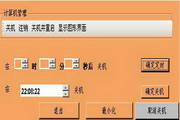
Note: If you want to schedule a shutdown, you can only use the [Intelligent Immediate Shutdown], [Intelligent Scheduled Shutdown], and [Idle Shutdown Settings] of the Time Gold system scheduled shutdown software.
Frequently Asked Questions about Time System Timing On/Off Software
Can the computer automatically turn on at a scheduled time and run programs automatically?
The timing power-on/off software of the Time King system can complete the following tasks when the computer CPU, memory and hard disk are completely stopped:
1. Strictly follow the time you setPerform boot tasks
2. You can choose to set multiple startup tasks
3. You can set it after bootingTimingRun various programs, files, open URLs, etc.
4. You can also set up to simulate manual execution of keyboard and mouse at scheduled times to complete other computer operations.
Time gold system timing switch and softwareWhy can't I turn on and off the machine regularly?
1. Leave enough running space so that the remaining space of the system disk where your software is located is larger than the current memory space.
2. Please be sure to use the smart timer switch function of the time gold system to shut down your computer.
3. Make sure the computer is powered and remember to connect the power supply at all times.
4. If you have a power outage before the computer is scheduled to start up, the startup will be invalid. Please make sure there is no power outage before starting up.
5. If it is a laptop, it may be powered by an external power supply (except for some Win7 laptops).
Reasons and solutions for sometimes not being able to shut down regularly:
1.) may be windowsCaused by system problems: Please chooseReinstall the motherboard driver and graphics card driver or update to the latest version of the scheduled power-off software.
Which software is the best for scheduled computer shutdown?
Compared with the time gold system, the scheduled shutdown 3000 has more detailed functions and more accurate execution time. The Scheduled Shutdown 3000 has 11 shutdown options, and each shutdown task can be automatically shut down. In addition, it also supports various reminders, task execution, system cleaning, document opening, website browsing, prohibiting the use of certain software or computer functions, and other functions. Scheduled shutdown 3000 can support viewing the computer startup and shutdown records every time, and is suitable for home users.
The task plan of the Time Money system scheduled power-off software can be completed in cycles, such as one-time plan, hourly plan, daily plan, weekly plan, recurring plan, computer idle plan, computer startup login plan, etc. Set the tasks you need to perform regularly. Such as various file tasks, website browsing, program running, etc.
If you also want to use Scheduled Shutdown 3000, you can click the link here to get the download address:http://softwaredownload4.com/soft/40250.htm
Time gold system scheduled power on and off software update log
New features added in version 7.00 of the time money system software:
1. Added the function of setting scheduled power on and scheduled shutdown from Monday to Sunday.
2. Added a function to control computer sound on/off in scheduled tasks.
3. Fixed the bug in automatic keyboard and mouse.
4. A more detailed supplementary explanation has been given to the time gold system operation manual.
|
Huajun editor recommends: Because the time gold system is mostly used to switch computers on and off regularly, it can also be called time gold system timer switching software. If your computer is slow to start up every day and takes a long time, you can use the timer system's scheduled power-off software to let it start on its own without human supervision before you arrive at the company for work. If you are worried about forgetting certain tasks because it takes a while, you can also use the timer system's scheduled power-on and off software to set up automatic execution for you. In addition, the editor of Huajun also collects and organizes other timing management tools for you to choose and download, such as: computer timing management lock screen restart cleaning tool, SMS timing manager |


















Useful
Useful
Useful