




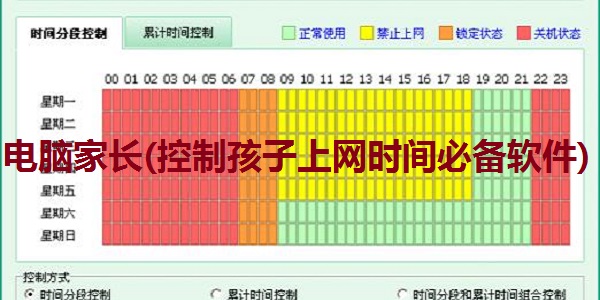
Computer Parent (must-have software for controlling children’s online time) software functions
Convenient user mode switching function
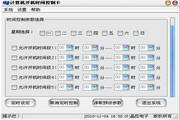
Flexible time segmentation control function
Comprehensive cumulative time control function
Intimate vision protection control function
Personalized Internet access ban policy settings
Detailed log query function
Computer Parents (essential software to control children’s online time) Software Features
控制上网时间,防止孩子网瘾
Filter out bad information and surf the Internet green and healthy
Master your online behavior and understand your psychological trends
Computer Parents (Essential Software for Controlling Children’s Internet Time) Installation Steps
1. Download the report tool from Huajun Software Park and unzip it to the current folder. Click on the cp_578788.exe application to enter the installation wizard interface, and then click Next to come to the license agreement interface.
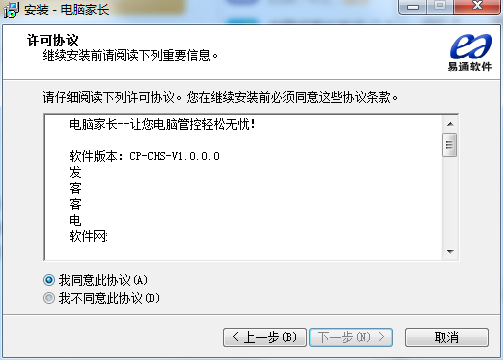
2. Select the software installation location interface. Huajun editor recommends that users install it on the D drive, select the installation location and click Next.
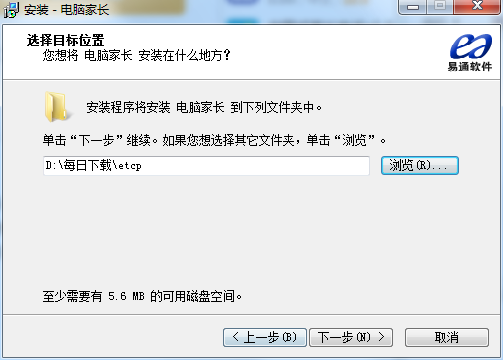
3. The installation of the Grid++Report reporting tool is completed, click Finish.
How to use computer parents (essential software to control children’s online time)
What should I do if my computer’s parental control cannot be turned on?
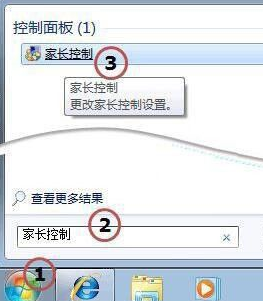
Click Start, enter Parental Control in the command box and click Parental Control in the command line result set
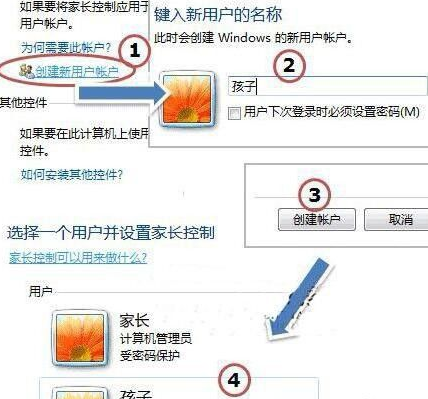
In the Parental Controls dialog box, click Create New User Account in the middle. Then in the pop-up Create User window, type in the name of the new user and click the Create Account button to complete. As shown in the figure below, a user called child is created for children to use. At this time, your computer should have two accounts, one is your administrator account as a parent, and the other account called child is for your child to use.
Frequently Asked Questions for Computer Parents (Essential Software for Controlling Children’s Internet Time)
Q: What should I do if I forget my computer parental control password?
Answer: Restart and press F8 to select safe mode to see if there are other administrator users. After logging in with other administrators, change the user password that cannot be used before;
If there are no other administrators, you can also solve the problem by encapsulating the system disk PE with the option of clearing the power-on password. You can use a USB flash drive to create a PE, and then boot from the PE. There is an option to clear the power-on password, delete or modify the power-on login password. This method is suitable for people with computer skills.
If there is no hardware power-on password on the system login interface, you need to look at the full name or serial number of the specific model to see if there are other ways to clear it. If the notebooks currently sold have a power-on password, you need to contact the local maintenance center to help open the password.
Question: How do I delete Computer Parent (a necessary software to control children’s online time)?
Answer: Start--Run--enter msconfig---Enter--turn off all parent-related startup items on the computer.
Comparison of similar software
Super Eye Internet Monitoring and Management SoftwareIt is used for corporate Internet access monitoring and control systems. The software is simple to use and has comprehensive functions. It is a software for companies to manage employee computers. The pure software method does not require the purchase of hardware and is very cost-effective. It can meet the needs of enterprises to filter and restrict the company's network, manage and control the Internet access activities of internal employees, achieve the purpose of managing and controlling Internet access content, balancing network traffic, and improving internal network security of the enterprise, freeing enterprises from worries about accessing the Internet.
Worry-free Internet monitoringIt is a professional screen monitoring tool that can comprehensively record your computer’s Internet surfing, chatting, games, etc., and supervise your children’s healthy Internet use. This software can be set to automatically run the background recording program when it is turned on. The recorded files are compressed and take up little space. You can also set a password to open the software. Without the password, the software cannot be opened.
Huajun editor recommends:
Computer Parents (Essential Software for Controlling Children’s Internet Time)It also has functions such as recording computer screen logs, computer power on and off time and usage time, disk operation logs (create/copy/delete files or folders, etc.). Computer Parent (a must-have software for controlling children's Internet time) is very simple to use. The optimized operation interface allows you to easily find the functions you want. Come and download it.














Useful
Useful
Useful