




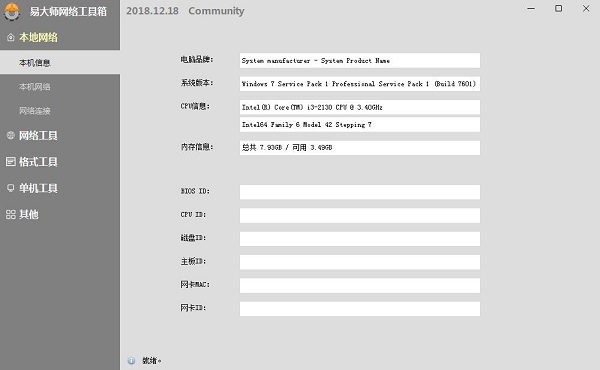
Easy Master Network Toolbox Software Functions
1. Local network
1. Master Yi Network Toolbox displays the local network information, network connection and port occupancy;
2. Network connection: displays the current network connection, and can open the process location and end the process
2. Network Tools
1. Route tracing, measuring the distance between the current computer and the target domain name/IP;
2. HTTP request, initiate GET/POST request;
3. QPS test to calculate the maximum load capacity of the server in a stressful environment;
3. Format Tools
1. Regular tools can be used to test regular expressions and sort out commonly used regular expressions;
2. RSA generation, which can quickly generate random RSA public keys and private keys;
4. Stand-alone tools
1. Serial port tools, serial port device debugging tools;
2. GIF recording, save the screen recording as a gif picture;
3. Window tools, including color picking and window magnifier;
4. File tools, hash calculation, import table and export table viewing;
How to install Master Yi Network Toolbox
In Huajun Software Park, download the official software package of Master Yi Network Toolbox

Extract to the current folder

Double-click to open the application in the folder
This software is green software and can be used without installation.
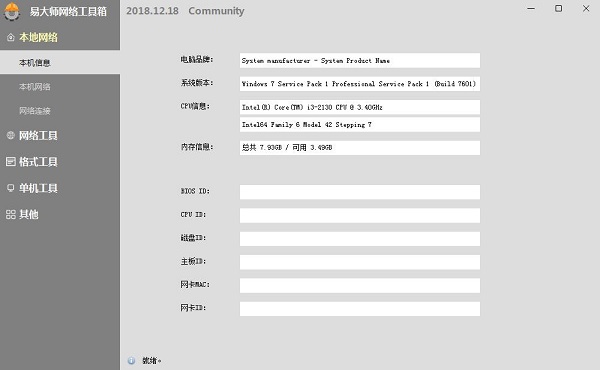
Master Yi Network Toolbox update log
1. Optimize content
2. The details are more outstanding and the bugs are gone.
Huajun editor recommends:
Master Yi Network Toolbox has always been a common network aid for most netizens. Its dominance in the minds of netizens can be seen. It is strongly recommended that users download and use Master Yi Network Toolbox. Come to Huajun Software Park to download it. In addition, there areNumber cube,Desktop Taobao,Sogou input method skin box,Ping An Bank Online Banking Assistant,Mung Bean HTC one-click unlockAvailable for download.




Useful
Useful
Useful