



Features of Yideyou Intelligent Course Recording Software
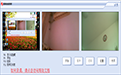
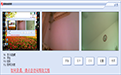
1. Supports one screen and two cameras, that is, while recording the screen, you can also record the images of two cameras.
2. The interface is simple, the operation is simple, the functions are practical, and it supports hotkey shortcut operations.
3. The generated video can be viewed in split screen, takes up little space, is suitable for publishing and handing in assignments, and is more suitable for instructing teachers to check the status of trial lectures.
4. Support time watermark. You can adjust the settings by yourself whether to use watermark and watermark style.
How to use Yideyou Intelligent Class Recording
1. Unzip EduRecord.rar to any directory.
2. Double-click to run EduRecord.exe. It is recommended to create a desktop shortcut for EduRecord.exe yourself.
3. If you are prompted to install .net frame work 4.X, you can run dotnet462.exe in the directory to install it.
4. It is best to use an external USB port camera, because the camera that comes with the notebook generally has a lower resolution.
5. The current high compression is only for recording classes and submitting homework. If you have special needs and customization requirements, please contact the author. Suggestions are welcome.




Useful
Useful
Useful