CapturaIt is a simple, easy-to-use and professional video recording tool. Supports screen recording, area recording, window recording, sound recording, and camera recording. Captura is a must-have video recording software for recording online classes, meetings, video tutorials, game tutorials, and product demonstrations. Huajun Software Park provides you with the download of Captura, a video recording master, come and experience it!
CapturaSoftware function
Multiple recording modes: Easily record online classes, online meetings, create videos, game tutorials, or product demonstrations by recording screen, camera, and audio
【Full Screen Recording】Record video in full screen or select any area
【Window Recording】Record a specific target window and capture all activities within that window even if it is covered and blocked.
[Picture-in-picture recording] allows you to record the screen while using the camera to record at the same time
[Camera Recording] Supports the selection of external camera equipment to easily record teaching demonstrations, online meetings, game commentary, webcasts, video chats, etc. Supports the selection of virtual cameras, such as CamTwist, OBS Virtual Camera, etc. Supports mirror recording cameras
[External monitor recording] Supports dragging the page window to record external monitors
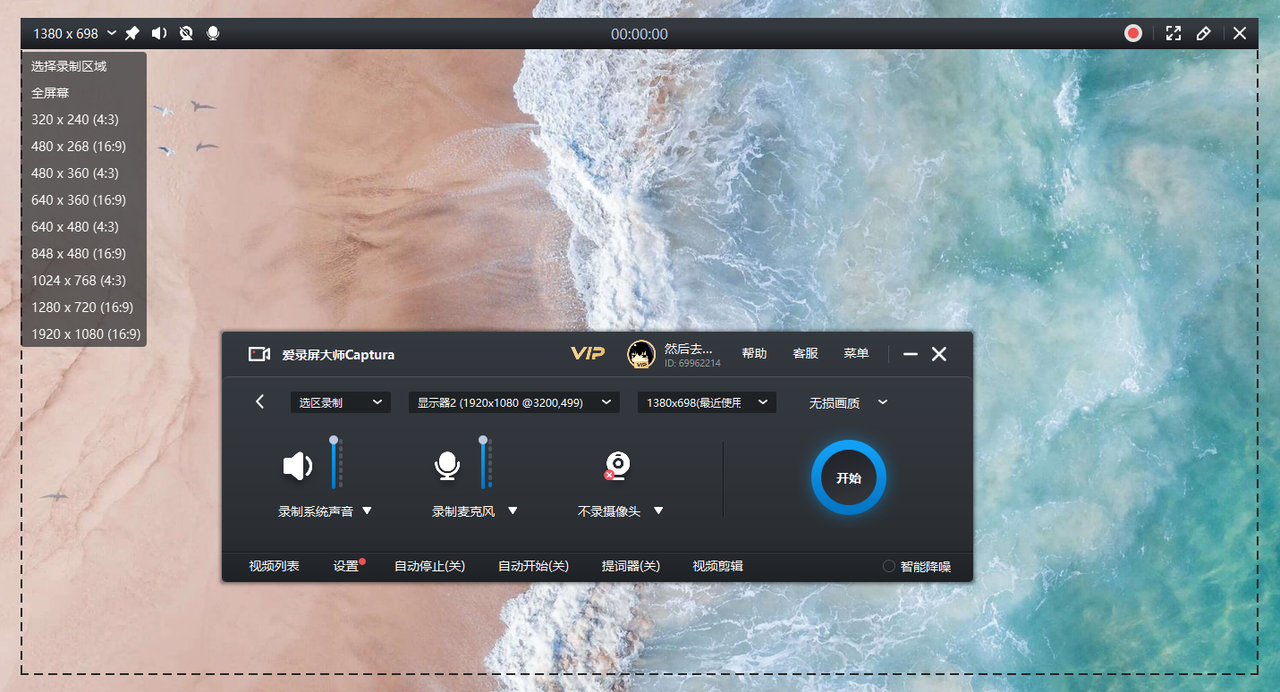
Versatile and powerful recording operation: supports scheduled recording, custom modification of recording video frame rate and resolution, mouse cursor and mark, shortcut key operation, system sound and microphone recording, pause and resume recording
[Scheduled Recording] Set the recording start time or recording duration before screen recording/audio recording, and automatically start/stop recording
[System Sound Recording] Use the system's built-in microphone, computer sound, or audio input device to record system sound, microphone sound, or the sound of other audio input devices
[Pause/Resume Recording] Supports pausing/resuming video recording and abandoning recording
[Video frame rate and bit rate] supports setting different frame rates (15fps-60fps). Before recording, you can select screen resolutions such as 4K/1080P/720P to create videos of different sizes.
[Mouse Cursor] Supports setting mouse cursor effect, left and right mouse button and click effect colors to improve recording effect
[Logo Recording] Supports adding comments during screen recording, such as adding text, highlights, arrows, underlines, etc., to improve the recording experience
[Teleprompter display] Supports the teleprompter being displayed on the desktop during recording, but the video will not be recorded.
[Shortcut key operation] Provides a variety of shortcut keys to start, pause, continue, stop recording, etc. to make recording easier
-App usage tutorial video recording
-On-site recording of business office meetings
-Computer operation demonstration video recording
-Online teaching video recording
-Game commentary video recording
-Online course recording
1. Fixed several bugs;
2. Optimize details;









Your comment needs to be reviewed before it can be displayed