




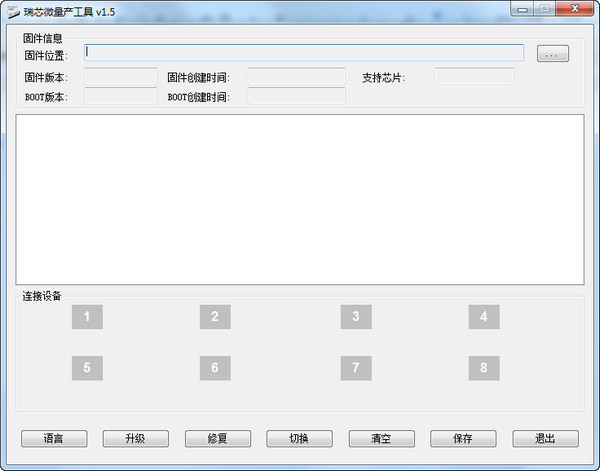
Operating Instructions
Plug in the device and put the device into upgrade mode or USB disk mode
Select firmware
Confirm that the device enters Rockusb state (Maskrom and Loader states both belong to Rock usb state)
Upgrade or repair equipment
Error message description
"Loading configuration information failed and the operation cannot be performed". Due to an error in loading the Config.ini file, you can obtain the correct Config.ini file from the publishing program and replace it.
"Failed to load firmware, cannot operate!" This is caused by the fact that the firmware is not selected or the firmware cannot be read correctly. Please confirm whether the firmware is correct.
"Other operations are running, please wait!" Since other operations are currently in progress, please wait until other operations are completed before proceeding.
"No device found, operation cannot be performed!" Please confirm whether the device is connected or whether it is in Rockusb status
"Failed to create the operation process and cannot perform the operation!" Please restart the program and perform the operation again.
"Creation of the operation object failed and the operation cannot be performed!" Please restart the program and try again.
"This type of device is not supported and the operation cannot be performed!" Please confirm whether the device has entered the Rock usb state. If it is currently in the U disk state, please switch to it before operating.
Things to note
Batch upgrade needs to be connected to the HUB for upgrade, and it is best not to upgrade more than four devices at the same time.
After modifying the configuration file, you need to restart the batch upgrade program.
When using mass production tools, do not open other upgrade programs
The mass production tool will automatically generate a UID unique code for the device during the production process. If you need to ensure that this unique code is reliable, please equip the computer using the mass production tool with a network card.









Useful
Useful
Useful