





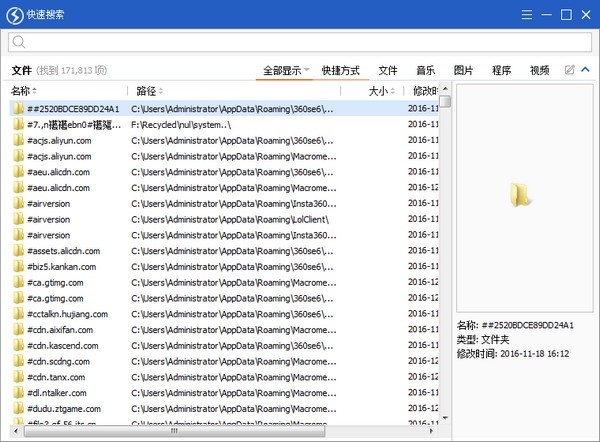
Quick search Chinese version (quick search) software introduction
Quickly search the Chinese version (quick search) is a local hard disk file search tool that searches for specific files by entering keywords. The speed is much faster than the search function of the system itself. It supports classification according to file types.
Quick search for the Chinese version (quick search) quickly locates files and folders based on keywords (file names). After entering the keywords, quickly search for the Chinese version (quick search) search) will instantly display all matching results, realize search as you type, and search by category to search for shortcuts, folders, documents, pictures, videos, music and other file types.
Quick search Chinese version (quick search) software features
Supports NTFS and FAT32 file systems
Can monitor file system changes and reflect them in search results
There are two interface modes: mini mode and full mode
In mini mode, the list will pop up automatically when there are search results, and the list will be hidden when there are no results.
By default, all file types are searched, and specific types of files can also be searched.
You can customize search categories and search for specified file types.
areas where Quick Search was deficient or could be improved
Real-time search speed is slightly slower than Everything, but it is fast enough
Memory and CPU usage are slightly higher
The scrolling of the search results list is not smooth
Cannot minimize to system tray
The customizability of the interface is not flexible, such as the inability to adjust the size of the mini mode.
How to use quick search Chinese version (quick search)
1. After running Quick Search, switch to Simplified Chinese interface in Options -> General -> Language.
2. Enter the file name you want to search for above.
3. Check the file type on the left.
Quick search Chinese version (quick search) update log
Optimize user feedback issues and improve detailed experience
Huajun editor recommends:
The editor has been using this type of software for quick search Chinese version (quick search) for many years, but this software is still the best.Virtual optical drive tool,Hard disk serial number reading tool,fat32 formatting tool FAT32formatter,Huahong HHD02A card reader driver,Laomaotao USB boot disk creation toolIt is also a good software and is recommended for students to download and use.




Useful
Useful
Useful