



Features of EaseUS Erase Tool Software
When you delete files or empty the Recycle Bin, in fact, the data information is not completely erased, but the operating system marks it as inaccessible. The deleted data exists and can be recovered through certain data recovery methods, especially personal information, bank account information, credit card numbers, email information, etc. Therefore, if you want to completely delete this data, it is recommended to use the EaseUS Erase tool, which provides you with three flexible data removal methods.
1. Delete private information and confidential files so that they cannot be recovered.
2. Forcefully shred files that cannot be deleted.
3. Permanently erase recoverable content from available space on HDD/SSD.
擦除硬盘
Erase non-system disks, including all HDD or SSD partitions, with one click.
Erase files
Erasing business data, important files, and personal information beyond recovery.
wiping partition
Erase specific partitions or non-system partitions.
Wiping external devices
Erase U disk, memory stick, SD card or TF card, etc.
Wipe system disk
Erase C drive or system partition without bootable CD.
wiping free space
Keep your system intact and erase sensitive data.
How to use EaseUS Erase Tool
Step 1. Select the disk
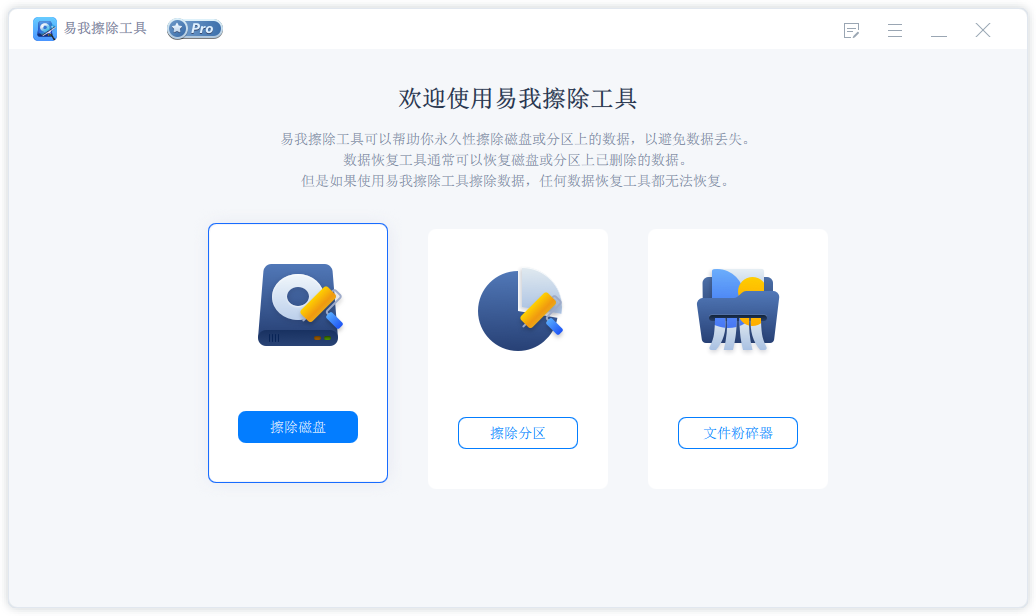
Start the EaseUS Erase tool and click [Erase Disk].
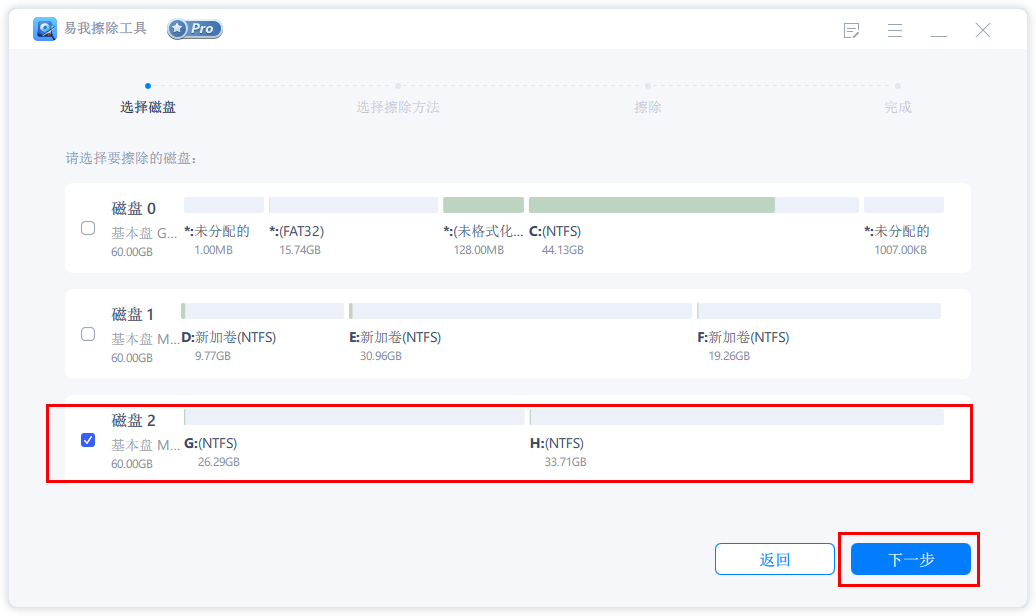
Select the disk that needs to erase data and click [Next].
Step 2. Select erasure method
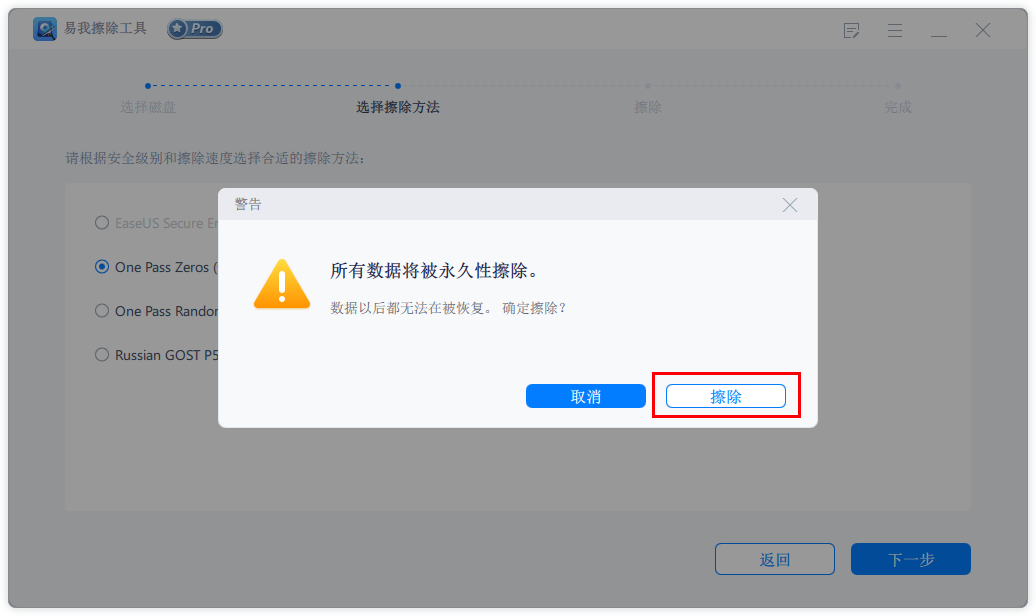
Please choose the appropriate erasing method based on the security level and erasing speed.
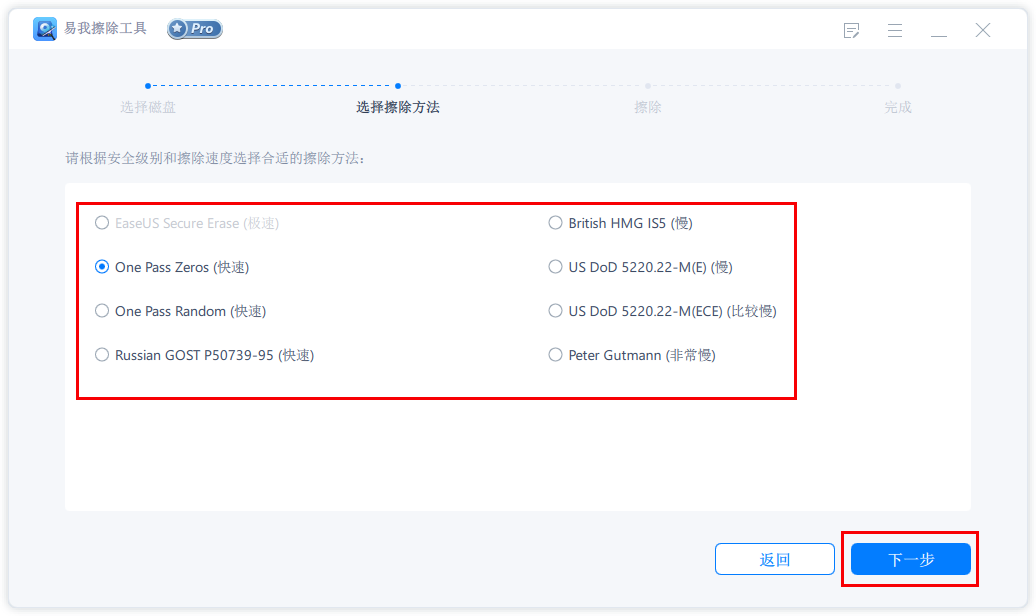
Click [Next], and the prompt "All data will be permanently deleted" will appear:
Click [Erase] to start erasing data.
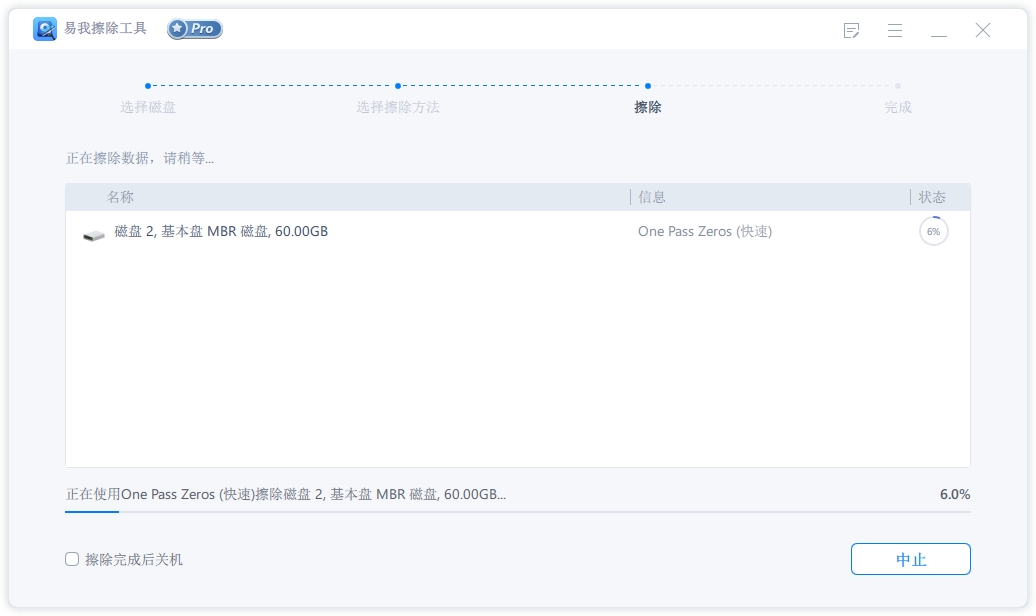
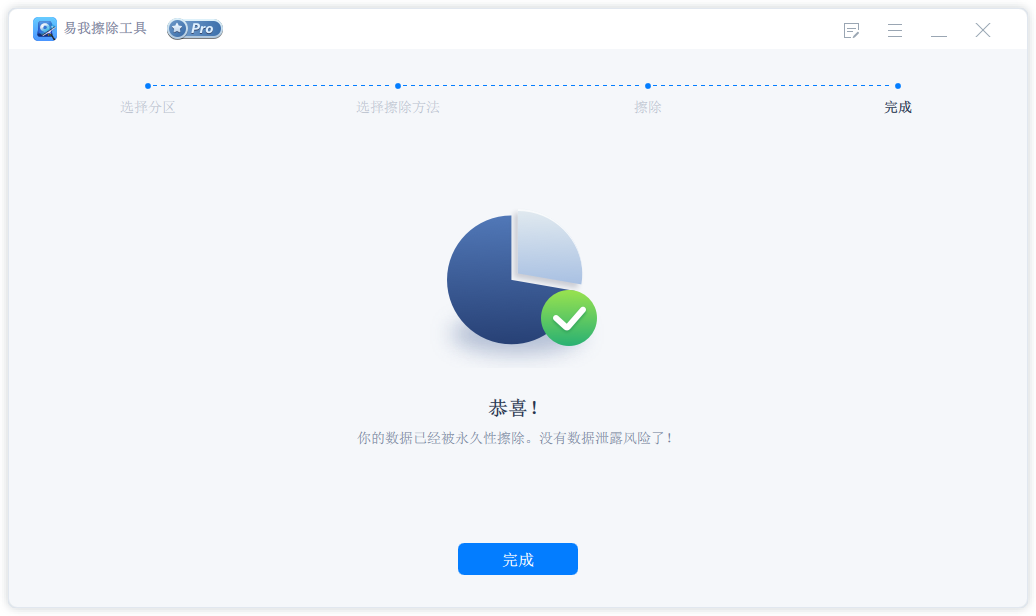
Step 3. Erase data
EaseUS Erase Tool update log:
1: Brand new interface, refreshing, simple and efficient
2: Performance is getting better and better
Huajun editor recommends:
The editor has been using software like EaseUS Erase Tool for many years, but this software is still the best.Hard disk serial number reading tool,fat32 formatting tool FAT32formatter,Hard disk virtual partition wizard,Huahong HHD02A card reader driver,Laomaotao USB boot disk creation toolIt is also a good software and is recommended for students to download and use.




Your comment needs to be reviewed before it can be displayed