

If you are looking for software to use, go to Huajun Software Park! software release AI product list

Hello, if there is a need for software inclusion, please package the software and attach the software name, software introduction, software-related screenshots, software icon, soft copy, business license (if you do not have a business license, please provide the front and back of the corresponding developer ID card and a photo of yourself holding the ID card), and send it to email http://softwaredownload4.com/sbdm/user/login

Close >>

Send to email:news@onlinedown.net

Close >>

Location: Home pagePC softwareSystem softwareDisk Utility GALAX SSD firmware upgrade tool
GALAX SSD firmware upgrade tool

GALAX SSD firmware upgrade tool 1.2 official version

QR code
  • Software licensing: free software
  • Software size: 1.6MB
  • Software rating:
  • Software type: Domestic software
  • Update time: 2024-12-26
  • Application platform: WinAll
  • Software language: Simplified Chinese
  • Edition: 1.2 official version

Download the service agreement at the bottom of the page

Software introduction Related topics FAQ Download address

Basic introduction
GALAX SSD firmware upgrade tool segment first LOGO
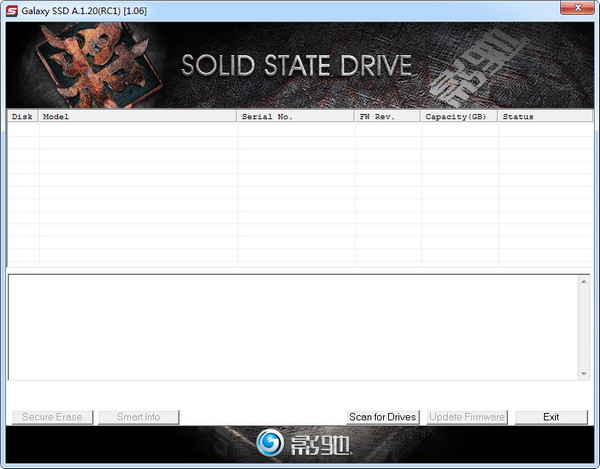
GALAXY Solid State Drive Firmware Upgrade Tool (Galaxy SSD), currently can only be used for firmware upgrades. The following is a detailed tutorial for upgrading GALAXY series SSDs. Follow the steps to successfully upgrade the hard drive firmware.

Screenshot of GALAX SSD firmware upgrade tool

Upgrade tutorial

This upgrade tutorial (taking Tiger 120GB as an example) is only for SSD solid state drives with version 1.03 firmware. For other SSD series models, please do not perform the following operations, otherwise GALAX will not be responsible for any losses (data loss) caused.
1. Unzip it after downloading.
2. Find Galaxy SSD A.1.19.exe and double-click it (some Win7/8 users need to right-click to run as administrator) 3. Check Tiger 120GB (Galaxy GX0120MT103-A1) and click update firmware in the lower right corner. The prompt box will prompt the user to close other programs and press OK to start the upgrade.
4. The software displays starting update. Update in progress. It means that the solid state drive is being upgraded. It is recommended that users do not take any operations and wait patiently for the upgrade to be completed.
5. When the software pops up the message below, it is recommended that the user shut down or restart the computer according to the prompts, otherwise it may not be recognized or misrecognized.
6. Use CrystalDiskInfo to query, and the firmware version has been displayed as the SSD model applicable to 1.06:
——Golden Warrior 240G: GX0240ML105-G
——Golden Warrior 120G: GX0120ML105-G
——Warlord 240G: GX0240ML103
——Warlord 120G: GX0120ML103
——Warlord 60G: GX0060ML103;

FAQ

GALAX SSD firmware upgrade tool

GALAX SSD firmware upgrade tool 1.2 official version

Close

