





Lenovo Lenovo Z360 notebook network card driver driver introduction
Lenovo z360 wireless network card driver is an official latest version driver suitable for winxp, win7 and win10 operating systems. It can help users effectively solve the problems that occur in the Lenovo z360 notebook wireless network card connection. This driver only needs to be installed and restarted to fix the problem!
Lenovo Lenovo Z360 notebook network card driver basic parameters
Processor
CPU series: Intel Core i3
CPU model: intel Core i3 380m
CPU frequency: 2.53ghz
Core Architecture: arrandale
Power consumption: 35w, process technology: 32nm
Level 3 cache: 3mb, bus specification: 2.5gt/s
Number of cores/threads: dual-core/four-thread multitasking
Storage device
Memory capacity: 2gb
Memory type: ddr3l
Hard drive capacity: 500gb
Maximum memory capacity: 8gb
Other parameters
Notebook weight: 2kg
Shell material: composite material
Shell description: cool black
Screen size: 13.3 inches
Display ratio: 16:9
Screen resolution: 1366x768
Graphics card type: mid- to low-end discrete graphics card
Video memory capacity: 512mb
Video memory type: gddr3
Video memory bit width: 64bit
Data interface: 3×usb2.0
Card Reader: All-in-1 Card Reader
Lenovo Lenovo Z360 laptop network card driver installation stepsstep
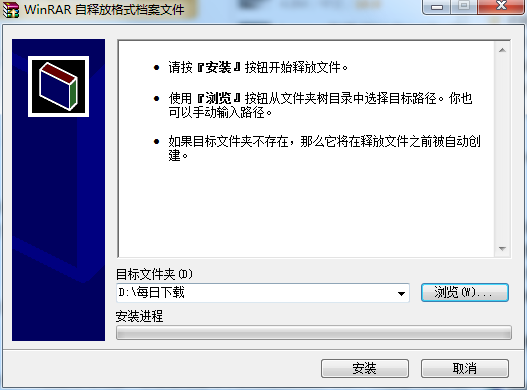
1. Download the Lenovo Lenovo Z360 notebook network card driver in the Huajun Software Park and unzip it to the current folder. Click the Lenovo Lenovo Z360 notebook network card driver application and select the software installation location interface. The Huajun editor recommends that users install it in the D drive, select the installation location and click to install.
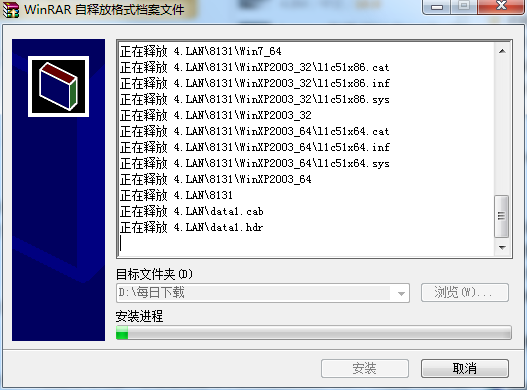
2. The Lenovo Z360 laptop network card driver is being installed, please wait patiently for a while.
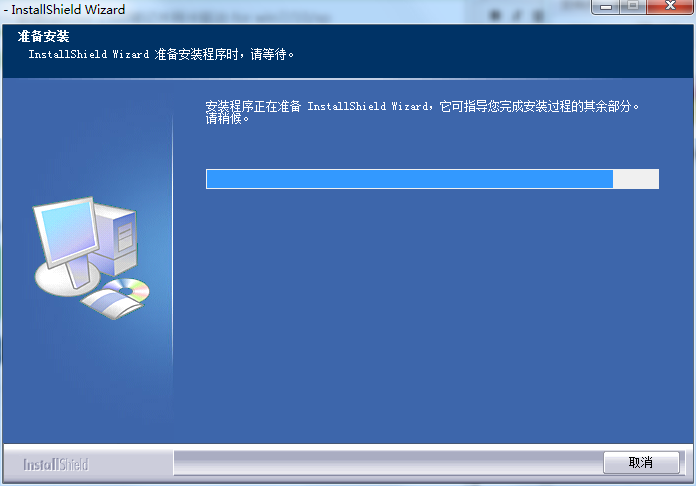
3. Because the editor is not using a laptop, it shows that it is being installed. Users who have laptops will install it directly. After the installation is completed, restart and use it.
Comparison of similar software
ThinkPad X1 Carbon driverIs the most suitable for the current ThinkPad X1 Carbon notebook driver installation package. If you install this driver tool, you can download driver related information directly online.
Shenzhou k350c driverIt is a complete set of notebook drivers for this model. Only if it is properly installed can the touchpad, peripheral HD input, USB, etc. be connected and work normally. This driver has excellent compatibility and can run well on Windows systems. It is a must-have driver for Shenzhou notebooks.
Huajun editor recommends:
Lenovo Lenovo Z360 notebook network card driver can help users quickly solve lenovoz360 notebook network problems, allowing the computer to use the network normally to surf the Internet or play games, etc. The Lenovo Z360 notebook network card driver is a time-tested network card driver that has been updated in versions again and again, bringing users a very high experience. It is highly recommended for users who need the download experience.




Useful
Useful
Useful