



Mercury wireless network card driver universal version software features
Adopts intelligent self-installation technology, plug it into your computer and use it, and experience the wonderful wireless Internet immediately
External high-gain omnidirectional antenna, longer wireless transmission and reception distance, bringing superior user experience
The external antenna adopts a flexible design and can be freely adjusted to enjoy high speed at any time
Using 11N wireless technology, the wireless transmission rate is up to 150Mbps, making data transmission within the local area network more efficient
Supports advanced encryption and security mechanisms such as WEP, WPA/WPA2, WPA-PSK/WPA2-PSK
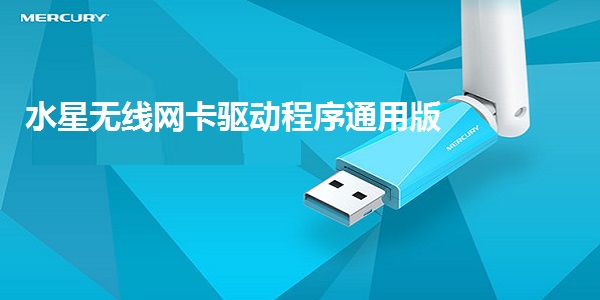
Mercury MW150UH provides Type A USB interface
Comply with IEEE802.11n, IEEE802.11g, IEEE802.11b standards
Support simulated AP function to easily build a wireless LAN
Support wireless roaming technology to ensure efficient wireless connections
Mercury wireless network card driver universal version network card features
1. The antenna is extended and the signal is strong
The external high-gain omnidirectional antenna is 50mm longer than the ordinary antenna, with longer receiving and transmission distance and stronger signal, giving you a different speed experience. Watch videos, listen to music, browse Weibo, and chat on WeChat easily and smoothly.
2. Build WIFI and easily share wireless networks
Supports simulated AP function. By plugging it into a networked device, you can build WIFI and easily share your computer network with laptops, Pads, and mobile phones to enjoy wireless.
3. Exquisite design makes the antenna move
The antenna adopts a flexible structural design and supports free rotation in multiple dimensions. Mercury MW150UH users can adjust according to usage habits and signal strength to improve signal sensitivity and enjoy high speeds at any time.
4. Diverse compatibility, let the system run smoothly
Supports current mainstream Windows Operating systems such as XP (32/64bit), Windows7 (32/64bit), Windows8 (32/64bit), Windows8.1 (32/64bit), etc. meet the needs of various users and make Internet life more free.
Mercury Wireless Network Card Driver Universal Version Device Information
Supported standards and protocols: IEEE 802.11g, IEEE 802.11b, IEEE 802.11n
Bus type: USB 2.0
Antenna gain: 5dBi
Number of working channels: 13
Transmission rate:
11n: up to 150M
11g: 6/9/12/18/24/36/48/54Mbps (adaptive)
11b: 1/2/5.5/11M (adaptive)
Data modulation:
11b:CCK,DQPSK,DBPSK
11g: OFDM
11n: OFDM with PSK, BPSK, 16-QAM, 64-QAM
LED indication: Status
External dimensions: 42.0mm×16.8mm×12.7mm
Mercury Wireless Network Card Driver Universal Version Instructions
1. Connect the network card to the PC through the USB interface (the network card must be connected to the computer, otherwise the installation program cannot proceed)
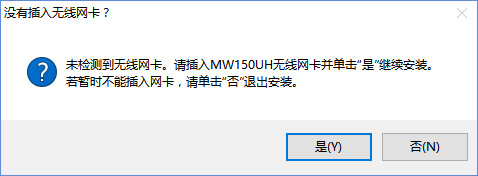
2. After downloading Mercury MW150UH, unzip it and click setup.exe to enter the driver installation wizard interface.
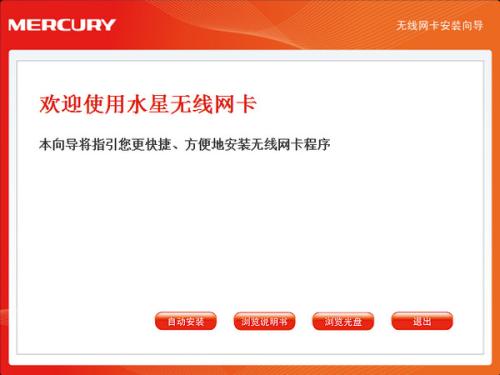
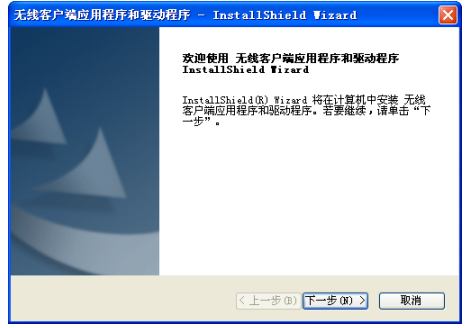
3. In the installation interface that appears subsequently, click Next to continue the installation.
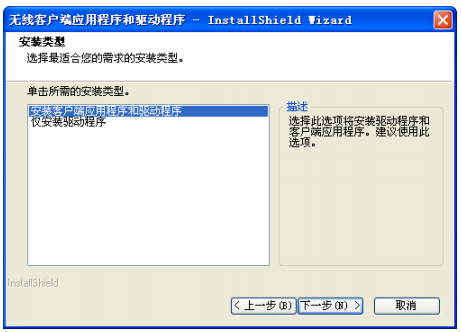
4. Select "Install client applications and drivers" and click Next to continue the installation.
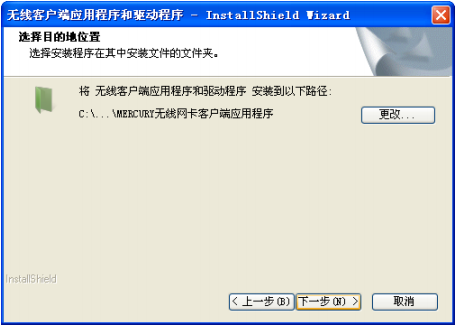
5. Click Next to continue the installation. If you choose another installation path, click Change to set it.
6. As shown in the interface shown in the figure, the system starts to install the wireless client application and driver of the wireless USB network card.
7. The next step is the installation process. Wait a moment to complete the installation of the Mercury MW150UH wireless network card driver.
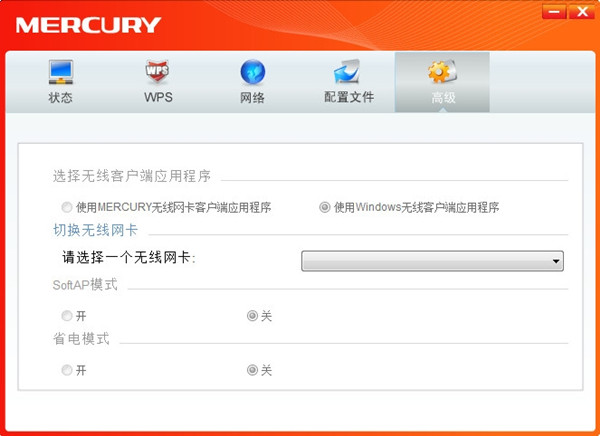
Mercury Wireless Network Card Driver Universal Version Frequently Asked Questions
Question: After uninstalling the universal version of the Mercury wireless network card driver and inserting the wireless network card again, the driver cannot be installed. What should I do?
Answer: When this problem occurs, it is recommended to find it in the computer's Control Panel->Programs and Features Mercury wireless network card product application, right-click to uninstall. After the uninstallation is complete, unplug the network card and reinsert it into the USB interface to reinstall the driver.
Question: Can the universal version of the driver-free version of the Mercury wireless network card driver be used for Internet TV/Set-top boxes?
Answer: No, the driver-free version of the wireless network card is only suitable for computers with Windows systems, not Internet TVs or set-top boxes. If you need to use it on a TV, it is recommended to choose a wireless network card dedicated to the TV.
Comparison of similar software
ralink3070 wireless network card driverThe official version is a driver created for ralink3070 wireless network card. The ralink3070 wireless network card driver can solve the problem that 3070 network card users cannot access the Internet. And users need to pay attention not to insert the wireless card before installing the ralink3070 wireless network card driver.
Universal network card driver offline versionIt is a network card driver that supports computer Win7 system. It is suitable for most current network card drivers and is simple and convenient to install. This site provides free universal network card driver downloads, welcome to use. The win7 universal network card driver provides a wealth of driver files, through which users can quickly install network cards on the system so that the system can quickly connect to the network. The win7 universal network card driver is particularly useful for assembly machines becausedriver wizardSuch software cannot directly identify some assembly machine network cards, so with it, this problem can be solved.
Huajun editor recommends:
Mercury wireless network card driver universal versionThe official version has functions such as WiFi reception, WiFi sharing, and simulated AP using network cards. Mercury wireless network card driver universal version is professional, simple to operate, and powerful. It is one of the leaders in the software industry. Everyone is welcome to download it.







Useful
Useful
Useful