




ASUS wireless network card driver introduction
ASUS wireless network card driver adopts a mysterious black piano paint appearance and a gorgeous and eye-catching diamond pattern design, which is both exquisite and eye-catching. Comply with the latest IEEE 802.11n standard supports both 2.4GHz and 5GHz dual frequency bands, with a maximum wireless transmission rate of up to 300Mbps. The dual-band combination of USB-N53 and RT-N56U wireless routers can be used together. Users' common network applications, such as web browsing, sending and receiving emails, and file sharing, can still be performed in the traditional 2.4GHz frequency band. For video applications that require higher network bandwidth, the 5GHz frequency band will fully meet your needs.
ASUS wireless network card driverInstallation steps
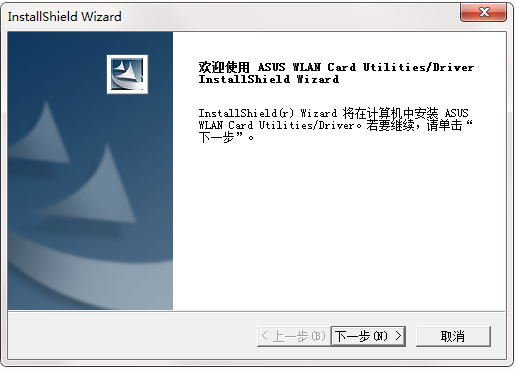
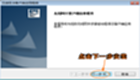
1. Download the software, unzip it, double-click the installation file, enter the installation interface, and click Next
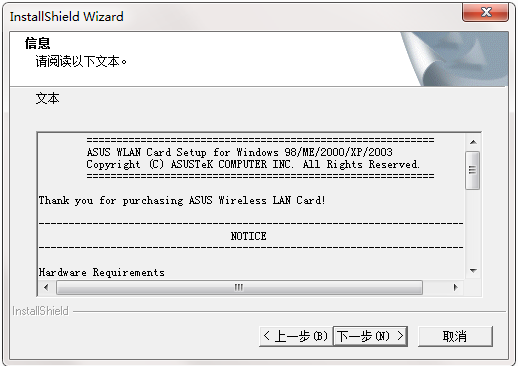
2. Read the installation information and click Next
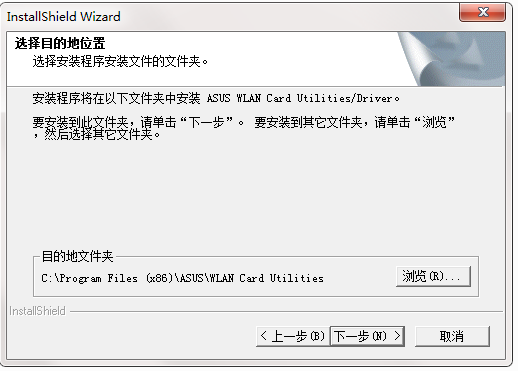
3. Select the destination location and click Next
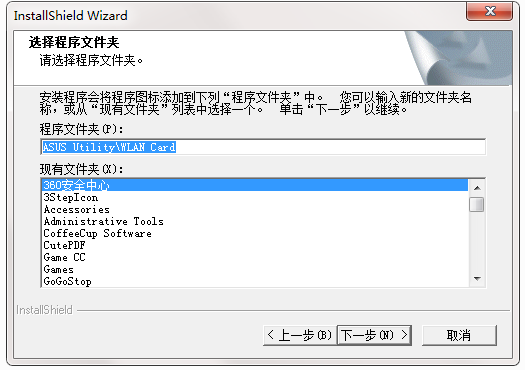
4. Click Next
ASUS wireless network card driver update log
1: Brand new interface, refreshing, simple and efficient
2: Performance is getting better and better
Huajun editor recommends:
A very good ASUS wireless network card driver, easy to use and powerful, don’t miss it if you need it. This site also providesD-Link DWA-133 wireless network card driver,Tmall magic disk portable wifi driver,Realtek RTL8152B USB network card driver,Universal network card driver,Mercury MW150UH Wireless Network Card DriverAvailable for you to download.




Useful
Useful
Useful