





Driver Wizard official version software features
1. Super hardware detection capability
Using the most advanced hardware detection technology, coupled with nearly ten years of database accumulation by Driver Home, Driver Wizard can detect the vast majority of hardware and adapt the most appropriate driver. It can also automatically detect upgrades to keep your computer in top condition.
2. Advanced driver backup technology
Advanced driver backup technology can perfectly solve the problem of hard-to-find drivers on the Internet. It can back up programs in multiple formats, and the backup process is accurate and error-free.
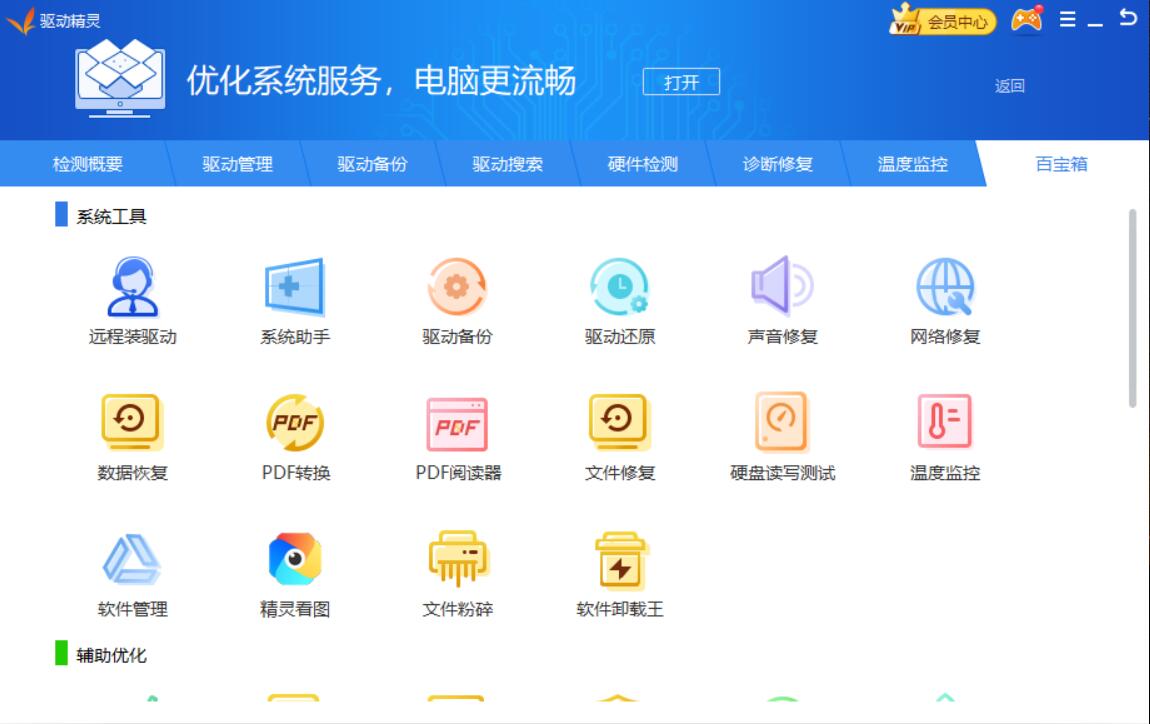
3. Simple and easy-to-use restore function
Driver restoration can complete the self-installed driver backed up by Driver Wizard with one click, and can automatically complete the driver installation process. Double-click to complete the hardware driver installation. Of course, you can also restore the driver through the driver restoration management interface of Driver Wizard.
4. Safe driver uninstall function
The official version of Driver Wizard can completely and quickly remove invalid programs remaining in the system and speed up the system operation. Use this software to uninstall software, which can completely uninstall programs and residues. It is convenient and easy to use.
Function introduction of Driver Wizard official versiondriver problem
Solve the problem: A computer device is not working? Can’t find the driver? The driver version is too old, and problems always occur when playing new games? This is not a problem, Driver Wizard can help you solve it.
Software treasure house
Don’t worry about installation. The system has just been installed and you need various software? The driver wizard software treasure house helps you achieve a one-stop installation of the system quickly. You can directly select the software you want, quickly and safely.
Hardware detection
Professional hardware detection function to identify authenticity, rich in content and accurate results. Seeing through the surface to see the essence helps you determine the model status of hardware devices. JS scammers have nowhere to hide.
Differences between Driver Wizard Standard Edition and Network Card Edition

1. Driver Wizard Standard Edition
It does not come with a driver, but only provides a driver download version with a smaller file size. Applicable to: After installing the system, the network card driver is intact (can access the Internet), but the computer lacks other drivers.
2. Driver Wizard Universal Network Card Version
It comes with most mainstream network card drivers and also provides driver download versions with larger files. Applicable to: After installing the system, the network card driver is missing (cannot access the Internet) and the computer is missing other drivers.
Driver Wizard official version installation steps1. After downloading the driver wizard from this site, get an .exe file locally on your computer and enter the software installation interface. You can choose to change the path and install it to a non-system disk to reduce the computer memory space occupied, and then click [Agree and Install].
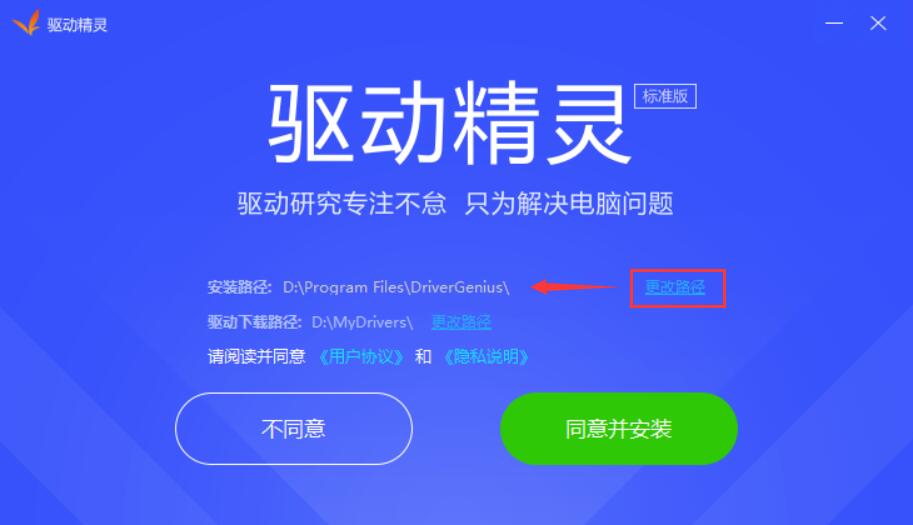
2. The driver wizard is being installed. You need to wait patiently for the software installation to be completed.

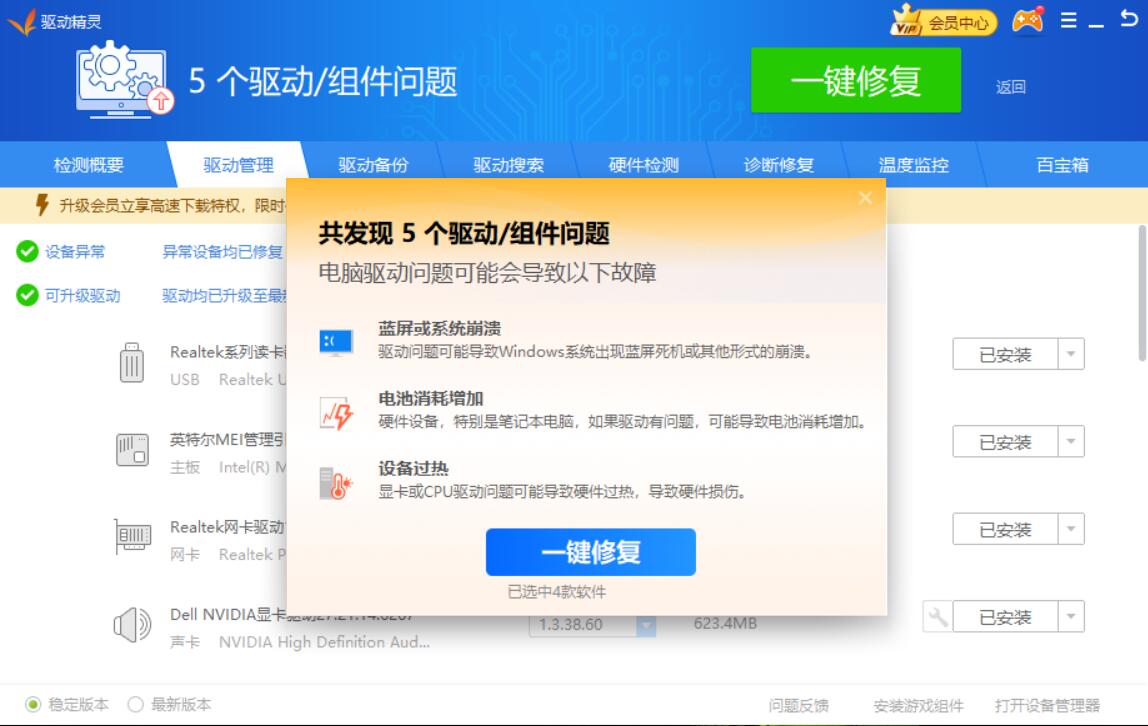
3. After the installation of the driver wizard is completed, the computer detection interface will automatically open.
Driver Wizard FAQ
What should I do if the driver wizard may not run properly on some operating systems?
Solution:
Modify the compatibility settings: Right-click the installation package or shortcut of the driver wizard, select "Properties", check "Run this program in compatibility mode" in the "Compatibility" tab, and select the appropriate operating system version.
Grant administrator rights: Make sure to run the driver wizard as an administrator to gain sufficient permissions to perform operations.
Driver Wizard update log:
1. Optimized some functions
2. Solved many unbearable bugs
Huajun editor recommends:
After many updates and optimizations, the driver wizard has become more user-friendly and easier to operate. The editor of Huajun Software Park personally tested it and recommends it to everyone. Interested friends can also download it.Seewo Butler,Rubik's Cube Optimization Master,DirectX,dotnetfx.exe,TcSysclean.























Useful
Useful
Useful