





Seewo Butler function introduction
Freezing point restoration protects system security
· Enable the freezing point restore function, and after restarting the device with one click, the computer will be restored to its original state immediately, effectively helping to resist the intrusion of computer viruses, malicious programs and spyware, reducing junk files, and helping schools reduce system operation and maintenance costs.

Pop-up blocking and pure teaching environment
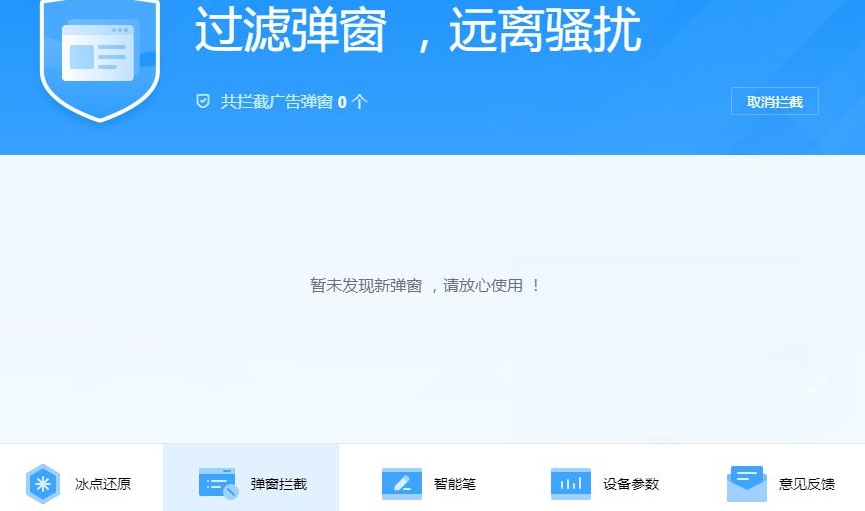
· Turning on blocking can effectively block all kinds of pop-up advertisements, news, etc. During class, teachers no longer need to worry about pop-ups interfering with teaching, providing a pure and undisturbed teaching environment for schools.

Customize smart pen button functions
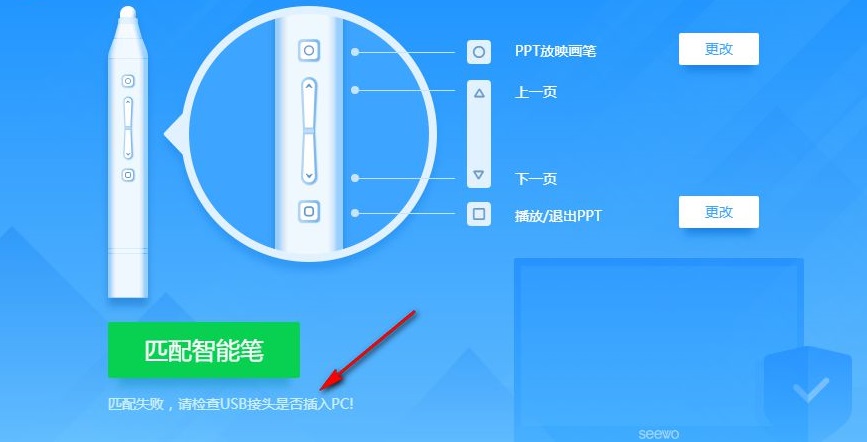
· 连接智能笔之后,自动识别智能笔型号,直观展示智能笔各个按键功能, 并能对智能笔进行按键功能的自定义。 (*Only supports seewo sp01, sp05, sp09 smart pen models)

Equipment parameters intuitive presentation
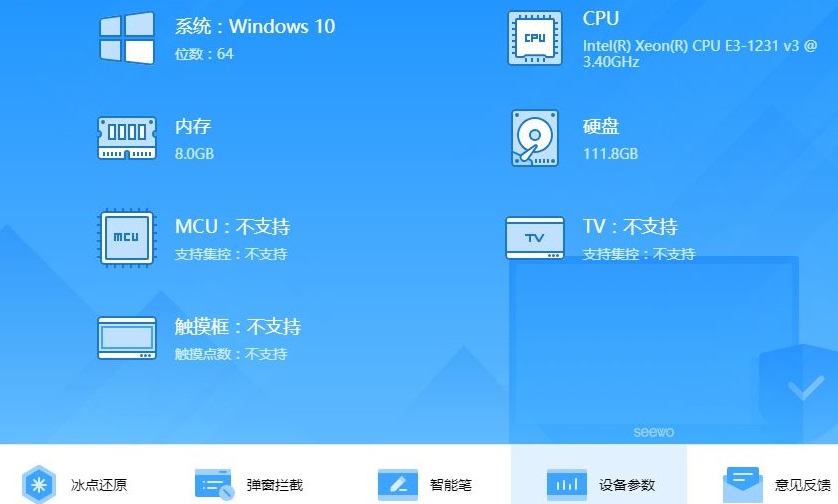
Detailed parameters of the interactive smart tablet are displayed in an all-round way. When the system or equipment has abnormal power on and off or computer freezes, you can quickly check the equipment parameters to facilitate troubleshooting during maintenance.

Features of seewo housekeeper software
1. Seewo Butler supports device parameter management and can view the system parameters of the current computer.
2. Support associated schools, you can add schools directly in the software
3. Support function introduction, most functions can display text content in the software interface
4. Supports smart pen settings. A sample image is displayed on the software interface and you can view the smart pen buttons.
5. You can adjust the key functions specified by the smart pen, such as changing the PPT projection brush to freeze/enlarge screen keys
6. You can also change the button for playing PPT to the button for "Open/Close EasiMark"
7. It is easier to block finalized advertisements. After blocking, the advertisements will not appear again.
Seewo Butler installation method
1. Download the seewo Butler official version compressed package from Huajun Software Park, decompress the compressed package, double-click the exe software, and click to start installing the software.
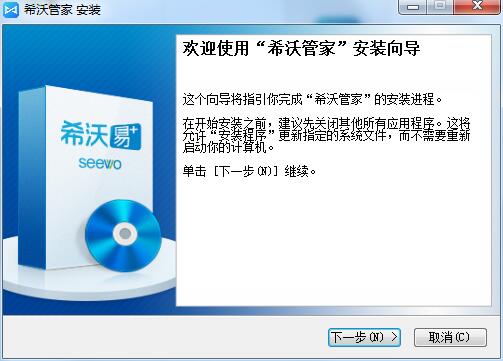
2. Select the installation address of the software. The default setting location of the software is C:Program Files (x86)SeewoSeewoService

3. The software is being installed, please wait a few seconds.

4. The official version of Seewo Butler has been installed

How to use Seewo Butler
1. Double-click the shortcut of the official version of Seewo Butler on the desktop to open the main interface of the software as shown in the figure: Click to associate the school

2. After setting up the associated school, the official version of Seewo Butler will open the Freezing Point Restore service for you for free. You need to enter the administrator password to connect to the school.
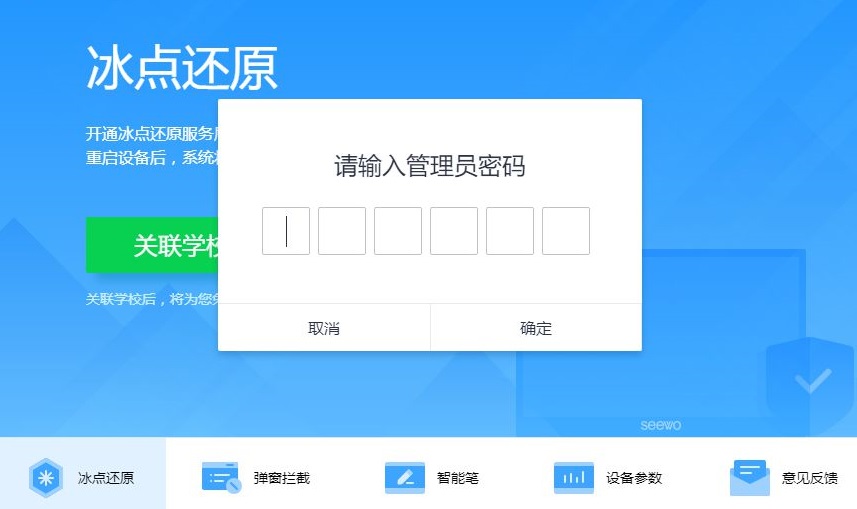
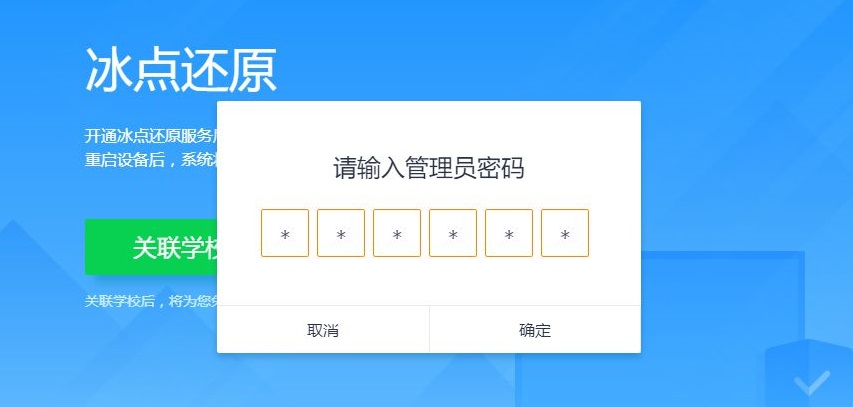
3. Set administrator password
4. The functions of the software are displayed on the interface. Click the interception function to display the operation interface below. Click one-click interception to block advertisements on your computer.
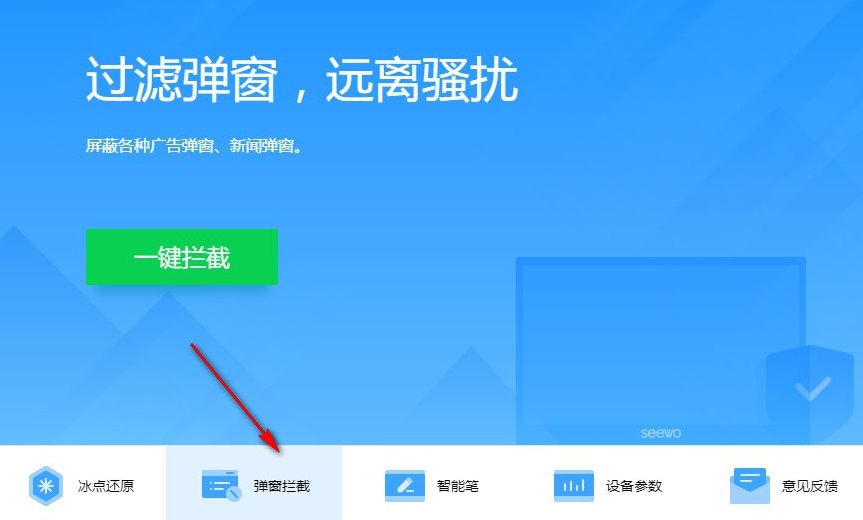
5. If there are pop-ups, you can block them on the software interface and count how many have been blocked. It is suitable for blocking advertisements during class.
6. You can use this software to connect to a smart pen during class. You can modify the keys of the smart pen in the software and view the key introduction.

7. The matching failed here. We are not connected to the smart pen, so we cannot adjust it. The software interface is all in Chinese. I believe you should be able to adjust the smart pen.
8. Device parameter viewing interface, where you can check whether your computer supports MCU and whether it supports touch
What should I do if the PC version of Seewo Butler cannot be started?
If the computer version of Seewo Manager cannot be started, it may be caused by software conflicts, system failures or file corruption. Users can try to restart the computer or reinstall Seevo Manager. At the same time, check whether there is any security software that prevents Seevo Manager from starting. If so, you need to add it to the trust list.
Seewo Butler update log
1. Fix bugs
2. Friendly functions
Huajun editor recommends:
What? I haven’t used Seewo Butler yet, but do you know that all your good friends are using it? Come and download it. The editor has also prepared for youdriver wizard,Rubik's Cube Optimization Master,DirectX,dotnetfx.exe,TcSysclean




Useful
Useful
Useful