




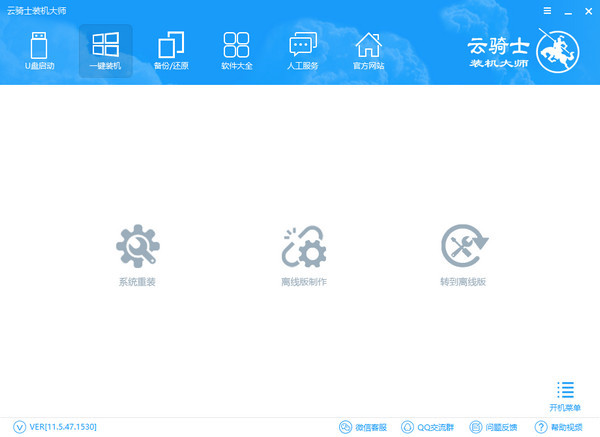
Features of Cloud Knight Installation Master software
1. Security: The latest version of Cloud Knight Installation Master is safety first, with top protection
2. Purity: the original version is pure, the ultimate experience
3. Worry-free: Worry-free operation, twice the result with half the effort and extremely fast
4. Super features, unparalleled
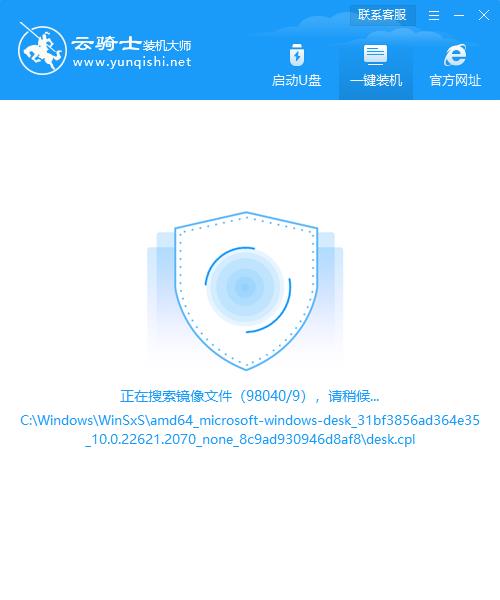
Features of Cloud Knight Installation Master
Extreme acceleration 80%
Zero technical foundation, system modification disk and U disk coexist
Super stable 0 packet loss
The installation efficiency is extremely high, and the system can be installed in two minutes
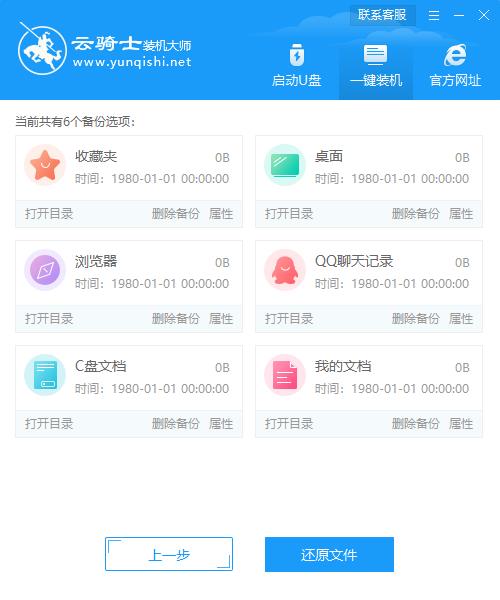
Cloud Knight Installation Master Function Introduction
80% extremely accelerated with zero technical foundation, system modification disk and U disk coexist
超稳定0丢包安装效率极高,云骑士装机大师官方版两分钟就能装完系统
Tips for using Cloud Knight Installation Master
When using the free version of Cloud Knight Installation Master, you must first turn off the security software to avoid errors caused by anti-virus software interception and installation failure.
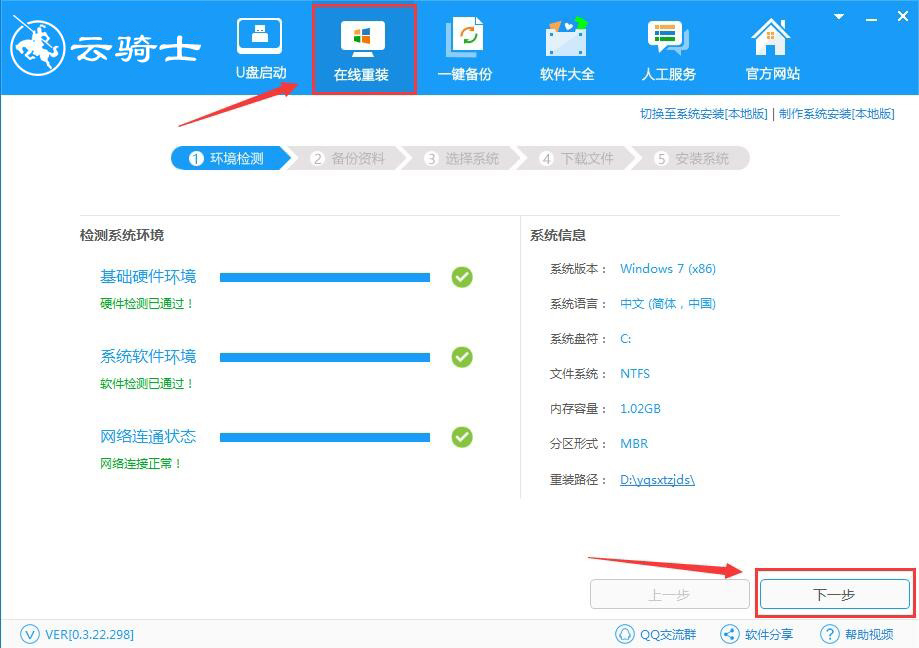
1. Click "Online Reinstallation", the software will automatically scan the local environment information, and click "Next" after the detection is successful.
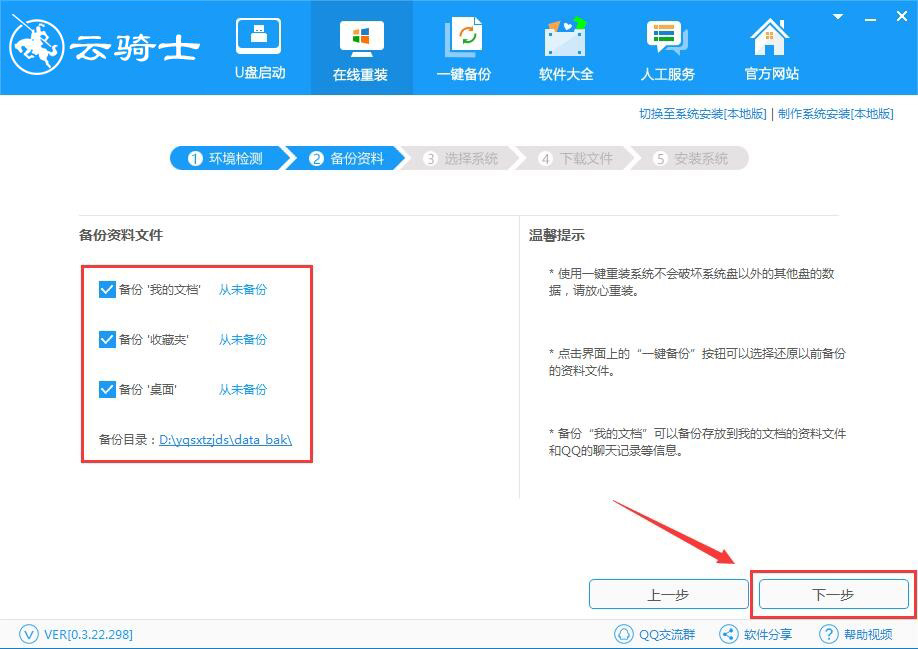
2. Back up your important files. You can check "My Documents", "Favorites", and "Desktop" to back up, and click "Next"
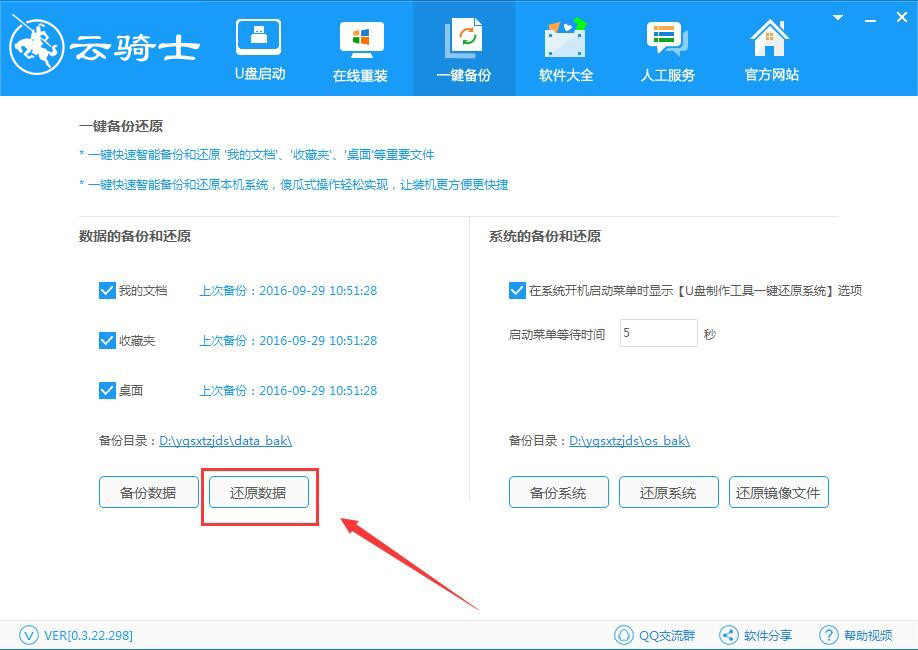
Note: To restore files, just click "Restore Data" to easily restore them back.
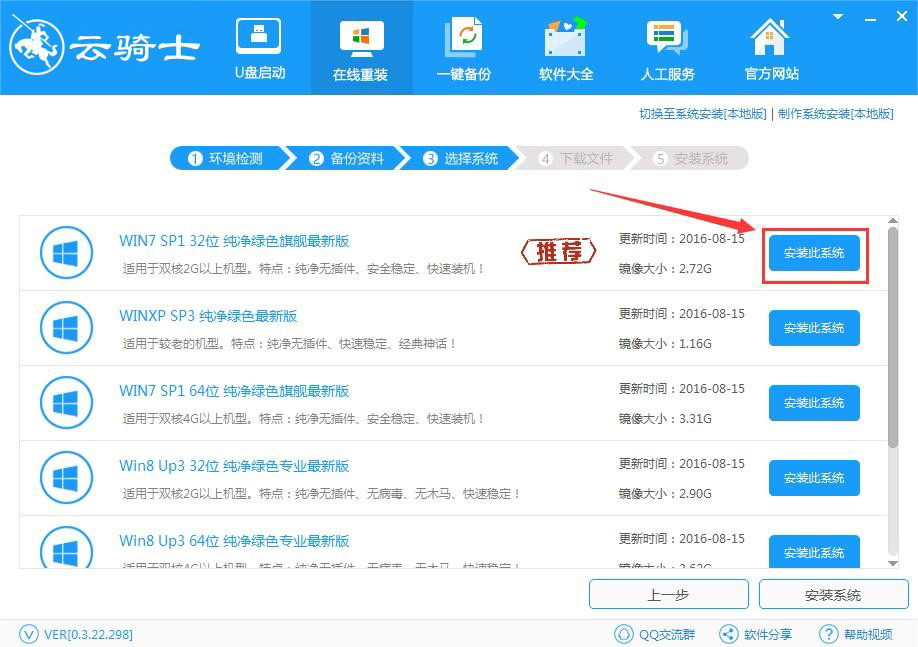
3. Cloud Knight provides WinXP, Win7, Win8, and Win10 system installation online. Multiple version selections can facilitate user installation and use. Here we take Win7 32-bit as an example. After selecting the system, click "Install this system"
4. This page will pop up a prompt whether to install this system. Click "OK" and the software will automatically link to the server to download the Win7 system. After that, you do not need to perform any operations, and the software will be installed automatically.
5. After the download is completed, the software will write the installation environment required in the first stage. Wait patiently for the installation.
6. After the writing is completed, wait a few seconds for the software to automatically restart the system. You can also click "Restart Now" to enter the PE system.
7. Select "Cloud Knight System Installation Master DOS-GHOST System Installation Mode"
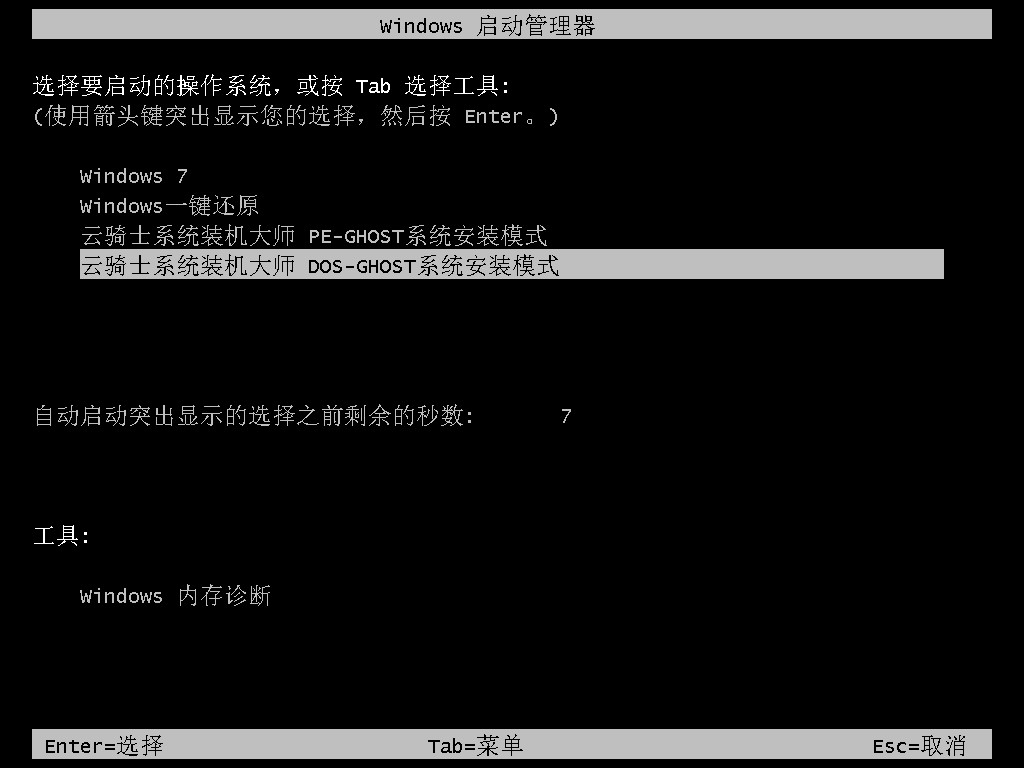
Note: The DOS-GHOST system installation mode of Cloud Knight System Installation Master has a short entry time and is fast to directly operate the backup and restore. In the PE-GHOST system installation mode, PE needs to be loaded, which is slower in time. However, on PE, the operation time of GHOST backup and restore is shorter and more efficient. The stability of the DOS-GHOST system installation mode and the PE-GHOST system installation mode are almost the same.
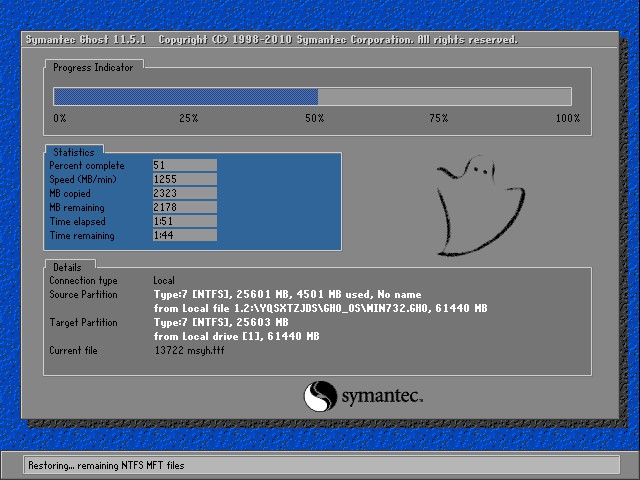
The Ghost software is being quickly written into the system
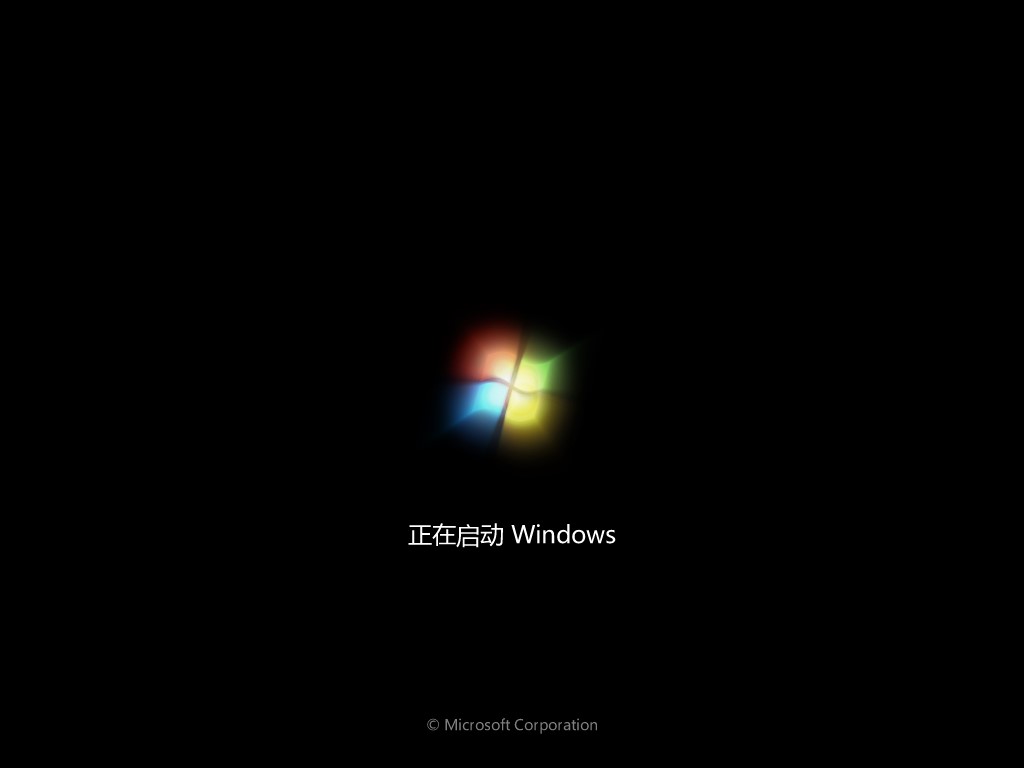
Cloud Knight is a small and exquisite online reinstallation system, with functions such as data backup/restore, ISO creation, USB boot, etc. Cloud Knight Installation Master Free Edition is designed for ordinary users, and is a system software that novices can easily master.
Cloud Knight Installation Master FAQ
How does Cloud Knight Installation Master perform system backup and restore system?
1. Run the Cloud Knight Installation Master system assistant and click "One-click Backup". The software will automatically detect the current system environment. After the detection is completed, the Cloud Knight Installation Master can bring the backup/restore function.
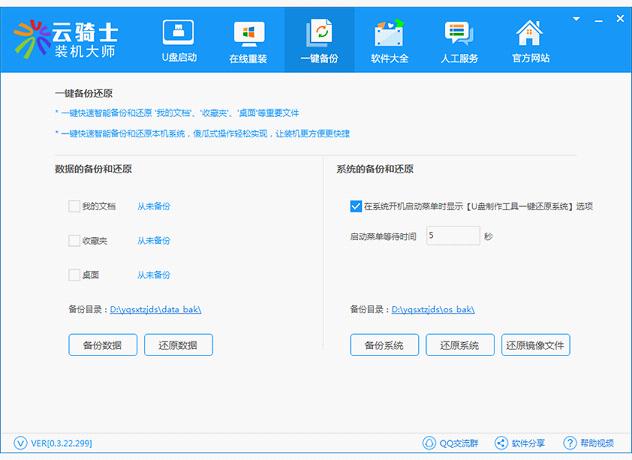
2. If you want to back up data or restore important files that have been backed up, you can click "Backup Data/Restore Data". At this time, Cloud Knight Installation Master will back up/restore the data.
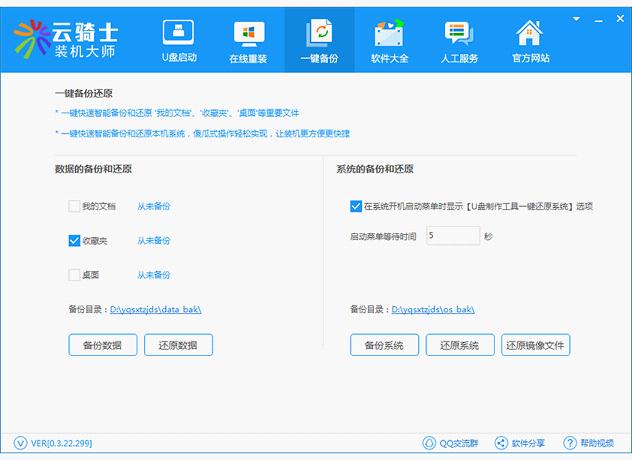
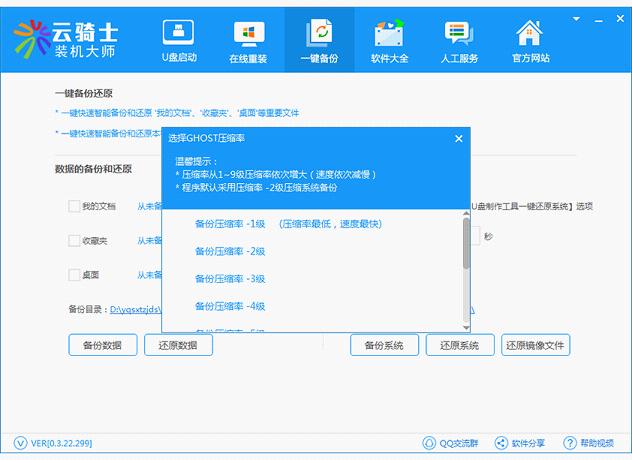
3. System backup, the original system will be backed up and organized. Click "Backup System" and Cloud Knight Installation Master will automatically back up the system.
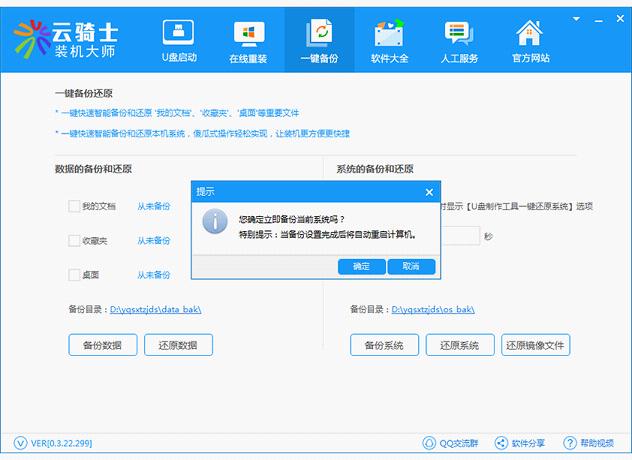
4. To restore the image file, click "Restore Image File". Cloud Knight Installation Master will find the image file location and restore the image to the computer.
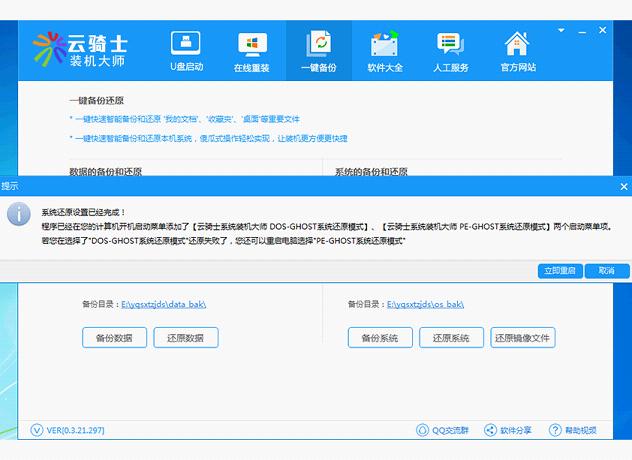
5. If you want to reinstall, Cloud Knight Installation Master System Assistant also provides you with this function. Click the "Restore Now" function, and the software will prompt you to select the system image GHO file you downloaded, then click "Restore Now" and wait for the system to be restarted for installation.
Which one is better, Cloud Knight or Chinese Cabbage?
Cloud Knight Installation Master is a very practical system reinstallation software that does not require a CD-ROM drive or USB flash drive. It is a simple and free one-click reinstallation of the system. Even computer novice users can easily reinstall the computer system. Cloud Knight Installation Master integrates U disk boot disk creation tools, one-click restore installation and other functions. It can complete the installation automatically without manual operation. Cloud Knight Reinstallation is the best auxiliary tool for users to maintain their computers.
Dabaicai U disk boot disk creation tool is a super universal king for making U disk boot disks in a fool-proof way. One-click installation enhances support for GHO ISO WIN ESD SWM quick installation. The three boot modes fully support UEFI, fully optimize and enhance the WIN10PE system, and have more comprehensive SRS driver support! Supports Apple computer identification and installation, optimizes intelligent and quick installation, and greatly improves work efficiency.
Chinese cabbage download address:http://softwaredownload4.com/soft/38200.htm
Cloud Knight Installation Master update log
1. Fix bugs in the previous version
2. Optimize some functions
Huajun editor recommends:
Cloud Knight Installation Master is a free system reinstallation tool. The systems built into this software are all original and genuine systems, pure and without additions. The software supports GTP and win10 tablets, and is very simple to use. Even novice users can easily install the system. In addition, there are many similar software available for download, such as:driver wizard,Seewo Butler,Rubik's Cube Optimization Master,DirectX,dotnetfx.exeWait.




Useful
Useful
Useful