



Features of Rubik's Cube Optimization Master software
Friendly interface
Adopting a modular design, the functions are divided into independent modules such as cleaning, optimization, security, and tools. Users can quickly locate and use it according to their needs.
Provides personalized tools such as "Soft Media Time" and "Soft Media Desktop" to support desktop icon management and time efficiency improvement.
Green and pure
A green version and an installation version are provided. The green version can run independently from the main program, avoiding forced installation or bundling of plug-ins and meeting users' needs for pure software.
Efficient and practical
It is rich in functions and compact and exquisite. Tools such as WiFi assistant and system beautification are well received. It has been rated as "Best System Optimization Software of the Year" by many top domestic and foreign websites.
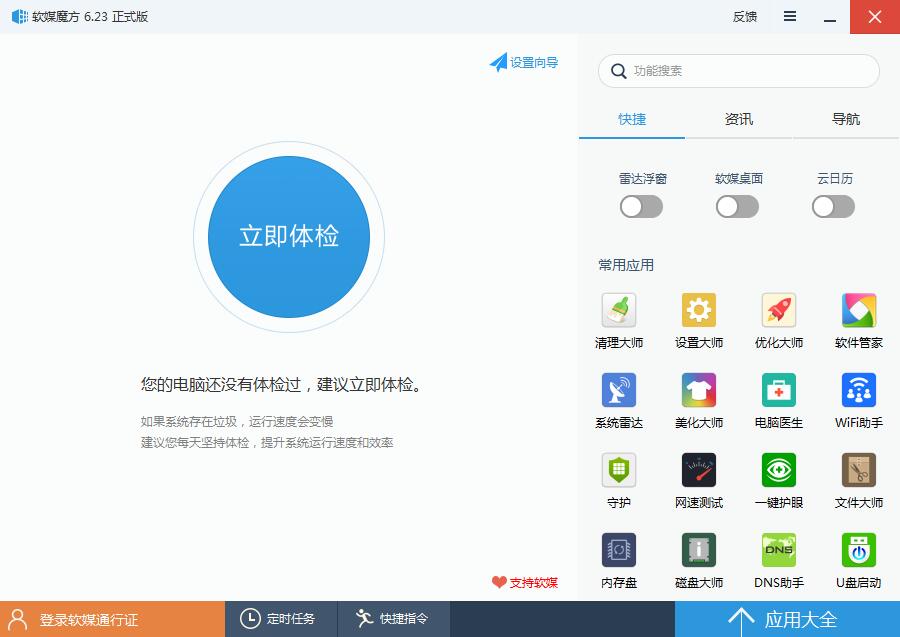
Highlights of Rubik's Cube Optimization Master software
virtual optical drive
Create and manage virtual optical drives to install or run disc image files (such as ISO format) without a physical disc, making it easier to deploy software and install games.
U disk boot production
Create a USB bootable disk from an ISO file to replace the traditional CD installation system. It is suitable for devices without optical drives or system repair scenarios.
Disk defragmentation and monitoring
Provides disk defragmentation tools to optimize file storage structure and improve reading and writing speeds.
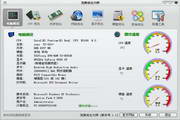
"Radar floating window" monitors the system status (such as CPU, memory, hard disk temperature) in real time to help users grasp the health status of the hardware in a timely manner.
Rubik's Cube Optimization Master Software Functions
System optimization and cleaning
One-click operation: Supports one-click cleaning of junk files, one-click optimization of system settings, one-click acceleration of startup items, one-click repair of system errors, and simplified complex operation processes.
Deep cleaning: It can clean up registry redundancy, software cache, invalid shortcuts, etc. to free up hard disk space.
Service Optimization: Disable useless system services through the "Service Optimization Wizard" to reduce memory usage and improve response speed.
Security and Maintenance
Browser Guard: Prevent the homepage and search engine from being tampered with and protect Internet security.
U disk protection: Prevent mobile devices from automatically running viruses and reduce the risk of infection.
Data recovery: Provides the "Magic Cube hard disk data recovery" function, which can urgently recover accidentally deleted or lost files.
Backup and restore
Supports system backup and restore, users can choose a safe location to store backup files to ensure data security.
Rubik's Cube Optimization Master installation steps
1. Download the latest version of the installation package of Rubik's Cube Optimization Master from Huajun Software Park, unzip it, and double-click the exe program
2. Click Custom Installation, select the installation path, and click to install
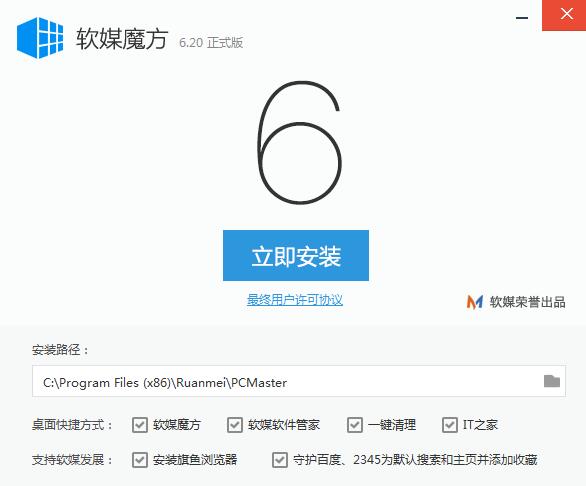
3. Rubik’s Cube Optimizer is being installed, please wait patiently.

Rubik's Cube Optimization Master FAQ
Some files are lost after system cleanup
Possible reasons:
Accidentally deleted key system files (such as checking the wrong option through the "Deep Clean" function).
The cleaning rules are too aggressive (such as deleting cache files of some software).
Solution:
Restore files from backups (such as system restore points or third-party backup tools).
Check the options carefully before cleaning to avoid deleting sensitive items such as "system files" and "cache files".
Rubik's Cube Optimization Master update log
1: Optimized performance
2: We are serious about solving bug problems
Huajun editor recommends:
Children's shoes, Rubik's Cube Optimizer Master can definitely meet your needs. From the software interface to the software functions, it is absolutely eye-catching. Welcome everyone to download and use it! There are similar software on this sitedriver wizard,Seewo Butler,DirectX,dotnetfx.exe,TcSysclean!



























Useful
Useful
Useful