




Software features
Multi-platform support
Compatible with Windows, Linux, macOS, Android, iOS and other operating systems, and supports ARM architecture devices.
Suitable for C/C++, Java, .NET, Python, Unity3D, UE4 and other development languages and frameworks.
Various protection methods
Code obfuscation: Convert code into a form that is difficult to read and understand through techniques such as flower instructions and code non-equivalent deformation.
Code virtualization: Convert program code into custom virtual machine instructions and simulate execution during runtime, greatly improving security.
Code encryption: Use SMC (Self-Modifying Code) technology to encrypt functions and only decrypt and execute them at runtime.
High performance
Deliver a near-native performance experience with hardware-assisted virtualization technologies such as Intel VT-x and AMD-V.
Supports dynamic resource allocation to optimize the use of CPU, memory and disk space.
Easy to use
It has a friendly user interface, simplifies the encryption process, supports drag-and-drop and configuration operations, and eliminates the need to write complex codes.
Provides command line tools to support automated integration into CI/CD processes.
Rich features
Snapshot and clone: Save virtual machine status at any time for easy testing and recovery; support rapid cloning of virtual machines.
Network functions: Supports various network configurations such as NAT, bridge mode, host-only mode, etc.
USB device sharing: Seamlessly share USB devices between the host and virtual machines by installing an enhancement toolkit.
Software function
Code protection core functionality
Virtualization protection: Translate ARM/x86 instructions into custom virtual machine instructions, generating instruction blocks that cannot be analyzed by IDA.
Instruction obfuscation: Complicating the original assembly instructions, setting debugging traps, and hindering reverse analysis.
Memory verification: Dynamically detect memory integrity to prevent program tampering.
Anti-debugging: Detect debuggers and prevent dynamic debugging to ensure safe program operation.
Resource encryption and compression
Compress and encrypt program code or data segments as a whole to prevent decompilation.
Supports the hardening of multiple files at one time, and provides command line tools to implement automated encryption.
Authorization control
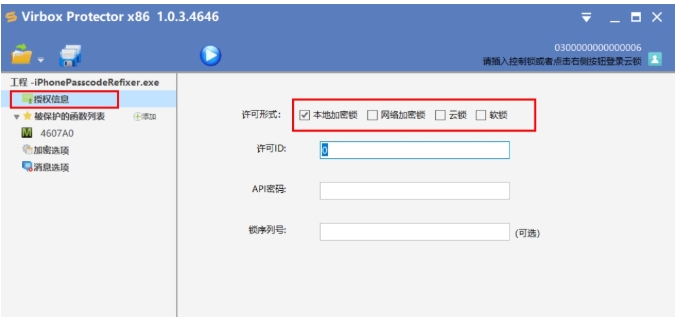
Cooperate with the Virbox LM authorization management platform to achieve flexible control of software licenses, including time-limited authorization, limited-time authorization and other functions.
Supports soft license (account authorization) and hard license (encryption lock authorization) to meet the needs of different scenarios.
Compatibility and scalability
Supports multiple file formats, such as EXE, DLL, SO, Jar, War, PY, APK, etc.
It can be integrated into the continuous integration (CI) platform to realize automated operations of compilation, protection, packaging, and testing.
FAQ
Startup failed
Phenomenon: The virtual machine has a blue screen or fails to run when it starts.
Solution:
Verify that the processor model supports Intel VT-x or AMD-V technology and is enabled in the BIOS.
Turn off Hyper-V (Windows platforms only) to prevent conflicts with VirtualBox.
Virbox Protector update log:
Developer GG said there are really no bugs this time~
Huajun editor recommends:
Dear children, Virbox Protector can definitely meet your needs. From the software interface to the software functions, it is absolutely eye-catching. Everyone is welcome to download and use it! There are similar software on this sitedriver wizard,Seewo Butler,Rubik's Cube Optimization Master,dotnetfx.exe,TcSysclean!




Your comment needs to be reviewed before it can be displayed