





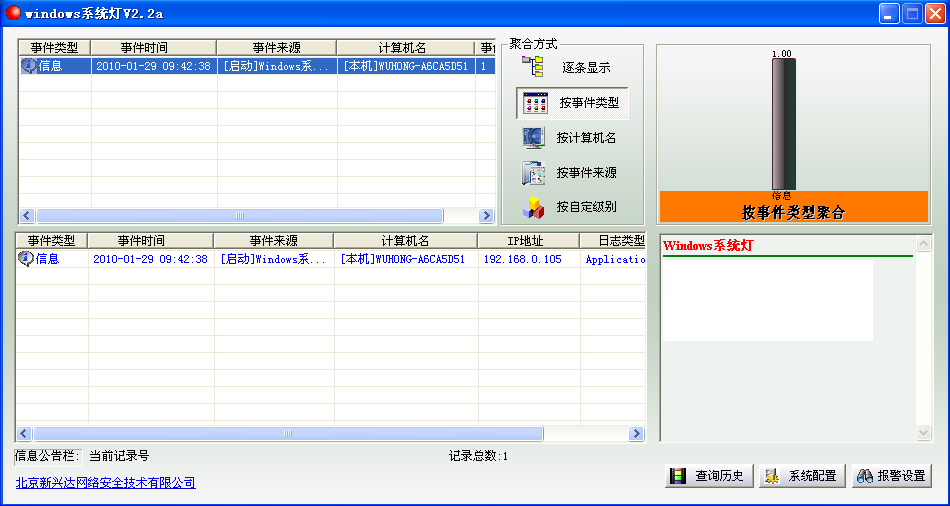
Introduction to windows system light software
The software is a system optimization tool. When the computer is threatened by unknown threats, the software will immediately send an alarm. The software occupies very little memory, does not occupy computer space, and does not come with any dangerous software. It is very easy to use.
How to use windows system light
Program running and installation status, driver loading, system audit success and failure, and various hardware loading information
Process starting and stopping, program running errors
CPU, memory, disk overload alarm
Directory file content change information
Windows system light software instructions
1. Commercialized products from professional companies, never containing malicious code.
2. Unzip and run winlamp.exe
3. Anti-virus software may falsely alarm, just allow it to pass
4. Click the "System Configuration" dialog box and click "Start Service". If you install multiple WinLamps, you can fill in the IP address of any one for centralized management.
We often encounter these difficult difficulties in our work:
The memory and CPU occupancy rates are very low, and the machine still runs slowly or even crashes for no apparent reason.
The network configuration looks normal, but I can’t get online.
having even installed anti-virus software, yet still been infected
The company has multiple very important production servers. Can information about emergency situations such as insufficient disk space be sent to your desktop (or even mobile phone) in advance?
windows system light update log
1. The pace of optimization never stops!
2. More little surprises are waiting for you to discover~
Huajun editor recommends:
The windows system light software takes up little memory, has stable performance, is free of any bundles, is green and safe, and is truly a conscientious software! This site also hasdriver wizard,Seewo Butler,Rubik's Cube Optimization Master,dotnetfx.exe,TcSysclean, available for you to download!




Useful
Useful
Useful