



- Green versionView
- Green versionView
- Green versionView
- Green versionView

For novice friends, we generally do not recommend the traditional driver installation method, because traditional driver installation requires downloading the corresponding version of the hardware driver model online, and the installation process is relatively cumbersome. Therefore, in the QQ group, I generally recommend that you use Driver Wizard to install the driver. Driver Wizard is a very convenient driver installation software that can automatically detect whether the driver in the computer hardware is abnormal and whether a higher version of the driver can be updated. The most convenient thing is that only one room is needed to install the driver.
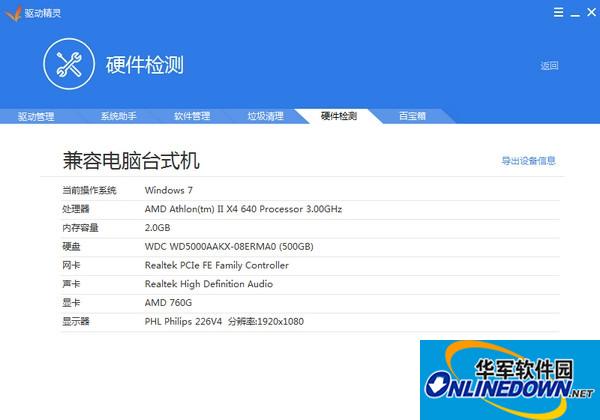
Driver Wizard network card version software functions
After reading the above introduction, I believe many novice friends already know what the driver wizard is used for. Just by looking at the name, you may know that it is related to the driver. Below we summarize the main functions of the driver wizard.
⒈The driver problem is easily solved. Computer device not working? Can't find the driver? The driver version is too old and there are always problems when playing new games? This is not a problem, Driver Wizard will help you do it!
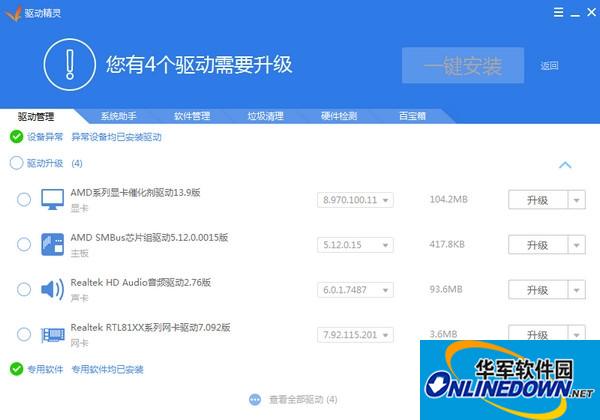
⒉System patch, quick installation. Not all operating system patches installed? Is the program unable to run due to the lack of various .Net and VC runtime libraries? Driver Wizard can make your system safe, stable and fully functional.
⒊A treasure trove of software, no need to worry about installation. The system has just been installed, do you need various software? The driver wizard software treasure house helps you achieve one-stop quick installation. You can directly select the software you want, quickly and safely.
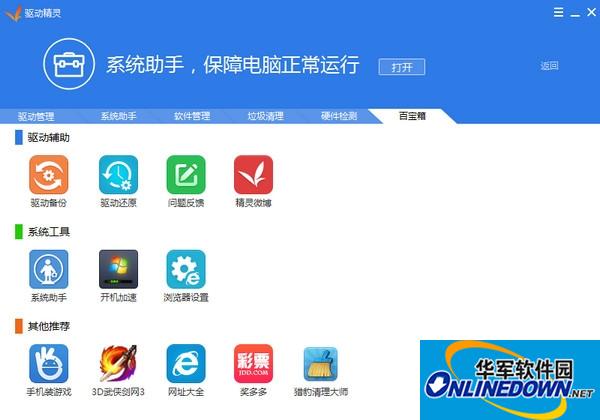
⒋Hardware detection to identify authenticity. Professional hardware detection function, rich content and accurate results. Seeing through the surface to see the essence helps you determine the model status of hardware devices. JS scammers have nowhere to hide.

Driver Wizard Network Card Version Frequently Asked Questions
How to use Driver Wizard Universal Network Card Version?
If you are installing it for the first time, you need to check your computer. Click "One-click Physical Check". If it is found that your computer has a driver that needs to be updated, or if the corresponding network card driver is not found, a prompt will appear as shown below:
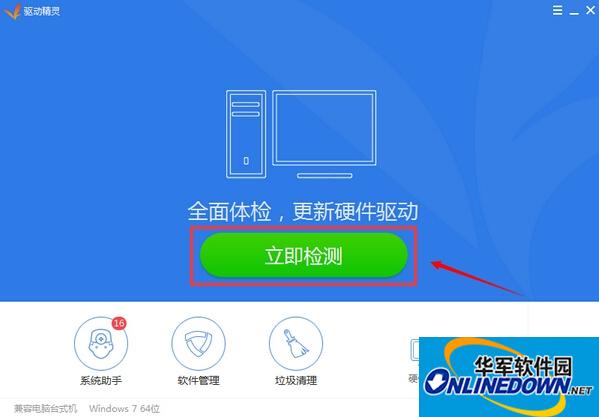
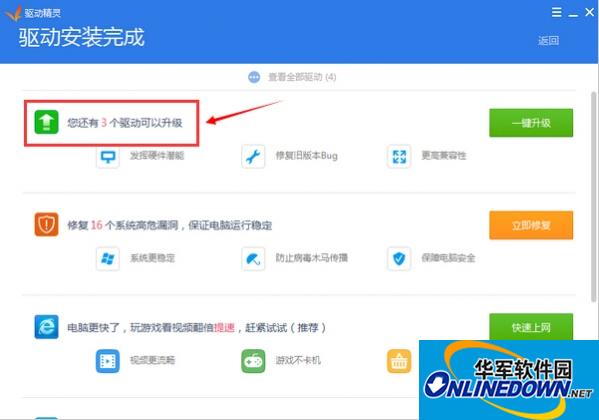
Click on the detected hardware driver that needs to be updated, select "Upgrade Update" in the pop-up dialog box, and then the update will be automatically downloaded
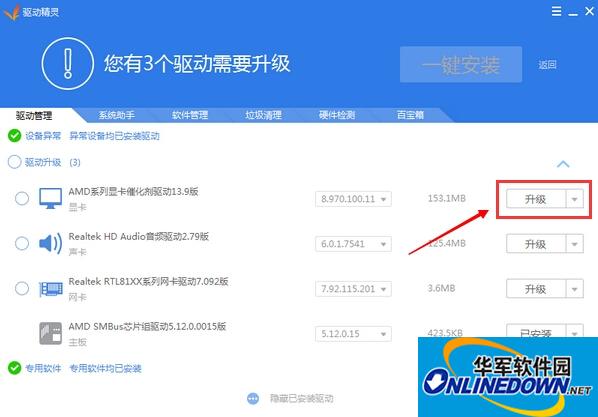
After the download is completed, the installation dialog box will pop up. It is relatively simple here. Just keep clicking Next according to the system prompts, and finally click Finish. Update completed.
Finally, return to the driver wizard universal network card moderator interface and perform a physical check again. All hardware drivers will be up to date.
Driver Wizard Network Card Version Frequently Asked Questions
Some hardware devices cannot be recognized
Cause: The driver is not installed or there is a device connection problem.
Solution: Use Driver Wizard to detect and install missing drivers. Check whether the hardware device is correctly connected to the computer, try changing the interface or restarting the device.
Driver Wizard Network Card Version Update Log:
1. Add HP audio driver vulnerability upgrade reminder
2. The driver management version number selection is more eye-catching
3. Add a customer service portal when driver installation and upgrade fails
4. Add the default focus when switching using the TAB key
Huajun editor recommends:
Huajun Software Park also has popular software with the same functions as this software, such as:Epson LQ-630KII printer driver,Samsung Xpress M2029 printer driver,Aerospace Information Aisino SK-600ii printer driver,Toshiba DP2303A printer driver,CITIC Bank U-Shield Driver Feitian+G+D U-Shield DriverWait, you can collect it if you need it!


















Useful
Useful
Useful