





Samsung usb driver installation steps
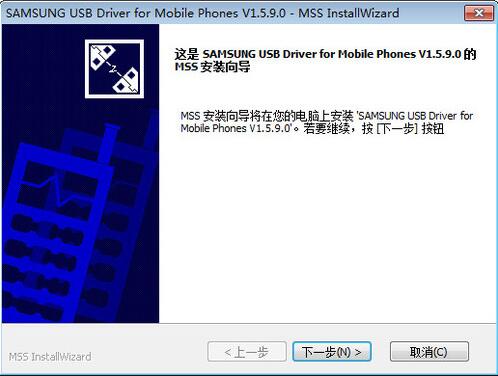
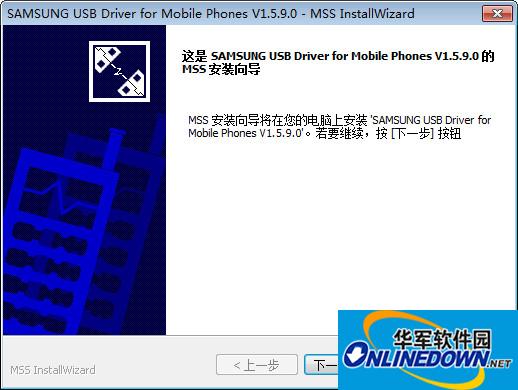
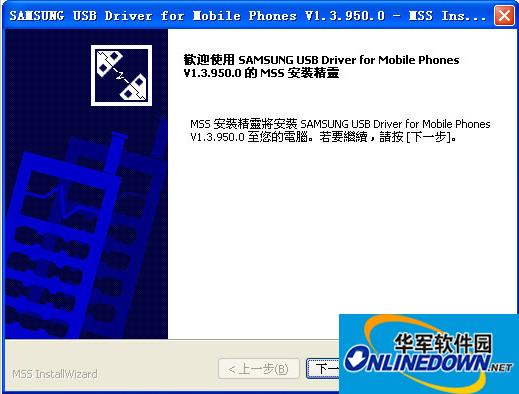
Unplug your data cable, install and decompress the Samsung S5830 driver separate package and install the SAMSUNG_USB_Driver_for_Mobile_Phones.exe inside. Just keep clicking "Next" and finally click "End". This site provides Samsung USB driver downloads.
Samsung mobile phone USB driver FAQ
Why can’t I install it on my computer?Samsung USB driver?
1. First install the [kies] software on the computer. When installing the kies software, the phone cannot be connected to the computer. For the specific download address, please visit Samsung’s official website
2. [If you use KIES to connect to the computer, you need to remove the USB check. If you use a third-party mobile assistant, you need to check USB debugging]
3. Use the data cable to connect your phone to the computer
4. If you cannot connect, please check whether Windows Media Player is installed on your computer and whether the version of Windows Media Player on your computer is above 11. If the version is lower, it is recommended to download a new version of the software.
5. Disconnect the phone from the computer and reopen the Kies software. 6. Replace the computer USB interface. For desktop computers, it is recommended to use the USB port on the back of the host.
7. Try turning off the anti-virus software or firewall on your computer.
8. It may be related to the computer system compatibility program. You can also try to connect to another computer.
9. Try replacing the original USB data cable.
Samsung mobile phone USB driver update log:
Sweep the bug out and carry it out to the end
Optimize user feedback issues and improve detailed experience
Huajun editor recommends:
Samsung mobile phone USB driver is professional, easy to operate and powerful. It is one of the leaders in the software industry. You are welcome to download it. This site also providesCanon mf4400 printer driver,Pantum p2506 printer driver,Fuji Xerox WorkCentre 7835 driver,Canon lbp2900 printer driver,Fuji Xerox P355d Printer DriverWaiting for you to download.














Useful
Useful
Useful