




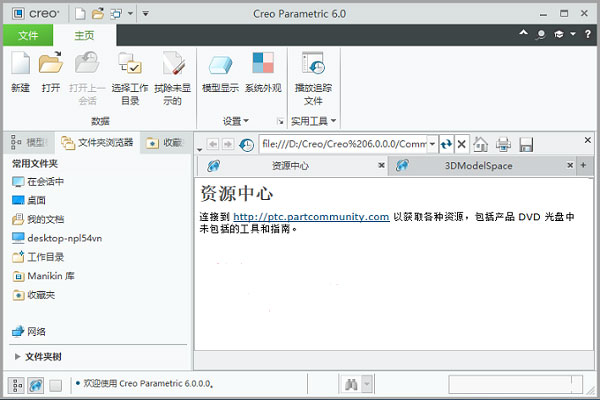
Creo6.0 new features
1. Augmented reality collaboration
Cloud-based AR capabilities are already included with every Creo license you have. You can view, share, and securely collaborate with colleagues, customers, suppliers, and stakeholders across the enterprise, and access your designs anytime, anywhere; and Creo 6.0 further optimizes these experiences. Now you can publish and manage up to 10 design pieces, control access to each experience, and easily delete old pieces if needed. Additionally, you can now publish experiences for HoloLens and as QR codes.
2. Simulation and analysis
NEW – Creo Simulation Live powered by ANSYS
Creo Simulation Live provides fast and easy-to-use simulation capabilities within the modeling environment, providing real-time feedback on your design decisions, allowing you to iterate faster and consider more options.
3. Additive manufacturing
Creo 6.0 adds new lattice structures, build direction definition and 3D printing slices, providing more complete functions and greater flexibility for additive manufacturing design. Additionally, the overall performance of the lattice design has been improved.
Support for new lattice units
Construction direction analysis and optimization
Supports slicing and 3MF
4. Core improvements for work efficiency
Modern interface brings a better overall user experience and improves your work efficiency:
New mini toolbar for creating and modifying functions
Modern functional dashboard
Improved model tree
Creo6.0 features
1. Creo Simulate simulates the real stress of the product
Your customers rely on your products to work as they should. Given this, nothing can ruin your day or your budget more than a spectacular prototype failure.
Creo Simulate is a structural, thermal and vibration analysis solution with a complete set of finite element analysis (FEA) capabilities that allows you to analyze and verify the performance of 3D virtual prototypes before making the first part.
Please note that this software puts pressure on your digital prototype - not on you. We designed Creo Simulate so any engineer can perform basic simulations.
Begin by modeling the design in Creo Parametric, click a single tab on the user interface, and then apply loads, materials, and boundary conditions to the design geometry in Creo Simulate. It's very simple. Even better, you can view the results quickly. If needed, adjust the model to produce higher-quality designs faster.
This rich functionality allows you to send more advanced products to analytics – and eliminate costly changes while still being cost-effective. Creo Simulate is available as a standalone application or as an extension to Creo Parametric.
Structural analysis
Linear Steady State Thermal Analysis
Material library
Grid
Optimization
Post-processing
2. Creo Parametric 3D modeling software
Design smarter. Start now.
It’s not just any product – it’s yours. Creo Parametric has the core modeling benefits you expect from the industry leader, plus the breakthrough capabilities of additive manufacturing, model-based definition (MBD) and intelligent connected design. A streamlined workflow and intuitive user interface complete the picture.
Use Creo Parametric 3D modeling software to work for you.
3d modeling software
Creo parameters
Capabilities include:
3D solid modeling
Direct modeling
Powerful assembly modeling
Detailed documentation including 2D and 3D drawings
Technical surface
Sheet metal modeling
Weld modeling and structural frame design
Analysis function
Graphical experiences and integrated design animations
Additive manufacturing design (3D printing)
Model-based definition
Data exchange
Working with imported non-Creo data
Integrated NC functions
Provides instant access to web functionality
Parts library, functions, tools, etc.
Software customization
Intelligent interconnected product design
3. Creo Options Modeler creates multiple product configurations
Configurable products are products that are available for selection.
Each design variant, not surprisingly called a variant, is its own product. Reusing platforms, modules and parts makes sense: it costs less, uses something you already have and know, and allows you to meet customer demand for a "personalized" product. Thanks to modular components, one bicycle can become hundreds of different models.
If you can quickly generate effective product configurations, you will only benefit from efficiencies and reduced costs. Spreadsheet and CAD file-based approaches helped for a while, but they were relatively informal ways of associating very feasible options with CAD models. When was the last time you tried adding informality to a key business process? We think so.
Creo Options Modeler is an extension to Creo Parametric or a standalone product that allows you to create and use configurable structures. When using Creo Options Modeler with Windchill, you can easily manage complex configuration logic, including content from PTC or third-party applications.
1. Achieve faster design cycles by creating and validating 3D product platforms early in the design phase
2. Reduce process errors and engineering rework by directly reusing available 3D models in Creo and individual bills of materials (BOM) from Windchill
3. Automatically create any product by defining a common architecture and product platform, and help manage their interfaces and assembly methods
4. Optimize products by automating manually intensive, error-prone tasks
5. Improve design and engineering efficiency by improving communication with customers, suppliers and colleagues.
4. Creo layout: 2D CAD software
A 2D CAD application that enables teams to move seamlessly between 2D and 3D design data
Creo Layout is an easy-to-use 2D CAD application that allows your product design team to create detailed concepts in 2D with information such as PTC Creo Layout2 dimensions and annotations.
You can then generate equally detailed 3D models from the same 2D data without having to switch CAD systems or hand over the 2D data to a 3D CAD expert. Instead, you can leverage its 2D data to generate flawless 3D models that accurately reflect your original design intent. With automated processes, you can be confident that your CAD deliverables will continue to be updated seamlessly.
1. Creo Layout generates 2D designs to build 3D models in Creo Parametric
2. Capture product design intent using a full-featured toolset to create, edit and manage 2D geometry
3. Easily gain flexibility and iterate on design concepts by creating fully or partially constrained or completely unconstrained 2D designs
4. Avoid errors and delays by reducing the need to interpret and re-create 2D designs in 3D
5. Utilize existing 2D data such as DWG, DXF and IGES files, as well as cross-sections of 3D models created using Creo Parametric software
6. Accelerate time to market and encourage innovation by enabling concurrent design and engineering of new products
7. Use 2D drawings for downstream design of structures and components
8. Use update controls to manage the propagation of changes from 2D designs to 3D models
5. Creo Direct: direct modeling CAD software
An easy-to-use direct modeling CAD software for quickly creating 3D designs
Our direct modeling software is a stand-alone application that enables infrequent computer-aided design (CAD) users to create new geometry or modify any existing 3D CAD design, regardless of file format. Direct interaction with geometry makes it easy for anyone to learn and use. That's why it's an ideal tool for conceptual design, analysis and manufacturing people - or for those who are new to 3D CAD or don't use it regularly.
Using Creo Direct is fast, flexible and intuitive. It is ideal for tasks such as generating proposals, defining the initial design of a tool fixture, or capturing design input from customers in the field. By maintaining collaboration with your extended team, the software encourages innovation so your company can better respond to changing customer needs.
1. Achieve faster design cycles by allowing more users to access and use 3D CAD data, including third-party design components
2. Enable uncommon 3D CAD users to contribute to product development efforts
3. Generate proposals more quickly and efficiently by exploring alternative design concepts more easily
4. Streamline computer-aided engineering (CAE) workflows by enabling analysts to edit 3D CAD data prior to analysis and propose design changes directly on the model
5. Increase computer-aided manufacturing (CAM) efficiency by providing tool designers with easy-to-use tools to edit model data and create manufacturing fixtures and fixtures that better meet their NC and tool design requirements.
6. PTC Mathcad free engineering mathematics software
Computing is at the heart of engineering. PTC Mathcad is mathematics software that allows you to easily perform, analyze, record and share calculations.
Automatically convert your units to prevent costly mistakes
Analyze your results using interactive 2D and 3D plots
Documents using standard mathematical notation and advanced mathematical formats
Integrate PTC Mathcad worksheets directly into Creo models
Allows you to display calculations using plots, graphics, text and images in a single document
Creo6.0 update log
1. Fix bugs in the previous version
2. Optimize some functions
Statement: Due to copyright and manufacturer requirements, the latest official version of Creo provided by Huajun Software Park
Huajun editor recommends:
If you are dazzled by the introduction of so many functions above, then download Creo6.0 quickly. This site also providesDoor and window CC manufacturer version,Dutt door and window master,vect2000 vectorization software,Show me my house,GeoCorelDRAWWaiting for you to download.




Useful
Useful
Useful