





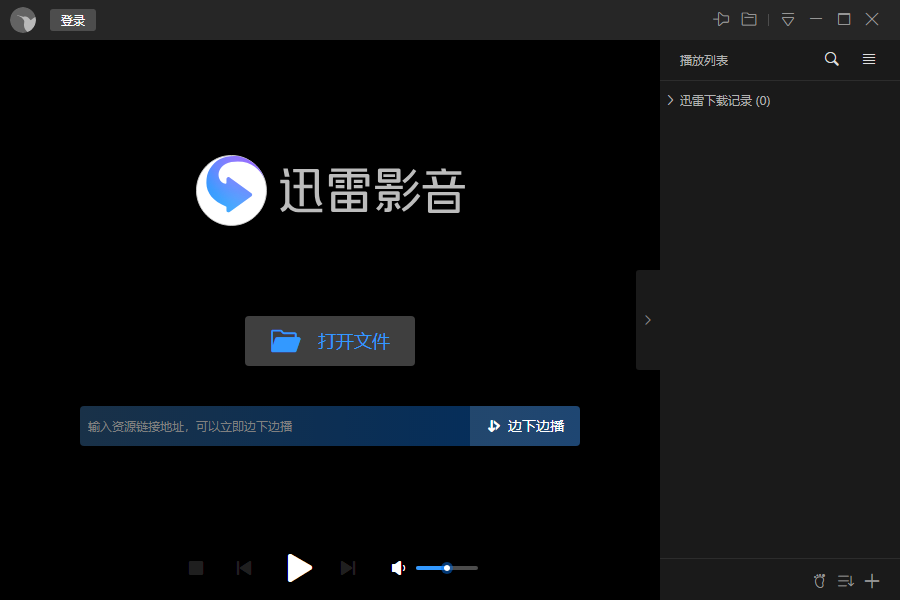
Features of Xunlei Kankan software
1. Provide users with various programs such as movies, TV series, animations, and variety shows
2. Support local video playback and online video on demand
3. Automatically prompt when the video is updated
4. When the player is closed and opened again, it will open directly to the last viewed position.
5. You can set the player to automatically shut down after completion
6. Contains rich shortcut key settings
ThunderKeepsInstallationSteps
1. Double-click to open the downloaded Thunder to see the installation package, and double-click the program file. After that, the installation interface as shown below will open. There are two installation methods for you to choose from:
【One-click installation】: Check the software license agreement and click one-click installation to quickly complete the software installation. In this way, the software will be installed on your computer with default settings. Generally, it is installed in the C drive directory by default.
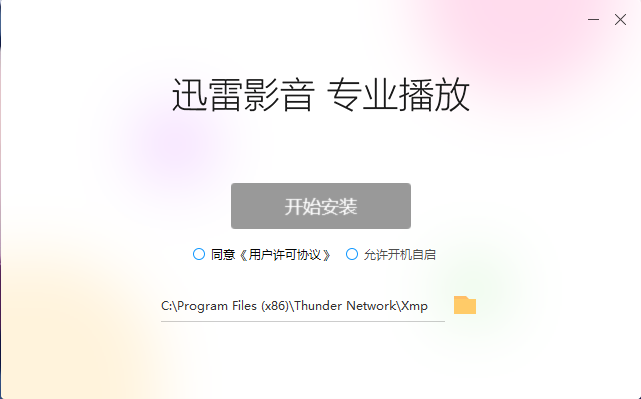
【Custom installation】: Check the software license agreement and click Custom installation to continue.
2. Customization options: There are two additional options: startup at startup and lock to taskbar. You can check according to your needs. Click Next.
3. Choose a suitable installation location for Xunlei Kankan player: it is installed in the C drive directory by default. You can click to browse to select other non-system installation directories. Then set the cache directory and click to start the installation.
4. Software installation, please wait patiently during the installation process. Once the installation is complete, you can immediately experience the Thunder player.
How to use Thunder
How to download movies or other video resources with Xunlei Kankan Player?
1. Open the Thunder that we have installed and take a look. After entering the main interface, enter the name or keyword of the movie you want to watch or download in the search box. After completing the input, click the search button.
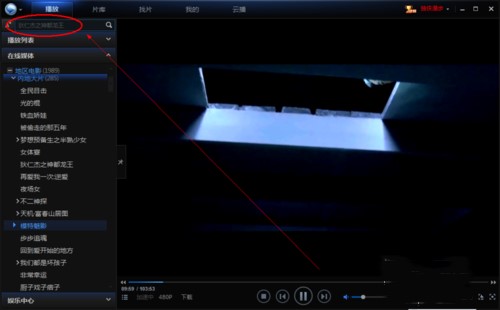
2. After that, you will jump to the [Find Movie] interface, find the video you want to watch in the search list, and click to play.
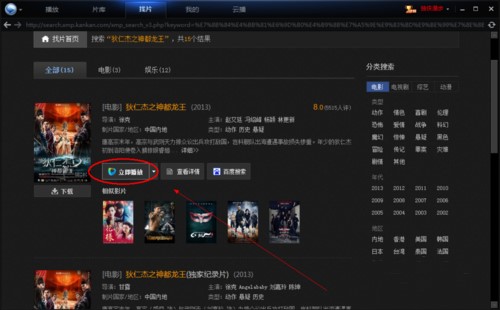
3. Then find the movie or video directory in the playlist, and select the downloaded clear version in the right-click shortcut menu. Click to select any clear version, and then Thunder will be launched on the computer.
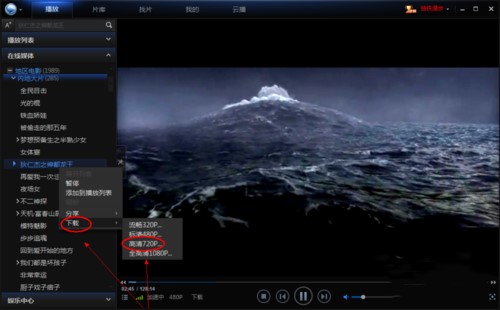
4. Finally, when you move the mouse to the movie name and click the download button, the download task will be created in Thunder. Just wait for downloading.
Xunlei Kankan usage related issues
How to speed up playback of Xunlei Kankan?
1. Open the Thunder player and select a video to play. You can see a double arrow in the playback progress bar below.
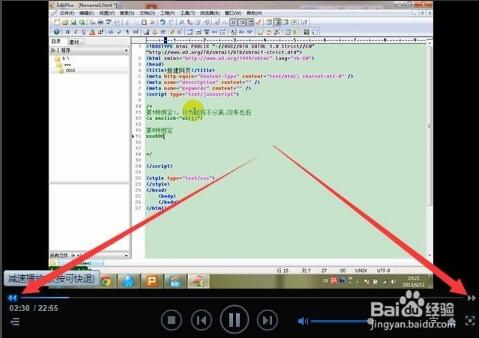
2. Click the double arrow on the left (slow playback) and you will see the corresponding number appear. This is to set the playback speed several times. For example, 0.9X means playback at 0.9 times the normal speed. You can click multiple times to adjust the playback speed.
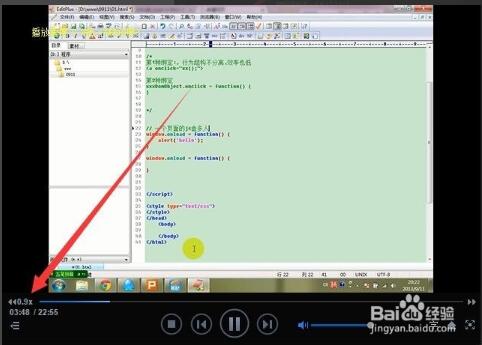
3. Click the double arrow on the right to speed up playback, and click the multiple to adjust the playback speed. It can be played back at up to 2.2 times the normal speed.
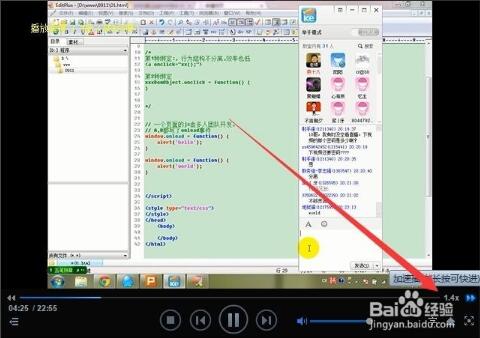
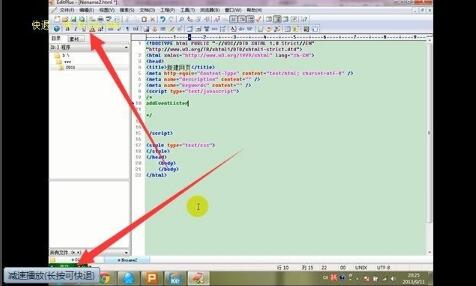
4. Press and hold the arrow to rewind or fast forward the playback. You can set this according to your own needs.
How to switch movie and video language in Xunlei Kankan?
Note: If you want to switch the movie language, please make sure the movie has dual audio tracks or multiple audio tracks, otherwise it will not be possible to switch.
1. Open our Thunder player, then find the movie we want to switch languages, and click to play.
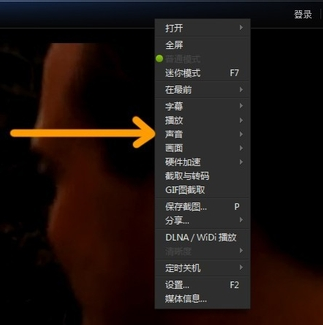
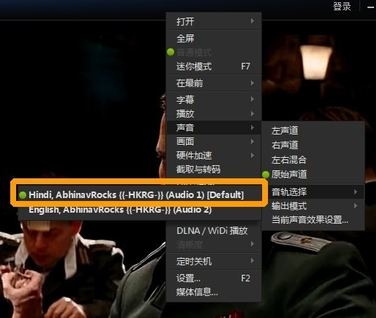
2. Then press the right button of the mouse on the video page and find the "Sound" option in the pop-up right-click shortcut menu, as shown in the figure below:
3. Select the audio track option on the right to open it
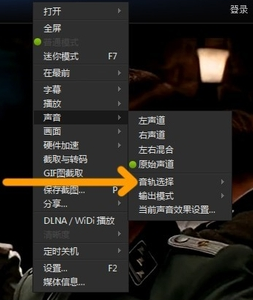
4. Finally, just select the audio track we want in the audio track options.
What is the difference between Xunlei Kankan and Xunlei Video?
There is no essential difference between Xunlei Video and Xunlei Kankan. They are just different versions and the names were changed after the software acquisition.
Xunlei Video is an upgraded version of Xunlei Kankan. It adds new functions based on Xunlei Kankan player, such as playback record synchronization, cloud collection, etc. It can also realize multi-screen synchronization and multi-screen interaction and other special functions. In addition, related improvements have been made to the interface and interaction.
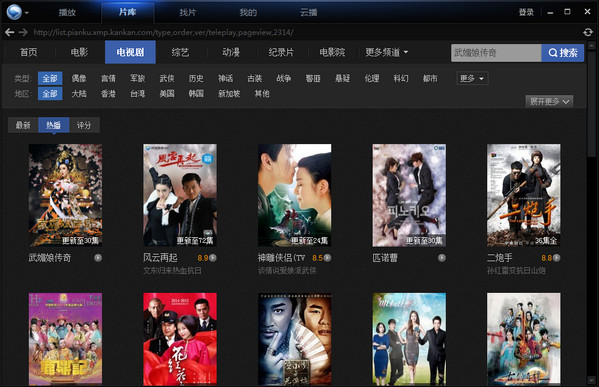
Thunder check the update log
Major improvements
Xunlei Kankan player adds lossless interception of audio and video;
Xunlei Kankan player improves DLNA connection performance;
Other improvements
BUG fix
Fixed playback bug of some mkv files;
Huajun editor recommends:
Xunlei Kankan player provides users with a very rich audio and video resources, everything you want to watch is available here. The editor personally tested it and found that the Xunlei Kankan player is really good. You can play it locally or online. You can choose as you like. I highly recommend it to everyone. If you like it, don’t miss it. Xunlei Kankan software is a software with excellent performance, which is obvious to all. Huajun Software Park also hasStrawberry Garden Network TV,cbox cctv video 2017,Tianren Network TV,Baidu Video offline installation package,CBox CCTV VideoWaiting for related software that is definitely worth downloading and using, come and choose your favorite one!





























Useful
Useful
Useful