




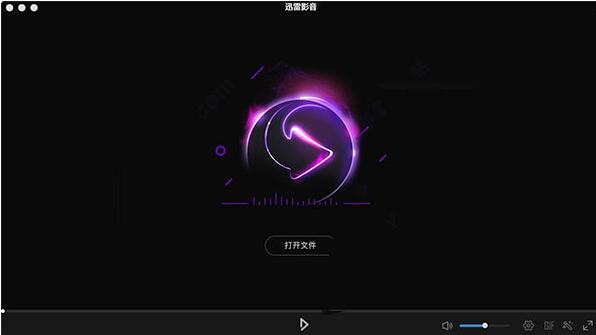
Introduction to Thunder Video Software
Relying on the support of Xunlei's powerful resources, Xunlei Video has been loved by the majority of users since its launch. It can support the playback of all video formats, so that users no longer need to change several players to watch videos. When playing a video, it also supports taking screenshots of part of the plot as 15-second GIF images, so you no longer have to worry about not having enough emoticons. Have you ever seen any player that can change filters like Meitu software? Yes, Xunlei Video can, supporting 11 kinds of filter effects, giving you a different visual experience.
Thunder audio and video software functions
1. Multiple video playback: local playback, "seed file", "IRL address". Local playback, as the name suggests, plays media files on the local computer; seed playback is a newly integrated function; URL address playback means that we can directly add the RUL address in the video for playback.
2. Color adjustment: You can adjust the "brightness, contrast, and saturation" of the video. Here, the editor will share with you an interesting adjustment method that reduces the saturation to the minimum. Any color video will instantly become black and white, allowing users to enjoy authentic and honest movies.
3. Increase the volume: In the past, the volume of the player was only adjusted between 0-100, while Xunlei Video has added a more percentage tuning system, which can support the volume up to 1000% (excessive volume will cause some noise).
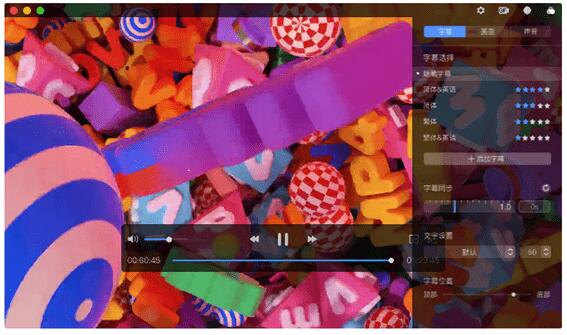
4. Add subtitles: Users can choose subtitles in various languages to add to the currently playing video, and can also set the color, size and font of the text, and accurately adjust the speed of the subtitles.
Features of Xunlei Video Software
1. Rich video library and smooth online on-demand service
2. Compatible with local playback of mainstream film and television media format files.
3. Automatically download video subtitles online.
4. Video recommendations after playing the video (see if you like it).
5. Automatically record the file location when the player was last closed.
6. Automatically prompt for video updates.
7. When playing a video, the player displays the configuration items at the front of the screen.
8. Automatically add similar files to playlist settings.
9. Set to automatically shut down after playing.
10. Supports multiple recording and clearing method settings for playback records.
11. Function shortcut key settings
FAQ
Audio and video out of sync
Reason: Software version problem or improper audio track settings.
Solution:
Update Thunder Video to the latest version.
Check the audio track settings to make sure the audio track is in sync with the video.
Picture quality is not clear
Reason: The platform restricts the downloading of high-definition content or the user selected a low-definition version.
Solution:
Confirm the definition setting of the video before downloading, and give priority to the high-definition version.
Thunder Video update log
1.Fix several bugs;
2. Optimize detailed issues;
Huajun editor recommends:
Thunder Video andeZip,Paste,ChemDraw Professional,Freeze Point Restore For Mac,WeChat For MacThese are all very good software, welcome to my site to download and experience!





















Useful
Useful
Useful