




Features of KK HD movie software
1. Brand new player core, smoother speed.
2. The new UI interface design will make you feel fresh and new.
3. The transmission protocol with a new architecture is more stable and smooth.
4. The new film library interface has a more concise style.
5. All menus have been reorganized to make operations more flexible.
How to use KK HD movies
1. Click the downloaded KK HD Movie Player installation package to install it
2. After the installation is completed, if you encounter an alarm from the anti-virus software, just select your home network.
3. After opening the player, you will find a dark interface with nothing. There is still "Loading data, please wait..." on the left and nothing on the right.

4. Actually, don’t worry, just wait for a while on the left. The waiting time depends on your Internet speed and computer configuration (after all, it is a high-definition resource!)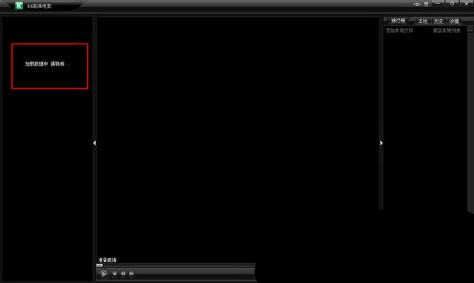
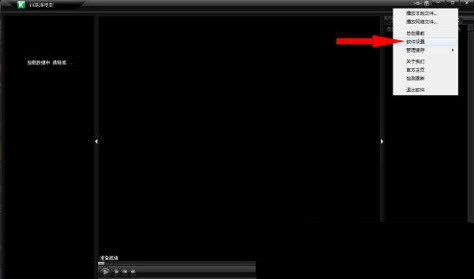
5. Regarding the player settings, you can click the button on the right (as shown in the picture). You can choose various settings, cache address, run automatically on startup, etc.
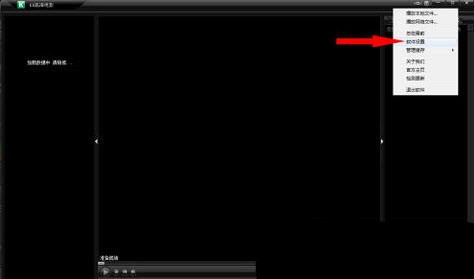
6. Do you think this is the end? NO!!! The most amazing thing is still here! Just copy and paste the playback network video file address, and you can watch this network video file in high definition!!!
KK HD movie update log:
1: Optimized performance
2: We are serious about solving bug problems
Huajun editor recommends:
The editor of Huajun Software Park has compiled and collected software that you may like, such as:Xunlei Kankan Player,Strawberry Garden Network TV,cbox cctv video 2017,Tianren Network TV,Baidu Video offline installation packageYou can download it from this site.






























Useful
Useful
Useful