




Introduction to Netfire LAN speed limiting software
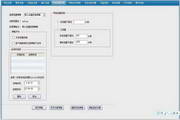
The official green version of Netfire allows managers to manage all employee machines through one management machine, and monitor traffic data and system settings are all saved on the management computer. It has a LAN speed limit function, which can monitor and record the upload and download traffic of each employee machine in real time, and the traffic data can be queried at any time in the future; it allocates different bandwidths to different departments, and sets automatic network disconnection or shutdown when the bandwidth is exceeded.
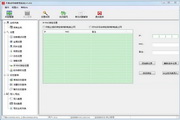
Using Netfire LAN speed limiting software, administrators can visually monitor the upload and download traffic of each machine in the current LAN on the management side. They can sort and summarize the ten employees with the most Internet downloads every month in the company. It also supports exporting Word reports, so that the network card traffic data of each computer can be known, and employees who are infected by worms or secretly download movies during working hours can be warned.
Netfire LAN speed limiting software features
1. Prohibit BT and other P2P downloading software to save broadband traffic: Netfire LAN speed limiting software can ban BT, prohibit the use of IE downloads, prohibitThunderFor various P2P download tools, administrators can set policies to ban BT. When employees try to run BT software, they will automatically ban and alert the police. Administrators can also view employees' online activities in real time and understand how long employees use each application every day. They can flexibly set string URLs that are prohibited from access and string URLs that only allow access.
2. Set the upload and download traffic range, and alarm if it exceeds the range: Netfire LAN speed limiting software can monitor upload and download traffic. The administrator can set the upload and download traffic range for different departments or different employees. If the traffic exceeds this range, the network will be automatically disconnected or forced to shut down and a warning will be issued. You can sort and summarize the top ten employees with the most Internet downloads in the company every month.
3. Check traffic dynamics: LAN speed limiting software can check the real-time traffic, upload and download traffic of each computer at any time, and the traffic monitoring software can sort the traffic and send warning messages to users with high traffic.
4. Netfire is also a LAN management software: through Netfire, you can set up to control Internet access, only allow access to specified websites or block certain websites. You can ban QQ, ban chat tools, ban downloads, ban games, ban USB, you can set only work-related software to run, traffic restrictions, screen monitoring, you can also record the programs running on employee computers, visited URLs, chat records, email records, you can force the backup of work documents of employee computers, and you can remotely operate employee computers and other functions.
Which LAN speed limiting software is the best?
Vientiane Network Management: It is software that truly meets the operation and management needs of large, medium and small Internet cafes. The large user base and simple and intuitive operation interface allow you to quickly start operating without the need for training technical service personnel, saving you a lot of time and costs.
traffic eye: Real-time display of the traffic (bandwidth usage) of the application software process. Limit the download and upload rate of the process by setting speed limit rules online. You can also limit the overall speed of a single machine.
Netfire LAN speed limiting software update log
1. Fixed other bugs;
2. Optimized software compatibility.
Huajun editor recommends:
Looking around, there are software similar to this software everywhere on the Internet. If you are not used to this software, you might as well give it a try.Network traffic statistics tool,Webcam search tool,FPort,FreePortScanner,MRTGWait for the software, I hope you like it!




















Useful
Useful
Useful