






Features of Jusheng Network Management LAN management software
1. LAN download control, bandwidth limit, flow control, and network speed limit functions
2. Ban chat software, restrict instant messaging software, restrict online chat functions, control stock trading software, prohibit stock software, and restrict local area network stock trading functions.
3. LAN host IP and MAC address binding function
4. Restrict online games, block web games, prohibit computer games, block game URLs, prohibit opening game websites, and restrict access to game websites
5. Functions to ban P2P videos, block video websites, restrict web videos, disable shopping websites with one click, restrict online shopping for company employees, and prohibit online shopping at work
6. Effectively detect LAN wireless routers, prohibit the installation of wireless routers, and restrict employees from privately connecting wireless routers to the Internet.
7. Monitor Internet URLs and record website visits.
8. Monitor mailbox access, monitor mail sending and receiving, record mail content, and monitor mail
9. Alarm function for abnormal LAN host
10. LAN host remote boot, LAN remote shutdown, remote computer restart, remote computer logout function
11. Restrict FTP downloads, prohibit FTP uploads, and disable FTP functions (Note: This function requires an extension plug-in)
12. Prevent ARP attacks, detect ARP viruses, prevent ARP spoofing, and block ARP Trojans
13. Detect promiscuous network cards, detect LAN promiscuous mode network cards, prohibit LAN sniffing software, prohibit LAN packet capture software, and limit network monitoring
14. Detailed log records, which can record Internet URLs, record P2P downloads, record stock trading behaviors, and record online games
15. Other functions: detect LAN network management software, detect LAN ARP attacks, monitor LAN equipment, monitor routers, and monitor firewall operating status.
Jusheng Network Management LAN management software installation steps
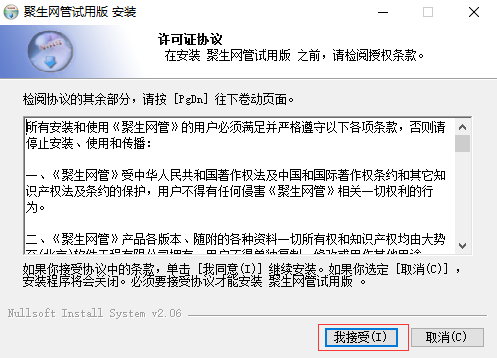
1. Download the Jusheng Network Management LAN management software from Huajun Software Park. After unzipping, double-click to open the installation program and click I accept.
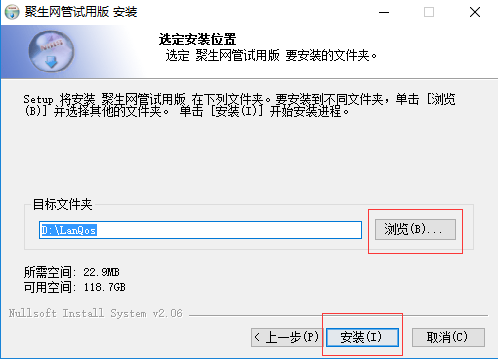
2. Select the installation location of Jusheng Network Management LAN management software and click Install.
3. Wait for installation.
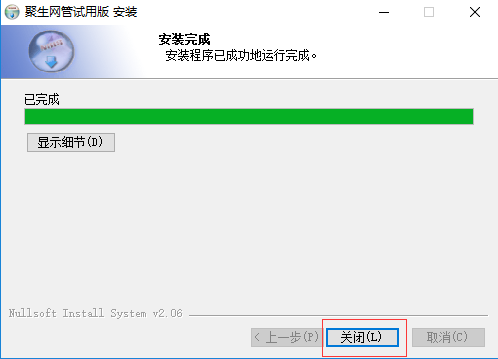
4. After the installation is completed, click Close.
Instructions for use of Jusheng Network Management LAN management software
1. Open the Jusheng Network Management LAN management software. After starting, you need to create a monitoring network segment first. Follow the interface prompts to the next step. When selecting the monitoring network card, you need to pull down from the box to select the network card you are currently using for Internet access. Then keep clicking Next to complete to create a monitoring network segment.
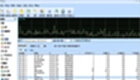
2. Select the created monitoring network segment, click "Start Monitoring" on the right to enter the main interface of Jusheng Network Management, and then click "Start Management" in the upper left corner to scan all the powered-on computers on the current LAN, and check the boxes in front of the computers to be controlled (the trial version can only check 20 computers).
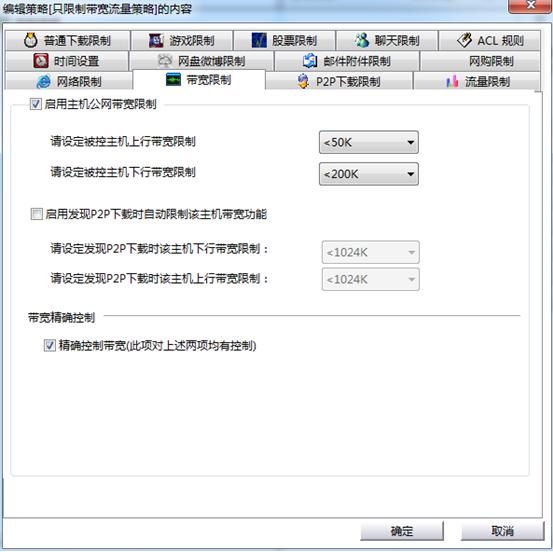
3. To control the computer network speed, you must assign a policy to control the computer network speed. Create it in "Configuration Policy" or right-click "New Policy" in the host list, then you can switch to "Bandwidth Limit", set the uplink bandwidth and downlink bandwidth you want to control, and then click "OK", as follows
4. If you no longer want to limit the computer's bandwidth speed and traffic, you can change the control policy of this host to "Unassigned policy" or other policies, or you can directly remove the check mark in the front box of the host to disable it.
Comparison of similar software between Jusheng Network Management LAN management software
WorkWin enterprise LAN monitoring software: It can accurately count the time employees spend on each software or website every month. Different permissions can be set for different departments. Games and chat software can be intelligently banned. Only work-related websites can be accessed. USB devices such as USB flash drives can be banned. Bandwidth occupied by large-traffic downloads can be limited.
Control LAN monitoring software: a free LAN monitoring software and LAN management software. It has been certified by the Ministry of Public Security and is the most professional LAN management software and LAN monitoring software in China.
Jusheng Network Management LAN management software update log
Optimized the underlying driver;
Updated the daemon process;
Huajun editor recommends:
The editor has also usedNetwork traffic statistics tool,Webcam search tool,TrafficMonitor (computer network speed monitoring floating window),FPort,MRTGSoftware with similar functions to this software is available in Huajun Software Park and can be downloaded and used!











Useful
Useful
Useful