





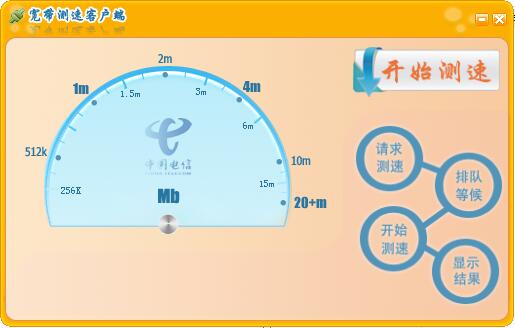
China Telecom network speed test software function
1. The official version of speedtest can check your downloads, uploads and pings.
2. The software’s real-time chart shows that the stability of the connection is very high.
3. You can quickly troubleshoot or confirm the network speed you should have.
4. Track the results of past tests and draw detailed reports.
5. The official version of speedtest can easily share your test results.
6. The official version of speedtest searches for specific reports of previous speed tests.
Features of China Telecom’s network speed test software
Can support detection of upload and download network delays
Can support chart pointer display
Can support saving speed measurement details
Can support selecting network speed type and sorting method
Can support intranet or extranet IP address
Speedtest can support server selection
China Telecom network speed test installation steps
1. Download the installation package of the official version of China Telecom’s network speed test in Huajun Software Park
2. After downloading, unzip the compressed package into a folder named after this software

3. Open the folder and double-click the "exe" program
4. China Telecom’s network speed tester is a green software that can be used without installation.
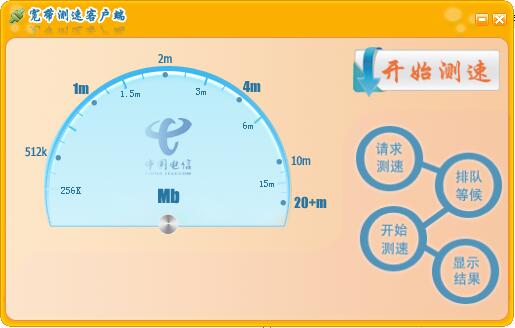
FAQ
An error message appears during the speed test
Cause of the problem:
The network connection is unstable or interrupted.
The speed test server is busy or down.
There are bugs or compatibility issues in the speed testing software itself.
Solution:
Check whether the network connection is stable and try to reconnect to the network.
Test the speed later to avoid testing during busy times when the speed test server is busy.
China Telecom network speed test update log
1. Optimized some functions
2. Solved many unbearable bugs
Huajun editor recommends:
China Telecom Network Speed Test is an excellent software for network testing. The editor strongly recommends it to you. Once you download it, you will know how good it is. The editor has also prepared for youNetwork traffic statistics tool,Webcam search tool,TrafficMonitor (computer network speed monitoring floating window),FPort,MRTG










Your comment needs to be reviewed before it can be displayed