






Introduction to the function of HTTP packet capture artifact
HTTP protocol information that can be captured
·File header
·Content
·Cookies
·Query string
·Submitted data
·Redirected URL address
HTTP protocol capture analysis tool
·Capture HTTP protocol data
·Can provide buffer information
·Clean up the conversation content
HTTP status information and other filtering options
·For IE debugging
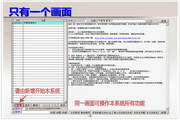
HTTP Analyzer is an IE integrated plug-in that can capture HTTP/HTTPS protocol data in real time, can display a lot of information (including: file header, content, cookies, query character channeling, submitted data, redirected URL address), can provide buffer information, clean conversation content, HTTP status information and other filtering options. It is also a very useful development tool for analysis, debugging and diagnosis.
HTTP packet capture artifact installation steps
1. Download the HTTP packet capture artifact (HTTPAnalyzerFullv7) software package from this site, unzip it and double-click the exe file to enter the installation wizard interface, click next

2. Enter the license agreement interface, choose to agree, and click next

3. Enter the software installation location interface, select the appropriate installation location, and click next

4. Enter the menu folder interface, no need to modify, just click next

5. Click next

6. Enter the installation preparation interface, click install, and install directly.

7. Enter the installation interface and wait patiently for the installation progress bar to be completed.

8. The installation of the HTTP packet capture artifact (HTTPAnalyzerFullv7) is completed. Click Finish to use it.

How to use HTTP packet capture artifact
How to use the packet capture tool HTTP Analyzer 7 to capture mobile phone packets
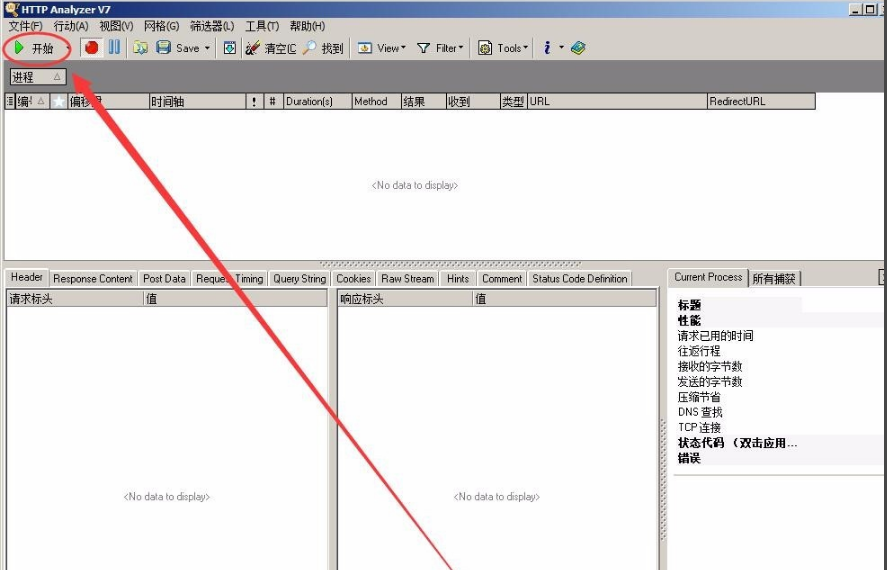
1. After opening the HTTP packet capture artifact (HTTPAnalyzerFullv7), click Action-Start to capture the packet or click Start in the upper left corner.
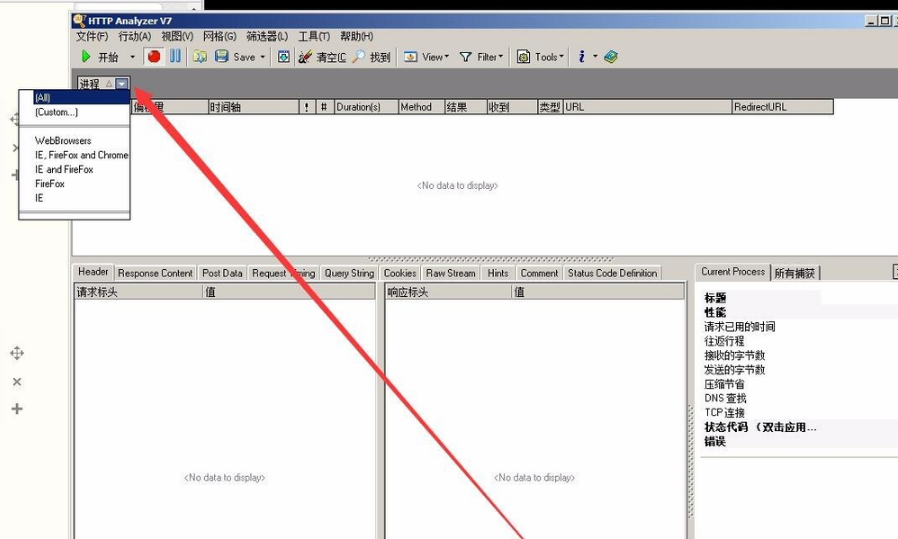
2. There is a process below. You can choose to capture packets for that specified client or capture all packets.
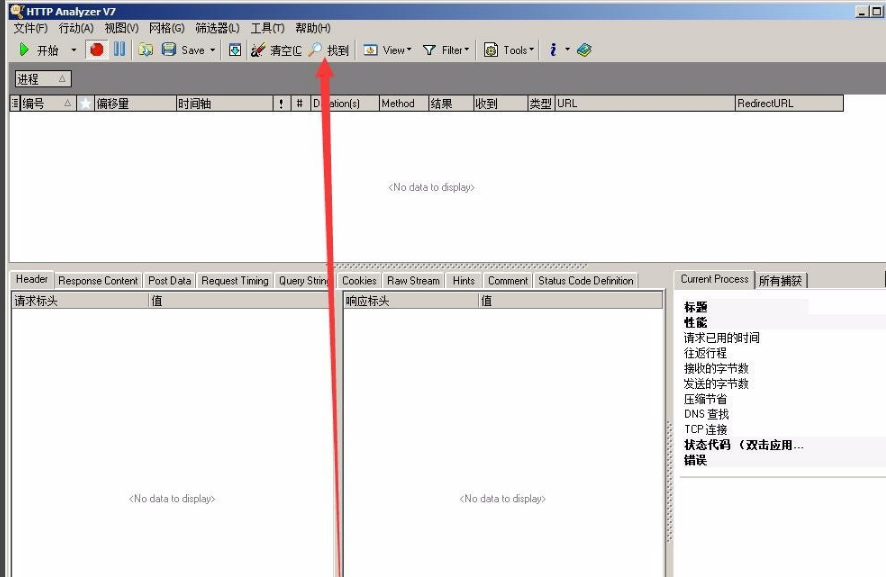
3. This is the query button. Sometimes when getting, you need to query the string in the URL. You need to use this button.
4. This is the captured packet display area, which contains information such as packet capture time, type, URL, timeline, etc.
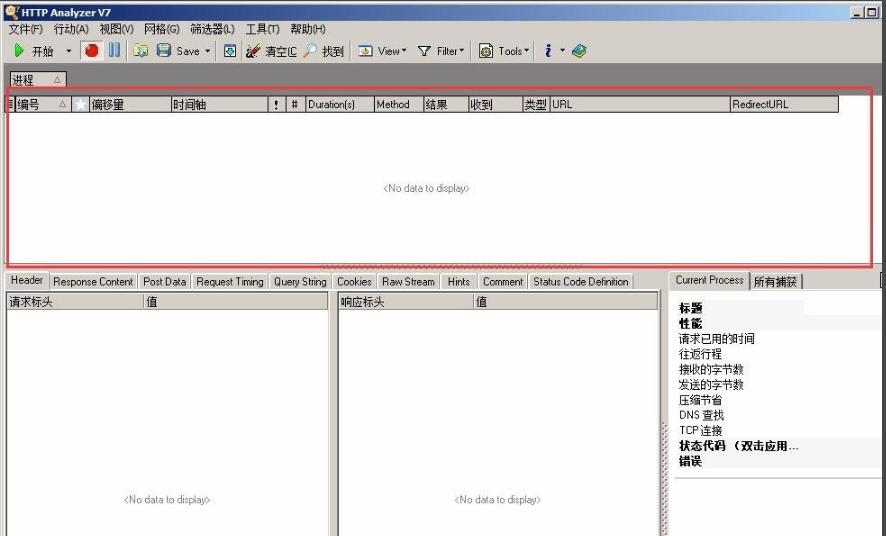
5. The column below, from left to right, is the introduction of string content, etc.
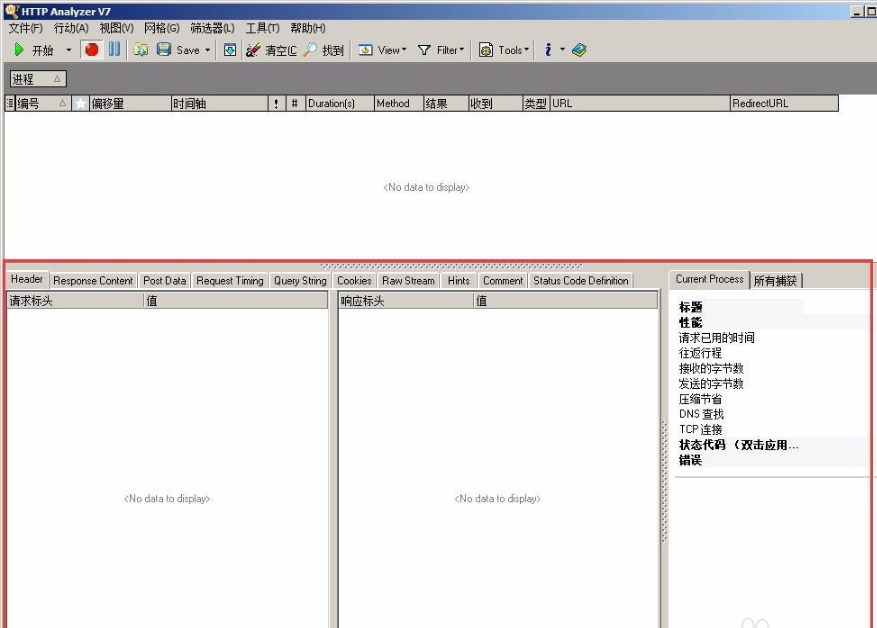
6. Generally, the following places are used:
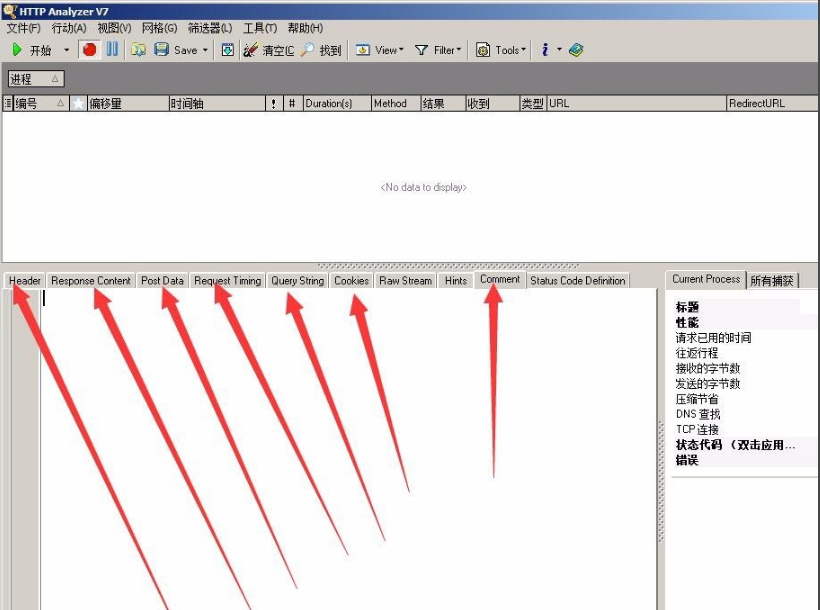
Tips for using HTTP packet capture artifact
1. After the download is completed, first run "Greening.bat" as an administrator (right-click "Greening.bat" and click Run as Administrator),Unzip it first and then run it! Don't run it in a compressed package!

2. You can open the HTTP packet capture artifact (HTTPAnalyzerFullv7) software and use it
3. The HTTP packet capture artifact (HTTPAnalyzerFullv7) is a green Chinese version! Win7 and above systems will have normal registration system table conditions. It is safe and non-toxic and can be used with confidence.
Frequently Asked Questions about HTTP Packet Capture Artifact
How to uninstall the HTTP packet capture artifact (HTTPAnalyzerFullv7)?
To uninstall the HttpAnalyzer software, you must first find the uninstaller. There are two quick ways to find the Httpanalyzer uninstaller:
1. You can right-click on the software icon -> Open file location -> Find the file unins000.exe to uninstall the program.
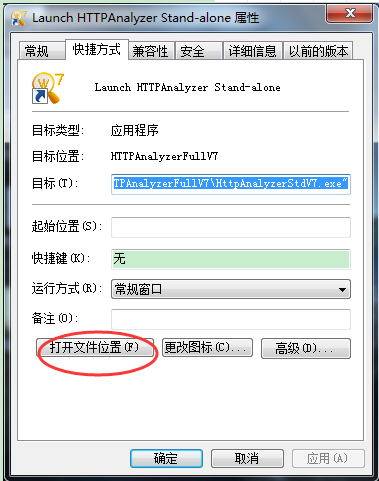
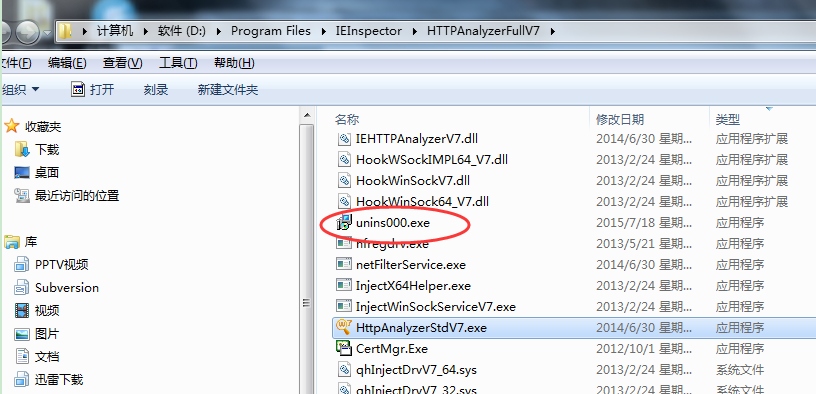
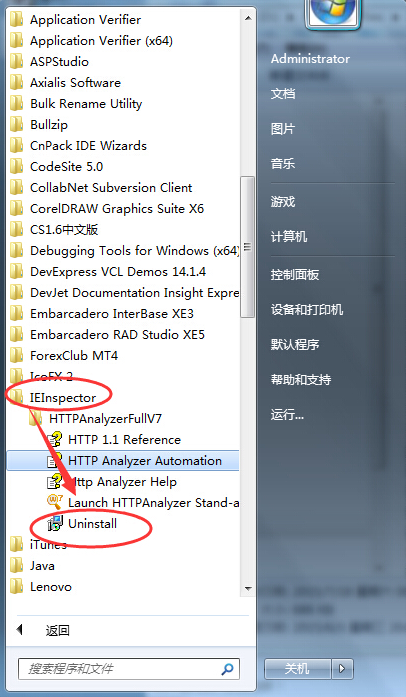
2. Search from the installed programs in the system->find IEInspector->HTTPAnalyzerFullV7->Uninstall is the uninstaller.

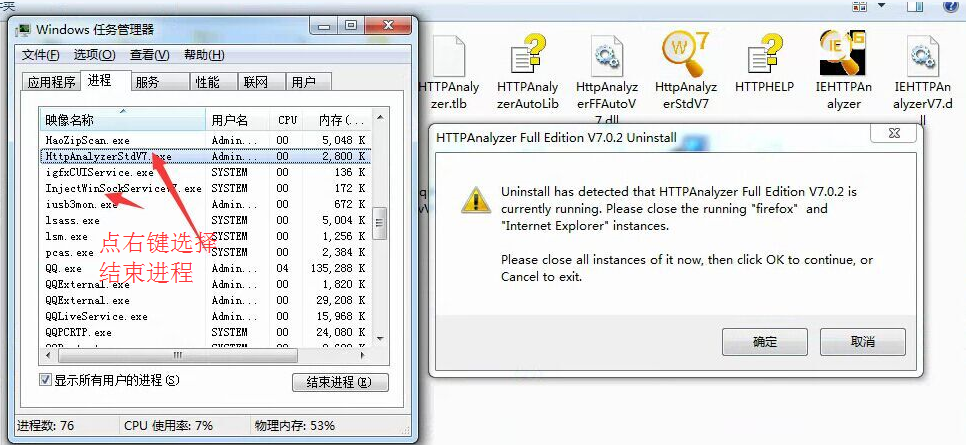
如果卸载时出现下面的窗口卡住了。 It means that the software still has two processes open and cannot be uninstalled. You need to forcefully end these two processes in the task manager, so that the uninstallation can proceed smoothly. The two processes are:
HttpAnalyzerStdV7.exe
InjectWinSockServiceV7.exe
Comparison of similar software for HTTP packet capture artifacts
Network Gang-Network packet capture tool iptool
The Internet Packet Capture Tool (iptool) is an IP packet capture tool. IPMItool is a simple command line interface for managing IPMI-enabled devices. You can use this utility to perform IPMI functions through a kernel device driver or through a LAN interface.
Keding web packet capture tool
科鼎网页抓包工具IE网页抓包工具是一款强大的网页数据分析工具。 Integrated in the Internet Explorer toolbar. Including web page summary, Cookies management, cache management, message header sending/receiving, character query, POST data and directory management and other functions. It is a powerful software for daily web page packet capture.
Winsock expert (packet capture tool)
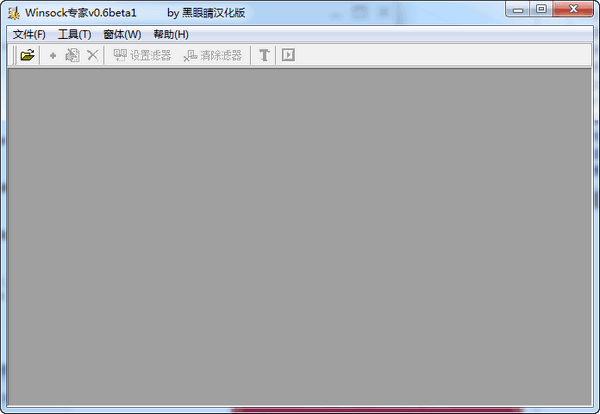
Winsock Expert (packet capture tool) is a very practical network data packet capture software. This software can help software developers conduct network debugging of applications and analyze the communication protocols of network programs. At the same time, the software also supports manual modification of the sent network data. Although the size is very small, the function is still quite powerful.
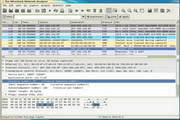
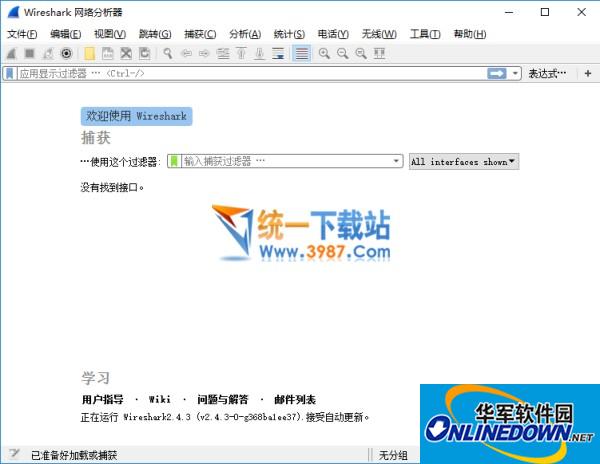
Wireshark can be described as an evergreen tree in the network analysis profession. Any responsible network analyst has a soft spot for this software. Few products today have such enduring appeal, and it's easy to see why. Network administrators who want to know what's going on on their networks can use this software to capture packets and then display them in a way that makes it easy for administrators to track conversations and data flows between computers.
The above software are all packet capture tools, each with its own characteristics and powerful functions. Users can download and use them according to their own needs.
HTTP packet capture artifact (HTTP Analyzer Full v7) update log:
1. Fixed other bugs;
2. Optimized software compatibility.
Huajun editor recommends:
HTTP packet capture artifact (HTTP Analyzer Full v7) andWebcam search tool,TrafficMonitor (computer network speed monitoring floating window),FPort,FreePortScanner,MRTGThese are all very good software, welcome to my site to download and experience!


















Useful
Useful
Useful