





Canon LBP2900+ printer driver official version
Canon LBP2900+ printer driver official version is a printer driver for the LBP2900 model officially created by Canon for everyone. The Canon LBP2900+ printer driver is simple to operate and has practical functions. It can effectively solve the problem of the printer not being able to recognize the device. Canon LBP2900+ printer driver can solve the problem of Canon LBP2900 printer not being able to print and not working properly. Huajun Software Park provides Canon LBP2900+ printer driver download service. Everyone is welcome to download and use it!
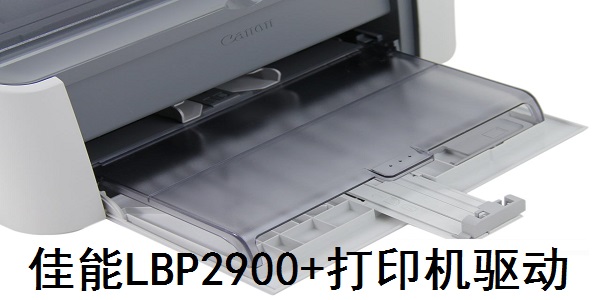
Canon LBP2900+ printer driver software features
Multi-system compatibility: supports Windows XP/7/8/10/11 (requires official website driver), macOS and Linux.
Easy installation: Run Setup.exe with one click, automatically detect USB connection, support 32-bit/64-bit systems.
Basic functions:
Supports multiple paper sizes such as A4 and B5, and manual double-sided printing.
The printing resolution is 600×600dpi, and the image processing accuracy is 2400×600dpi.
Status monitoring: Real-time display of toner remaining level, paper jam and other fault prompts.
Energy-saving design: supports sleep mode and low standby power consumption.
Canon LBP2900+ printer driver software instructions
Installation steps:
Download: Obtain the driver from the official website or installation CD (note the distinction between 32/64 bit).
Connection: Disconnect the USB before installation and then connect the printer after completion.
Run: Double-click Setup.exe and follow the prompts to complete the installation.
Basic settings:
Print quality: Adjust resolution and density through the driver panel.
Paper management: Select the paper type (such as plain paper, envelope).
FAQ:
Windows 11 compatibility: You need to manually install the official website driver and disable the system’s built-in driver.
Troubleshooting: Check USB connection, toner status, restart the printer or update the driver.
Things to note:
Only supports USB connection, no network printing function.
It is recommended to use official drivers to avoid conflicts with third-party software.
Canon LBP2900+ printer driver installation steps
1. Download the Canon LBP2900+ printer driver Grid++Report report tool from the Huajun Software Park and unzip it to the current folder. Click on the Setup.exe application to enter the installation license agreement interface. We need to click Yes.

2. The Canon LBP2900+ printer driver is being installed, please wait patiently for a while.

3. What needs to be noted here is that when we install the print driver, we must connect the computer and the printer with a USB data cable. After detecting that the connection is successful, we can use the driver after the installation is completed.

Canon LBP2900+ printer driver FAQ
Question: How to solve the problem that Windows 7 (32-bit) cannot install the canon printer LBP2900 driver?
Answer: Solution 1: First we need to check whether the Canon lbp2900 driver supports the win7 system. Generally, it does. Next, we check whether the permissions of win7 are turned off. You can right-click the installation package and select "Run as administrator" in the pop-up menu bar, and then try to see if it can be installed. The security guard or anti-virus software installed on the computer will have an impact. You can exit the security guard and anti-virus software before trying to install it. You may have downloaded the Canon LBP2900 printer driver that is not the latest version or there is an error in the software package. You can download a new version of the driver package from this site and try to install it again.
Solution 2: If double-clicking the automatic addition fails, change it to manual addition. The method of adding is as follows: First, through the "Start" menu, right-click and select "Computer" and select "Manage". Enter the "Computer Management" page, you can see the device with an exclamation mark (indicating that the driver needs to be updated), right-click and select "Update Driver Software". Select the driver (either through automatic search; or by selecting the corresponding driver folder). Generally, after downloading the driver, select the driver's folder. Select the corresponding driver folder and click "OK" to start the driver update. At this time, there will be a "Windows Security" prompt, select "Install this driver software anyway". Wait a moment for the driver installation to be completed. Right-click My Computer again and select "Manage". After entering the "Computer Management" page, the exclamation mark you saw before disappears. At this point, the driver has been installed successfully.
Question: How to connect Canon lbp2900 printer driver in win10 system?
Answer: After the printer is connected to the computer, use Driver Life to test the Canon lbp2900 printer driver. After passing the test, follow the prompts to install it!
Question: Where can I download the Canon 2900 printer driver?
Answer: There are two ways to download:
1. Software Park Download: Both PC Download Network and Huajun Software Park provide download services for the Canon 2900 printer driver. The latest version of the Canon 2900 printer driver is updated in real time for users to download, and high-speed download services are provided.
2. Official website download: Enter the official website of the Canon 2900 printer driver in the browser address bar. After entering the official website, find the download button to download.
Comparison of similar software
ft232r usb uart driverThe official version is a driver tool for testing ft232 chips under WindowsXP systems. ft232r usb The uart driver can be mainly used to convert the console port to USB port to connect to cisco switches, routers, etc. ft232r usb The uart driver can also be used in set-top boxes and other places where the ft232 chip needs to be converted into a USB interface.
Toshiba e-STUDIO2303A driverThe official version is a model produced by Toshiba for its Toshiba Driver created for e-STUDIO2303A model printer. Toshiba The e-STUDIO2303A driver can solve the problem of abnormal connection between the printer and the computer, and can improve the basic performance of the printer. Toshiba e-STUDIO2303A driver is highly compatible and can be used with printer drivers of other Canon models
Canon LBP2900+ printer driver update log:
1: Optimized performance
2: We are serious about solving bug problems
Huajun editor recommends:
After seeing the introduction provided by the editor of Huajun Software Park above, are you already ready to take action? Then quickly download the Canon LBP2900+ printer driver and use it. Huajun Software Park also providesCanon mf4400 printer driver,Pantum p2506 printer driver,Canon imageCLASS MF4752 driver,Fuji Xerox WorkCentre 7835 driver,Canon lbp2900 printer driverWaiting for you to download and use.








Your comment needs to be reviewed before it can be displayed