




IObit Uninstaller software introduction
IObit Uninstaller is a powerful and compact green software that can effectively replace the uninstall function that comes with Windows. Through it, you can completely uninstall unnecessary software without leaving any relevant information about the software and without causing a system crash.
Powerful removal software IObit Uninstalller main features: uninstall methods include uninstall, forced uninstall, and batch uninstall; uninstall mode can choose standard and advanced; before uninstalling, you can create a system restore point, or not create it (new option); powerful scan - It can scan out the residual information remaining during the uninstallation process to achieve the purpose of complete uninstallation; it can classify the software in the user's computer, such as: recently installed software, software that takes up a lot of space, etc.; it can clear those annoying toolbars; and more.
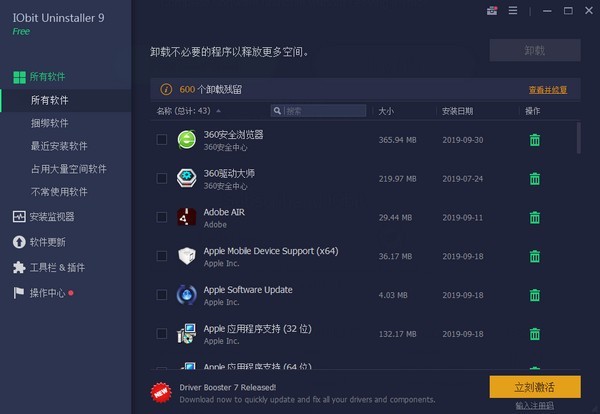
IObit Uninstaller function introduction
Forced uninstallation and crushing software
IObit Uninstaller can easily uninstall stubborn software and various plug-ins in the software on your computer, and can also shred files that cannot be deleted at once.
Clean your computer and speed it up
When your computer becomes overwhelmed due to the installation of a bunch of programs, using IObit Uninstaller can effectively help you clean your computer and speed up your computer.
Management updates, safe and secure
IObit Uninstaller can help users manage Windows updates and handle some compatibility issues to prevent system accidents.
Browse safely and remove residue
IObit Uninstaller can monitor the insertion of malicious ads in your browser to improve your browsing experience, and can detect uninstallation residue. The powerful scanning function makes uninstallation garbage have nowhere to escape and is completely deleted.
IObit Uninstaller software features
Powerful function, powerful cleaning
IObit Uninstaller can truly powerfully delete rogue software or stubborn files that many software on the market cannot.
Batch uninstall, free your hands
IObit Uninstaller can uninstall in batches. When you want to uninstall too many things, you can uninstall them all with one click without having to go one by one.
Simple interface and simple operation
IObit Uninstaller software has many functions, but the operation is not complicated and the interface is simple, so you can use it once you get started.
Green software, comes with Chinese language
Although IObit Uninstaller is a foreign software, it also has a Chinese version embedded inside it, and the software has no ads, so you can use it with confidence.
IObit Uninstaller installation steps
1. Download the latest version of IObit Uninstaller installation package from Huajun Software Park, unzip it, and double-click the exe program
2. Enter the installation interface, select the installation path, and click Install Now
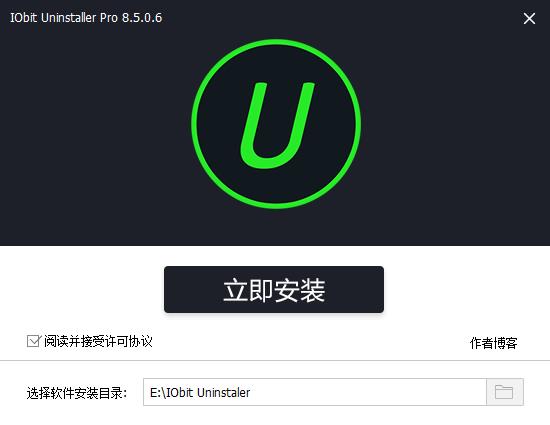
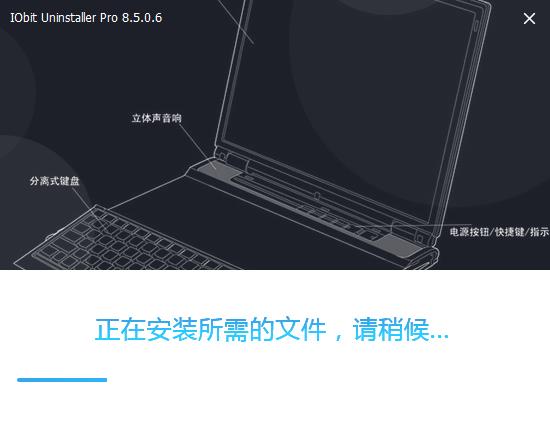
3. The software is being installed, please wait patiently.
4.IObit Uninstaller installation is complete, click to complete the installation
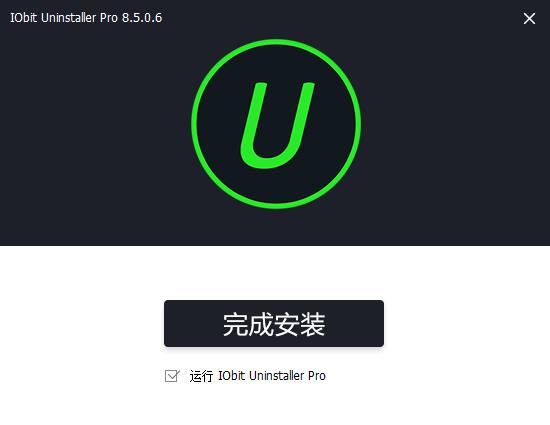
Installation summary:First download IObit from this site Uninstaller's software installation package, unzip it and open the exe file to enter the installation wizard. Follow the steps to install according to the prompts. During installation, you can choose the default installation location or customize the installation location. After checking the corresponding shortcut, enter the installation program. After a short wait, the installation will be completed and enjoy this software.
How to use IObit Uninstaller
IObit Uninstaller supports a total ofThree ways to uninstall: Uninstall, forced uninstall and batch uninstall.
The uninstall function is similar to the uninstall function that comes with the system. The uninstall mode is divided into two types: standard and advanced.
The standard mode simply uninstalls the software without any other actions; while the advanced mode provides restore point creation and powerful scanning functions. However, the restore point creation function usually takes a long time and is not as good as GHOSH and other backup and restoration software when used.
The powerful scan function is very practical. Some files will remain after uninstalling some software. Powerful scan can effectively scan out these files and delete them.
Finally, there is a trump card: the powerful uninstall function. For some software that cannot be uninstalled in the first paragraph, you can use this function to uninstall it.
IObit Uninstaller FAQ
How to set Chinese in IObit Uninstaller?
After the software is installed, if the initial language is not Chinese, we need to perform a simple setting operation ourselves.
Click "More"->"Language" in the upper right corner of the homepage interface, and then select "Simplified Chinese".
Recommended software similar to IObit Uninstaller
Uninstall software (GeekUninstaller): The official version of the uninstall software (GeekUninstaller) is an uninstall tool built with a deep and fast scanning method. The latest version of the uninstall software (GeekUninstaller) can perform practical operations such as uninstalling, modifying, forced removal, and project removal of computer software. The uninstall software (GeekUninstaller) also has many outstanding functions, which ensures that there are no residues during uninstallation and the system running speed will not decrease at all. Huajun Software Park provides download services for GeekUninstaller software. Everyone is welcome to download and use it!
Both softwares have their own characteristics, and I recommend everyone to try them.
Uninstall software (GeekUninstaller) download address:http://softwaredownload4.com/soft/984315.htm
IObit Uninstaller update log
· Disable automatic creation of annoying UAC privilege escalation and uninstall service plan task items
· Disengage the automatic upgrade program and prohibit AutoUpdate.exe from forcing the resident process
· Delete: Installation tracker-related programs that will reside in background processes and are of little use
· Delete: Right-click to force uninstall and Explorer file shredder button shell extension
Default configuration: Default Simplified Chinese, dark skin, automatic removal of uninstall residue
· 去菜单无用项:反馈, 检查更新, 用户手册, 技术支持, 在线
Special instructions:
Hello, the software you are about to use is an auxiliary tool and may be intercepted and checked by major anti-virus software. This software may have risks, please pay attention to avoid it. If you want to continue using it, it is recommended to close various anti-virus software before use.
Attached is the software package decompression password: softwaredownload4.com
Huajun editor recommends:
The editor has been using software like IObit Uninstaller for many years, but this software is still the best..NET Cleanup Tool,CCleaner,office2017 uninstall tool,Geek Uninstaller,Index.dat SuiteIt is also a good software and is recommended for students to download and use.




Useful
Useful
Useful