





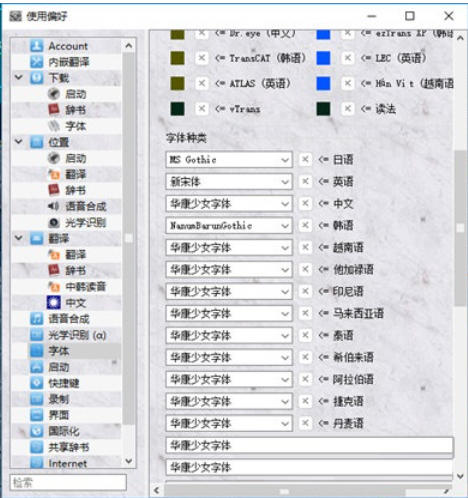
Software features
The translation mode is flexible and highly adaptable: it supports both online translation and offline translation with JBeijing to meet the needs of different network environments; it can also implement embedded translation, directly replacing game text with Chinese while retaining the original text display, taking into account reading and learning needs.
Friendly for Japanese learning: It provides word segmentation and pronunciation annotation functions for Japanese visual novels. You can call authoritative dictionaries such as Hiroshien and Shogakukan Japanese-Chinese Dictionary to query the meaning. Clicking on a Japanese word or sentence can also read it aloud through the TTS service. It is suitable for users who use visual novels to learn Japanese.
Translation resource sharing and mutual assistance: Support users to share human-translated content, comments and custom dictionaries, and optimize machine translation effects through other people's human translation training, forming a mutual-help ecosystem among users.
Adapted to full-screen and multi-scene display: subtitles can be displayed in the game window, and can be displayed normally even when running visual novels in full screen. It also supports MODI OCR to identify and translate text anywhere on the screen to avoid missing translation of key text.
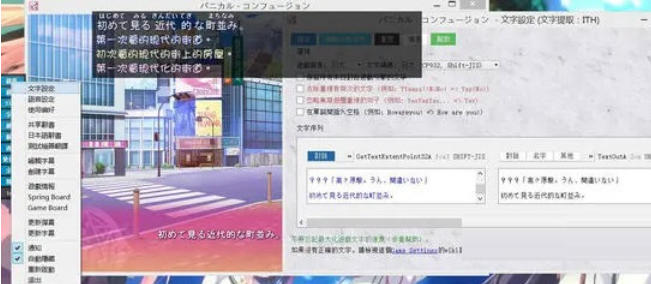
Software function
Multi-channel translation: Supports online Japanese-Chinese translation and JBeijing offline translation, and can obtain accurate definitions through dictionaries such as EDICT/JMDict.
Text display and optimization: Translated subtitles can be superimposed on the game window and can be displayed normally in full-screen mode; the original text of the game can also be replaced with Chinese, and the Simplified-Traditional conversion function is supported.
Japanese auxiliary tools: Provide Japanese word segmentation and pronunciation annotation, support clicking on words or sentences to read aloud, and adapt to various online and local TTS voice services.
Translation sharing and customization: Users can share manual translation content and custom dictionaries, and can also learn from translation resources shared by others; at the same time, the accuracy of machine translation can be improved through human translation data training.
Flexible game injection: Supports automatic injection of game text. If automatic injection is not possible, manual injection can be done by selecting the game window, process list or pre-set startup method.
FAQ
Unable to start the software: Most likely the 32-bit msvc component is not installed. You can try running Scripts/Visual Novel Reader (Debug).cmd to troubleshoot the specific cause of the problem.
Permission adaptation issue: Generally, administrator rights are not required to run, but if the visual novel itself is opened with administrator rights, VNR also needs to be started with administrator rights; however, it is not recommended to use administrator rights regularly, otherwise it will slow down the process search speed and pose security risks.
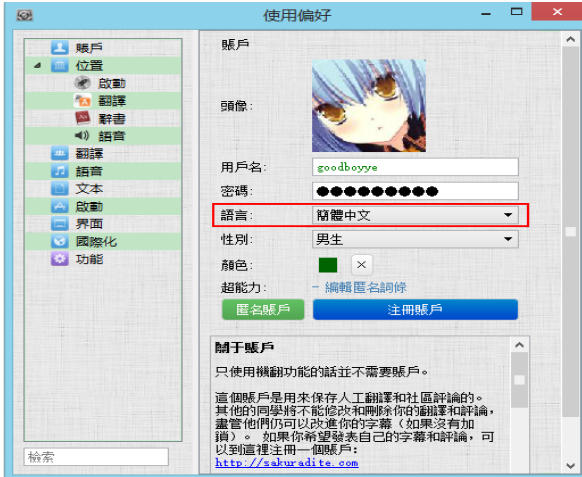
Garbled text display: Because most Japanese programs use SHIFT-JIS encoding, which does not support Simplified Chinese. If you use Simplified Chinese translation, "???" garbled characters or text truncation may appear. Prioritize Traditional Chinese translation to avoid this problem.
Visual Novel Reader update log:
1. Optimize content
2. The details are more outstanding and bugs are gone.
Huajun editor recommends:
If you are dazzled by the introduction of so many functions above, then download Visual Novel Reader quickly. This site also providesYoudao Dictionary,DXF to G code tool,Sesame Quick Translation,Snowman Computer Assisted Translation (CAT),Super PDF Converter Universal EditionWaiting for you to download.




Your comment needs to be reviewed before it can be displayed