






NetEase Youdao Dictionary XP version software introduction
NetEase Youdao Dictionary XP version joins the authoritative "Modern Chinese Dictionary" to realize Chinese idioms,Rare wordsThe intuitive interpretation provides you with an accurate and efficient Chinese dictionary. Integrated into the world's largest Chinese encyclopedia, a one-stop online reference book and knowledge query platform. You can look up not only words, but also richer encyclopedia knowledge for you to browse. The local enhanced version fully includes the "21st Century English-Chinese Dictionary" and "New Chinese-English Dictionary", and the local dictionary covers all. You can also check example sentences and phrases offline.
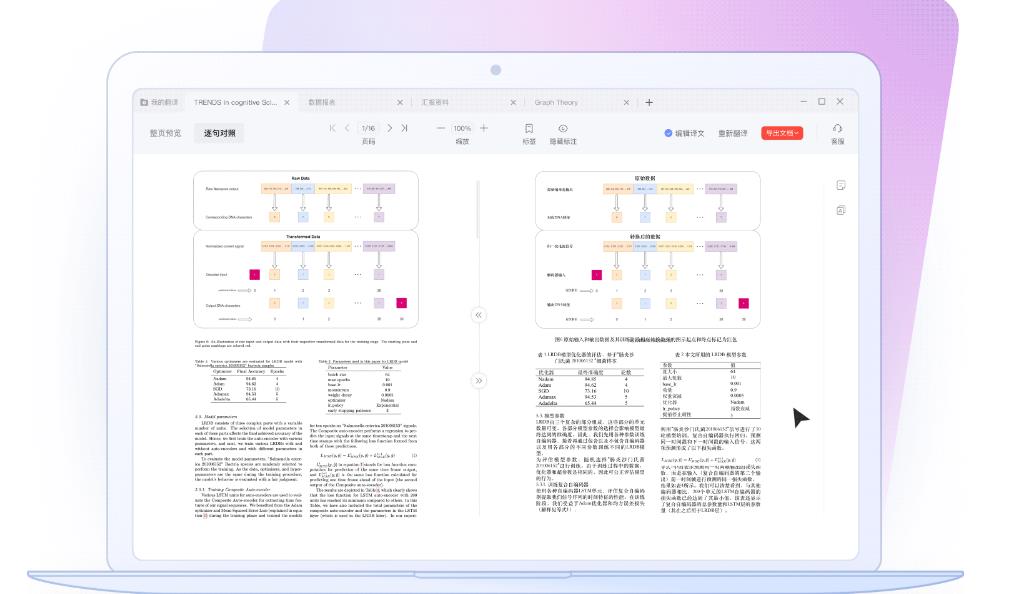
NetEase Youdao Dictionary XP version software functions
Authentic original translationDictionary
Can be pronounced in multiple languages
You can click to pronounce Japanese, Korean, French words and example sentences, which is clear and fluent, making it easy to learn pure spoken English in many countries.
全新原声音视频例句
The new video example sentence function includes video examples of open courses from famous international schools and classic European and American film and television works, allowing you to experience pure English.
Audio example sentences from the reproduction of the original English broadcast sound, authentic and authoritative.
Example pronunciation
Click to pronounce the example sentences, pure standard and clear and smooth English reading, solving the trouble of "dumb English".
Multilingual online dictionary
Real-time collection of the latest vocabulary
Based on Youdao Dictionary’s original “Internet Definition” function, we provide you with the best translation results. Easily include the latest and most popular words on the Internet, including Internet words like ORZ.
Multi-language translation
The word search and word extraction support 8 languages including English, Japanese, Korean, French, German, Russian, Spanish and Portuguese, and the translation part even supports translation between up to 41 languages and Chinese. Word retrieval and translation also support automatic language recognition, making it more intelligent.
Network definition
After crawling and obtaining billions of massive web page data, Youdao search engine uses Youdao's original "web page extraction technology" to find Chinese and foreign words and sentences that are related to each other in translation, and then optimizes and adjusts them to obtain the best translation results.
Powerful intelligent word demarcation and word retrieval
首家实现IE9、chrome浏览器屏幕取词。
Supports multi-browser environments, enabling encyclopedia queries for vocabulary and retrieval and translation of any paragraph or long sentence.
It has OCR word extraction function and can easily extract words from picture PDF documents.
Rich forms help memory
Added a new picture dictionary, using search engine technology to achieve word-picture correspondence between results, helping you better understand vocabulary.
Add the query for words with the same root, and give the results of the same root word, and memorize words easily.
Massive free dictionaries
Professional and authoritative dictionary
It includes "Longman Contemporary Advanced English Dictionary", "Collins English-Chinese Dictionary", "21st Century Great English-Chinese Dictionary", "New Chinese-English Dictionary", "Modern Chinese Dictionary" and many other professional and authoritative dictionaries. The thesaurus is large and comprehensive, and word search is fast and accurate.
A one-click search of 23 million legal sentences, and you can also select relevant example sentences according to the meaning of the word, to help you more accurately understand the context of the word, and learn and use it flexibly.
Professional vocabulary subject labeling
600,000 professional vocabulary annotations, covering 200 subject areas.
1.8 million encyclopedia entries provide a one-stop knowledge query platform.
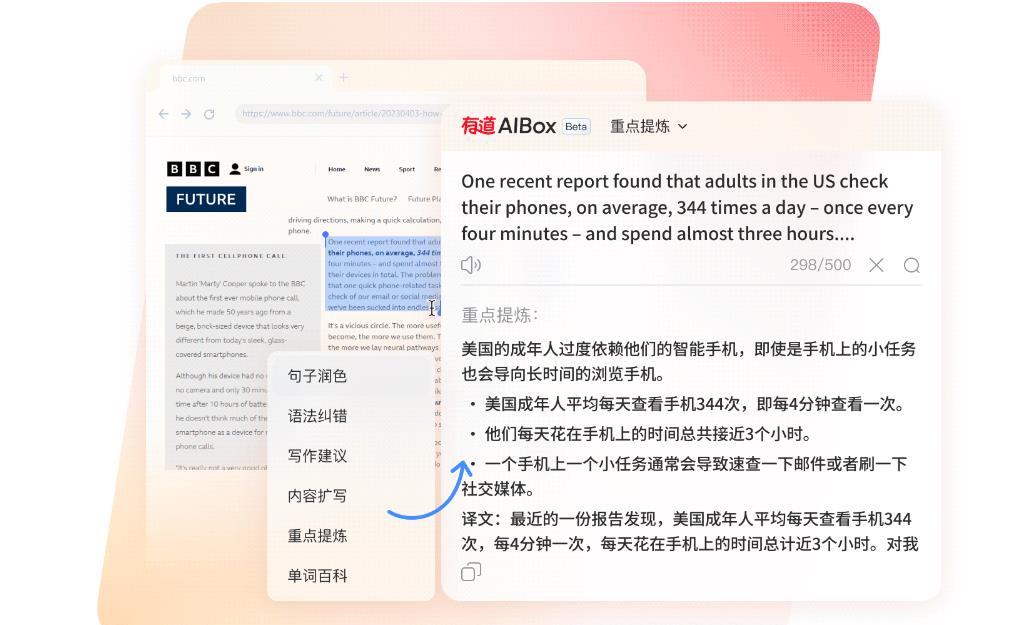
NetEase Youdao Dictionary XP version installation steps
1. Download the installation package of NetEase Youdao Dictionary XP version from Huajun Software Park, double-click the exe program to enter the installation interface, and click Custom Installation

2. Select the installation location and click Quick Install
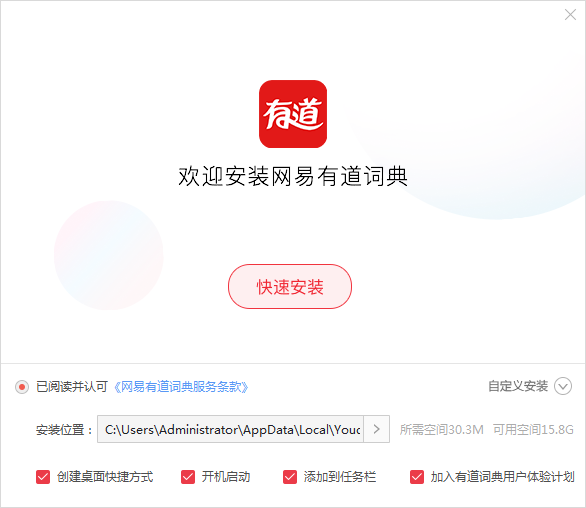
3. The software is being installed, please wait patiently.

4. The installation is complete, click to search the words

NetEase Youdao Dictionary XP version update log
1. Optimize content
2. The details are more outstanding and the bugs are gone.
Huajun editor recommends:
NetEase Youdao Dictionary Powerful, green and safe. Huajun Software Park also provides you withYoudao Dictionary,Sesame Quick Translation,Snowman Computer Assisted Translation (CAT),Super PDF Converter Universal Edition,WORD to PDF converterWaiting for you to download.










Your comment needs to be reviewed before it can be displayed