





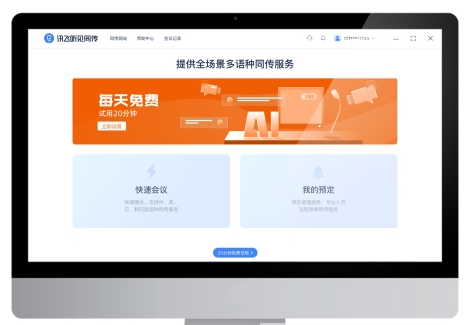
iFlytek Hear Simultaneous InterpretationSoftware introduction
iFLYTEK simultaneous interpretation is a translation software that translates text into different languages in real time and outputs multi-lingual audio content. It is widely used in international forums, smart conferences, smart education, transnational exchanges and other scenarios. Helps better communicate and meet users' various real-time translation functional needs!
iFlytek Hear Simultaneous InterpretationSoftware features
Innovative A.I. empowers simultaneous interpretation and diversified guarantee solutions
A.I. has mature technology, flexible service and stable guarantee
Customization of exclusive resources for conferences
More experience reserves in key industries
On-site/remote real-time support
Online and offline protection are flexible and optional
Real-time subtitle projection
Accurate display of personalized subtitles
Multi-language access to manual simultaneous interpretation
Human-machine coupling creates better results
Multilingual A.I. speech synthesis
Listen to A.I. synthesized audio in real time
Live mobile broadcast and sharing
One-click sharing and dissemination of conference knowledge
FAQ
Floating subtitles problem:
Inaccurate subtitles: Check whether the translation language selection is correct, and try to keep the translation material environmentally friendly and reduce interference factors. Multi-person conversations or rush-to-answer scenarios may affect translation accuracy.
Unable to use floating subtitles: The floating subtitles function is not supported in remote meetings and phone calls. In addition, if you open the APP after uninstalling and installing it without giving network permission or disagreeing with the privacy policy, this problem may also occur. After agreeing to the network, the process killing operation can be displayed again.
Subtitle format restrictions: Currently, translation only supports real-time browsing. Except for Chinese and English, translation results in other languages are temporarily unavailable. For Chinese and English, you can click the "Translate" icon at the top of the text results page to realize the text translation function.
Recording and transcription issues:
Recording is free but transcription is charged: iFLYTEK APP recording is free, and browsing of real-time text conversion and translation during the recording process is also free. However, if you want to share or download text-converted content or Chinese-English translation content, you will be charged. Different preferential packages can be purchased accordingly.
Transcribed files cannot be retrieved after being deleted: Transcribed files cannot be recovered after being deleted, so please operate with caution.
Audio format and duration limit: For audio that needs to be converted to text, the format requirements must be met (for example, the iOS version supports mp3, wav, m4a, amr, aac, mp4, 3gp; the Android version adds wma format), and the duration of a single audio piece must be less than 5 hours and no more than 1G.
iFLYTEK simultaneous interpretation update log
1: Optimized performance
2: We are serious about solving bug problems
Huajun editor recommends:
Believe me, as long as you use iFLYTEK simultaneous interpretation and other translation software, you can uninstall it and it will definitely meet all your needs. The editor has also carefully prepared for youYoudao Dictionary,DXF to G code tool,Sesame Quick Translation,Super PDF Converter Universal Edition,WORD to PDF converter




Useful
Useful
Useful