




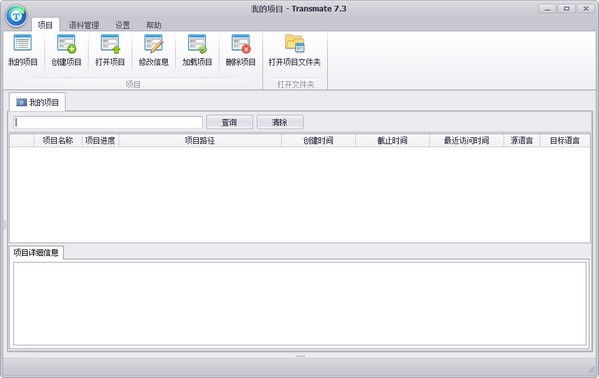
TransmateFunction introduction
Free for personal use
The stand-alone version of Transmate translation software provided by Youyi Information Technology is for stand-alone use and is free for personal use. You only need to fill in a personal information form to download and use it.
Real-time translation memory
The same sentences and fragments only need to be translated once. The system uses advanced translation memory technology to automatically memorize the user's translation results. During the translation process, the system uses an original search engine to instantly search the memory bank and quickly analyze and compare the content that needs to be translated. There is no need to translate the same sentence a second time. The reuse of historical materials not only improves translation efficiency, but also achieves accurate and unified translation results, while also reducing costs and saving time. The system automatically gives translation suggestions and reference translation examples for similar sentences and fragments. Users only need to make slight modifications to complete the translation process. They can even choose automatic matching and replacement to directly obtain the translation results, avoiding repetitive labor and improving work efficiency.
Automatic typesetting function
Generally speaking, most manuscripts that require typesetting require the format of the translated text to be consistent with the original text. Typesetting requires the original text and the translated text to be separated into two files. After importing the original text and the translated text respectively, the software will first analyze the format of the imported original text, and then load these format data in the translated text, so that the translation and the original text maintain the same formatting settings such as font, font size, color, and line spacing.
Export bilingual or target language files
Some clients require a one-to-one correspondence with the original text. In order to complete this work simply and quickly, the software provides the option of saving two types of files: bilingual comparison and translation. After translating the manuscript, click Save directly or use the shortcut key to save. Only the translation will be saved. If you need to save a version of the original text and the translated version, select "Save Bilingual" in the "File" menu.
Custom database
In addition to using the vocabulary database provided by Transmate, users can import their own accumulated vocabulary into the database. You only need to convert the previously accumulated vocabulary into a specific format, such as Excel, TXT, etc., and then import it into the database and generate a database file for saving.
Custom databases can also be generated from memory files. When the translation of a manuscript is completed, the memory translation file will automatically store relevant information. If you want to import these contents into the database, just click Import from translation memory file in the database options.
Transmate installation steps
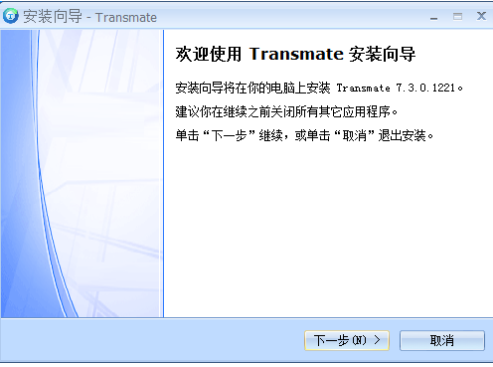
1. Download the Transmate software from this website and unzip it to the current folder. Click on the application to enter the installation wizard interface, and then click Next.
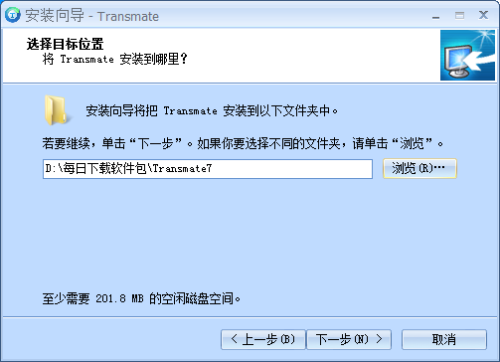
2. Select the software installation location interface, select the installation location and click Next.
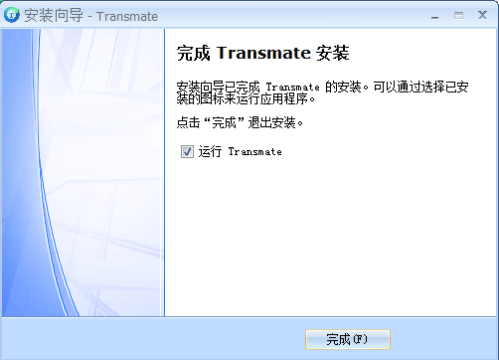
3. The installation of Transmate translation software is completed, click Finish.
How to use Transmate
Open Transmate translation software, first create a project, all subsequent operating prerequisites are under this project, including translation files, etc. Multiple files can be translated under the same project
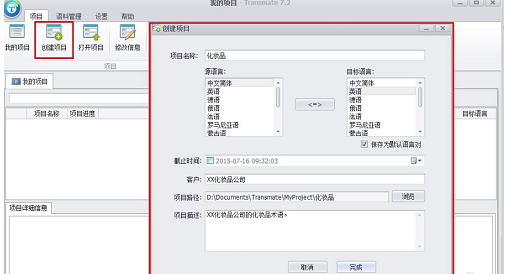
If you want to do manual translation, jump directly to step 7. If you need machine translation, continue with this step.
Set api interface parameters
Click on Settings-Options-Machine Translation-API Settings
The API key and Keyform parameters here are obtained through the following steps
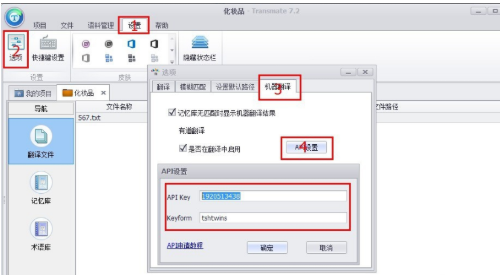
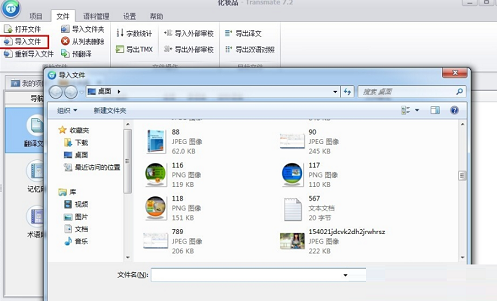
Open the created project, then import the files that need to be translated, and edit the files that need to be translated.
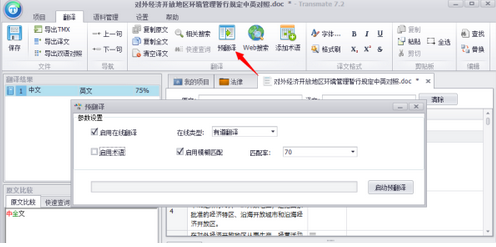
Select the file that needs to be translated, click Pre-translate, and then double-click to open the file.
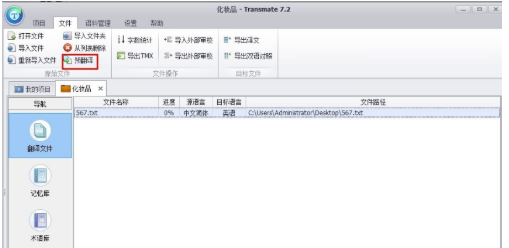
Double-click to open the file, or right-click to open it to see the translated file
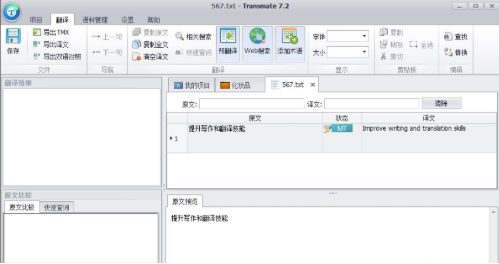
Transmate FAQ
Question: How to use machine translation in transmate translation software?
Answer: Just right-click the mouse and select machine translation! Transmate also adds pre-translation, which is very convenient.
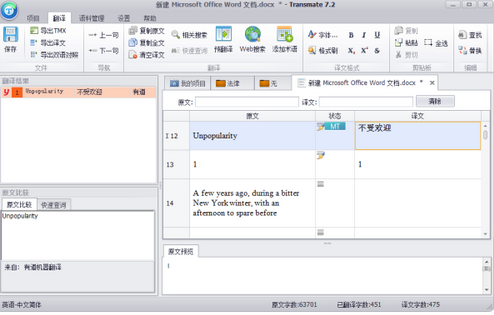
Transmate can also use pre-translation, which is very convenient.
TransmateChange log
1. Modify Youdao translation to the latest API, please use the latest Youdao ID and Key
2. Modify the program to the latest version, and the problem does not prompt after opening the program
3. Microsoft Bing Translation is invalid and the Microsoft Bing Translation API interface is cancelled.
Huajun editor recommends:
In addition to Transmate, a very convenient translation software, there are alsoYoudao Dictionary,Sesame Quick Translation,Snowman Computer Assisted Translation (CAT),Super PDF Converter Universal Edition,WORD to PDF converterRelated software is available for download. If you need it, please click to download and use it.
















Useful
Useful
Useful