



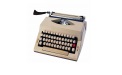
Morse code translator software features
Two-way translation support
Convert text to Morse code: Users can enter any text (such as English, Chinese, numbers, punctuation marks), and the software will instantly generate the corresponding Morse code code.
Morse code to text: supports pasting or manually inputting Morse code and quickly decoding it into readable text to ensure recognition accuracy.
Image recognition conversion
By taking a photo or uploading a picture containing Morse code, the system automatically identifies the dotted and dashed content and converts it into plain text, improving identification efficiency and convenience. For example, you can quickly obtain information by taking a photo of the Morse code on a road sign while exploring outdoors.
Diverse playback methods
Sound playback: Play Morse code in the form of short sounds (dots) and long sounds (strokes) to help users become familiar with the pronunciation rhythm.
Flash playback: Simulate Morse code light signals through mobile phone flash, suitable for silent environments or teaching demonstrations.
Multi-language and encoding support
Supports real-time translation between Chinese, English, Japanese, Korean and other 9 languages and Morse code to meet the needs of cross-border communication.
Compatible with the international Morse code standard, it supports encryption and decryption of numbers, symbols and Chinese characters.
learning aids
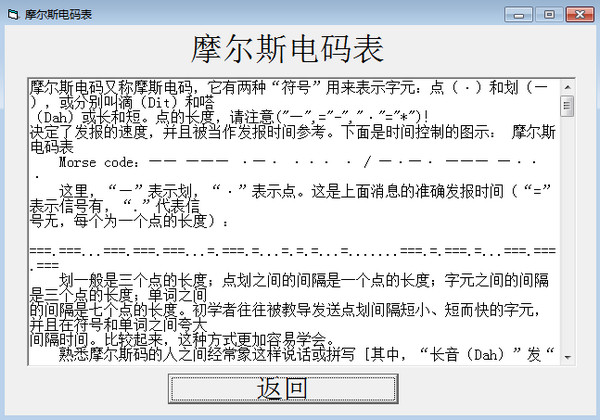
It has a complete built-in comparison table of Morse code letters, numbers and commonly used symbols to help novices quickly master the rules.
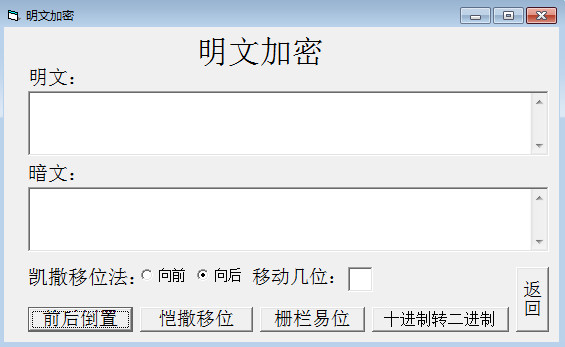
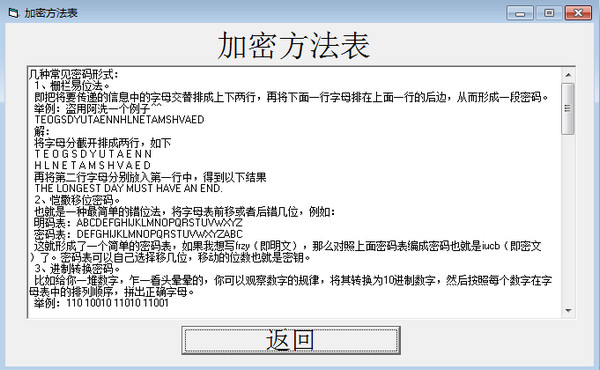
It provides encryption and decryption modules and supports classic encryption technologies such as Caesar's shift method to make learning more interesting.
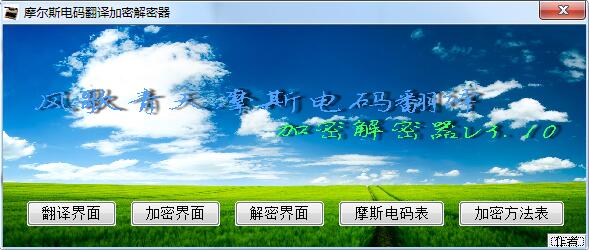
Features of Morse Code Translator Software
Efficient algorithm and fast response
Adopting an instant translation mechanism, the response time is controlled within 0.3 seconds, ensuring that translation results are presented within seconds.
Supports batch processing or file import to improve large-scale text conversion efficiency.
Accurate identification and compatibility
Character conversion follows the International Telecommunications Union (ITU-M) Morse code standard, and symbol intervals comply with CCIR specifications.
Adapted to multi-platform systems such as iOS, Android, Windows, macOS, etc., covering mainstream devices such as mobile phones and computers.
Security and privacy protection
It is clearly stated that user input, address book and device information will not be collected, and all translation records will only be saved in the local terminal.
Transmission encryption uses the TLS protocol and supports the AES-128-bit encryption algorithm to ensure end-to-end protection of sensitive information.
How to use Morse code translator
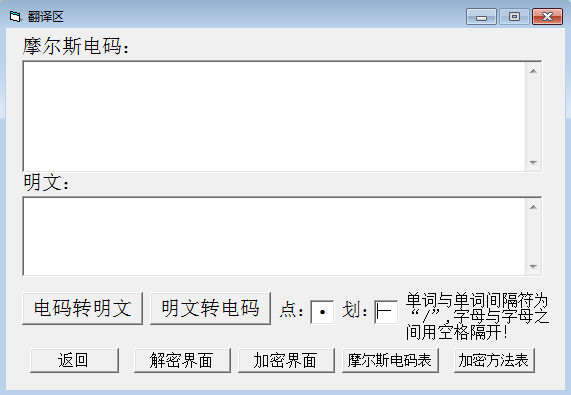
1. Click the "Translate" function, enter the content in the translation interface, and click "Convert Plain Text to Code" to translate the Morse code.
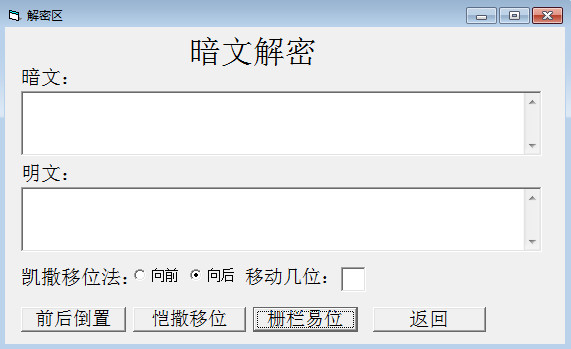
2. Plaintext decryption.
3. Plain text encryption.
4. Morse code table
5. Published by the encryption party
Input format error
Problem description: Morse code must be entered using standard dot (.) and dash (-) symbols, and characters must be separated by spaces, and words must be separated by three spaces. If the input format is incorrect, such as not delimiting or improper use of symbols, the translation will fail.
Solution: Make sure Morse code uses dot (.) and dash (-) symbols, and characters are separated by spaces; words are separated by three spaces. For example, the correct Morse code format should be "·- ·· -·", not "·-··-·".
Language support restrictions
Problem Description: Some Morse Code translators may only support translation of English text and have limited support for Chinese or other languages.
Solution: If the tool only supports English, you can convert the Chinese into Pinyin and then translate it, or change it to a Morse Code translator that supports multiple languages, such as Butterpig Morse Code Translator, Tooltt Morse Code Converter, etc.
Morse Code Translator update log
1. Fixed BUG, the new version has a better experience
2. Some pages have been changed
Huajun editor recommends:
Morse code translator has always been the most commonly used software by most Internet users. Huajun Software Park also hasDXF to G code tool,Sesame Quick Translation,Snowman Computer Assisted Translation (CAT),Super PDF Converter Universal Edition,WORD to PDF converterIt is also a software that is very popular among netizens. You can download it from Huajun Software Park!













Useful
Useful
Useful