




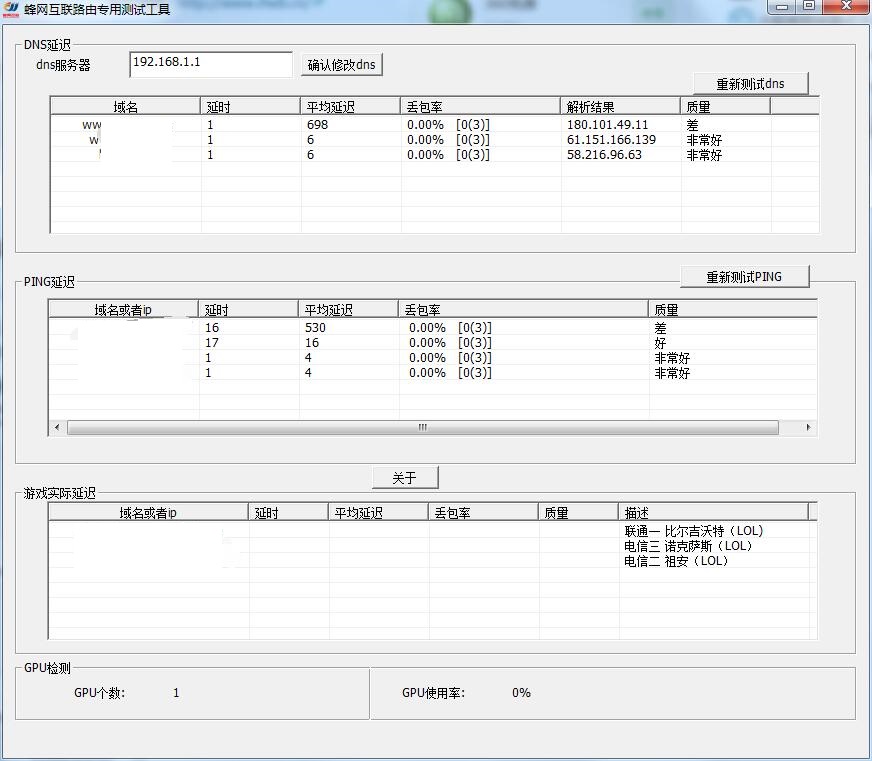
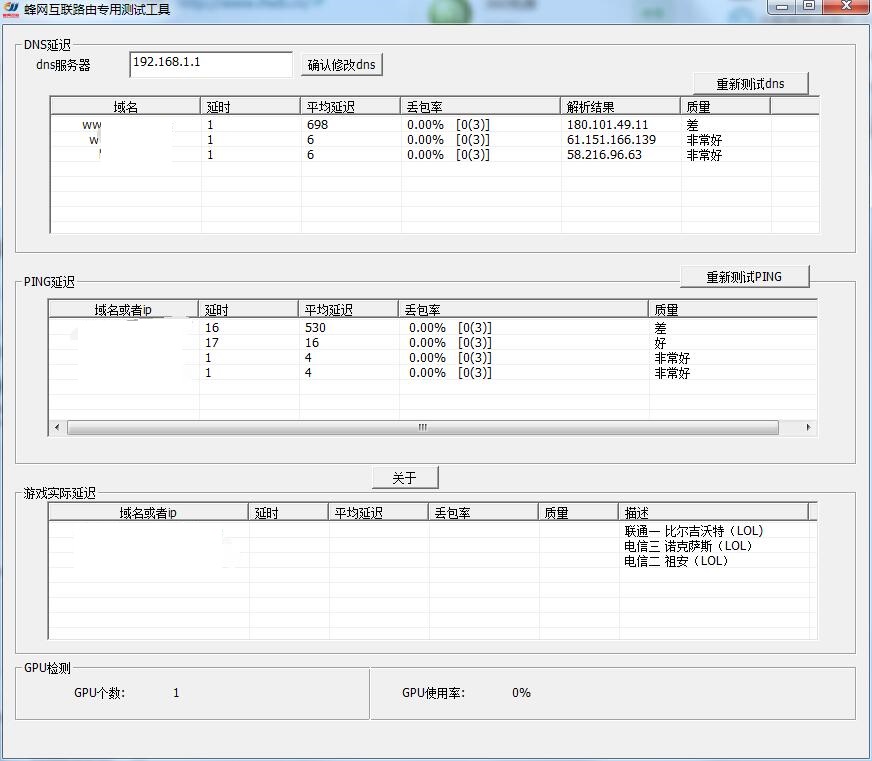
Introduction to the functions of BeeNet Internet Route Detection Tool
DNS server delay detection
PING delay detection
Game actual delay detection
GPU detection
cpu usage detection
How to use BeeNet Internet Route Detection Tool
1. Download and open the software. Users can right-click on the window to add a new domain name or game server information.
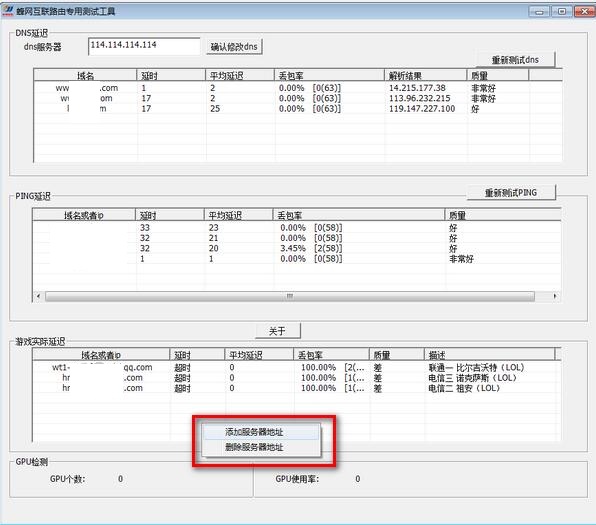
2. Copy the game link from the official website and add it to the software for real-time monitoring.
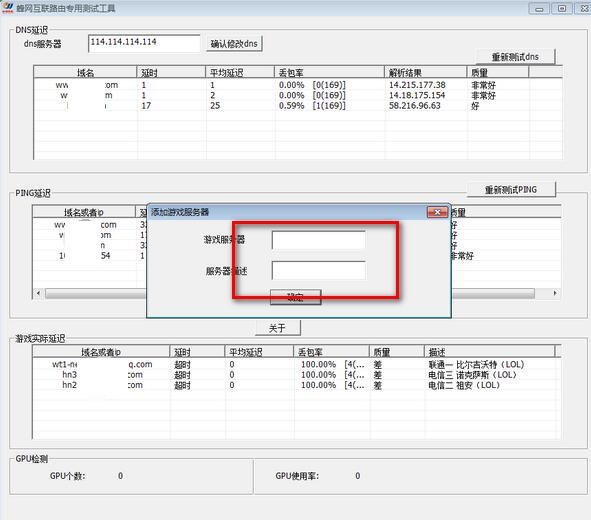
3. Through the software, users can quickly understand the packet loss rate and average delay under the current network to determine whether there is a problem with the router.
BeeNet Internet Routing Detection Tool Installation Steps
1. Download the official version of the installation package of Fengwang Internet Routing Detection Tool in Huajun Software Park

2. After downloading, unzip the compressed package into a folder named after this software

3. Open the folder and double-click the "exe" program
4. The BeeNet Internet Routing Detection Tool is green software and can be used without installation.
BeeNet Internet Routing Detection Tool Update Log
Optimize user feedback issues and improve detailed experience
Huajun editor recommends:
Fengwang Internet routing detection tool is professional, simple to operate and powerful. It is one of the leaders in the software industry. You are welcome to download it. This site also providesNetwork traffic statistics tool,Webcam search tool,TrafficMonitor (computer network speed monitoring floating window),FreePortScanner,MRTGWaiting for you to download.










Useful
Useful
Useful