




- Green versionView
- Green versionView
- Green versionView
- Green versionView
- Green versionView
Features of Lightning Picture Lossless Amplifier Software
The official version of Lightning Picture Lossless Amplifier can render perfect enlarged pictures and present unparalleled image quality effects.
Processing of large amounts of images in batches
Multi-processor support and GPU accelerator greatly reduce its processing time
Customizable settings
You can customize the magnification according to your needs
Strong compatibility
Quiver’s new Windows system
Lightning Picture Lossless Amplifier Installation Steps
1. Unzip the software package downloaded from our Huajun Software Park, double-click the SDPicEnlargeIns.exe file to start the installation
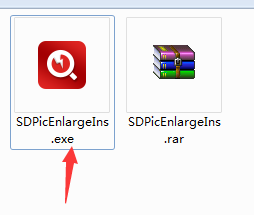

2. Select custom installation. The software is installed by default in C:Program Files (x86) Jiangxia Information Technology (Huizhou) Co., Ltd. Huajun editor chose to click Install Now D:3 Download Lightning Picture Lossless Amplifier Create a New Folder

3. Choose whether to create a desktop shortcut and add it to the quick launch bar. After the settings are completed, click "Install Now"

4. The installation is in progress. The installation will take a few minutes. Please wait patiently.

5. When the installation is complete, click "Try Now" to end the installation.

How to use lightning picture lossless amplifier
1. Click the desktop shortcut to open the software

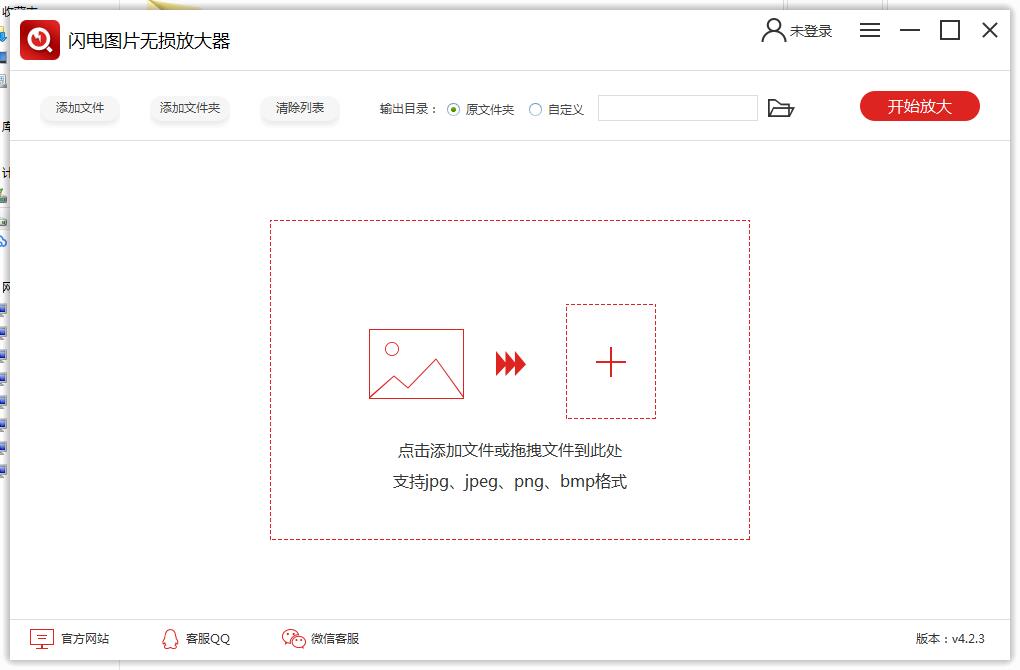
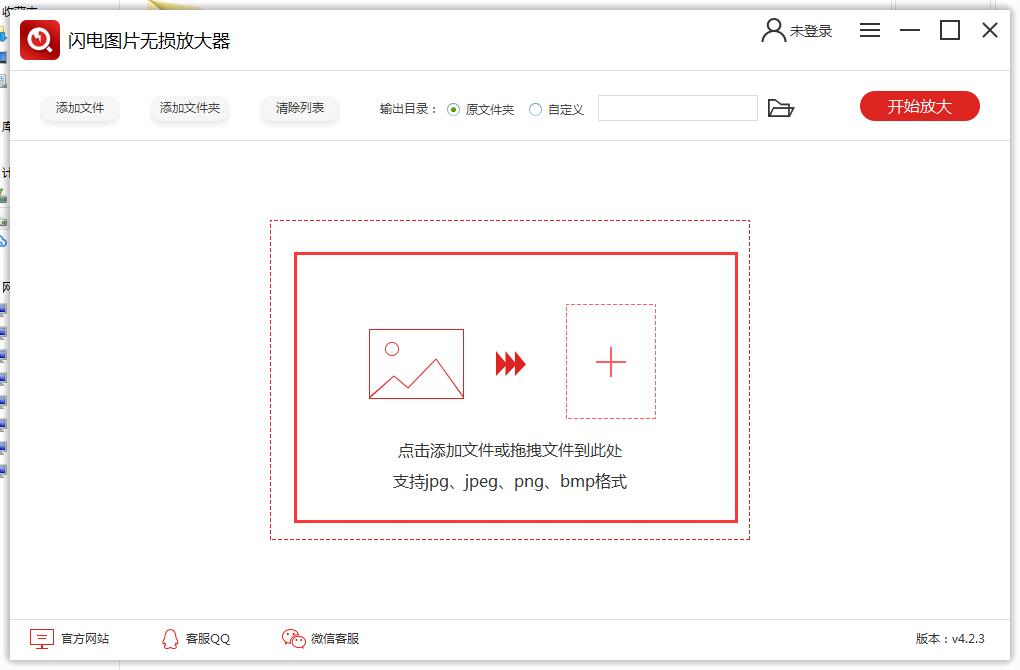
2. Click the icon in the middle of the software interface to add the picture that needs to be edited.
3. Select the picture you want to enlarge and click "Open"
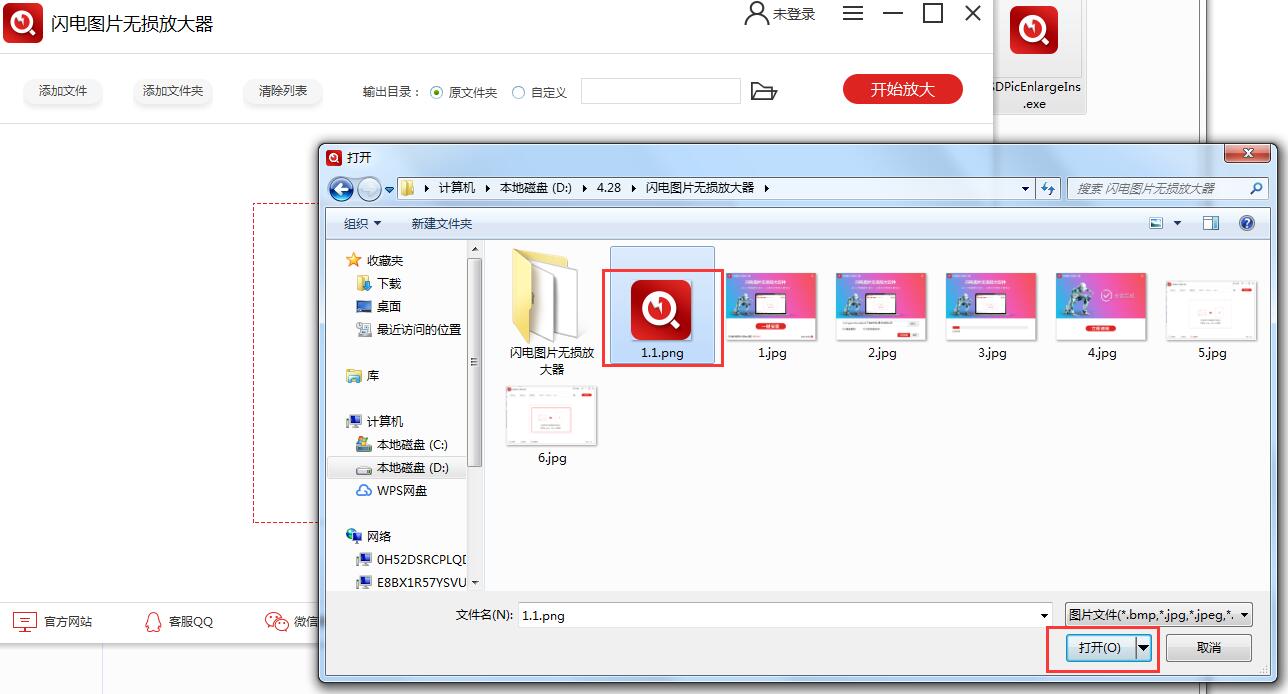
4. Enter the icon interface and click on the upper right corner to start zooming in
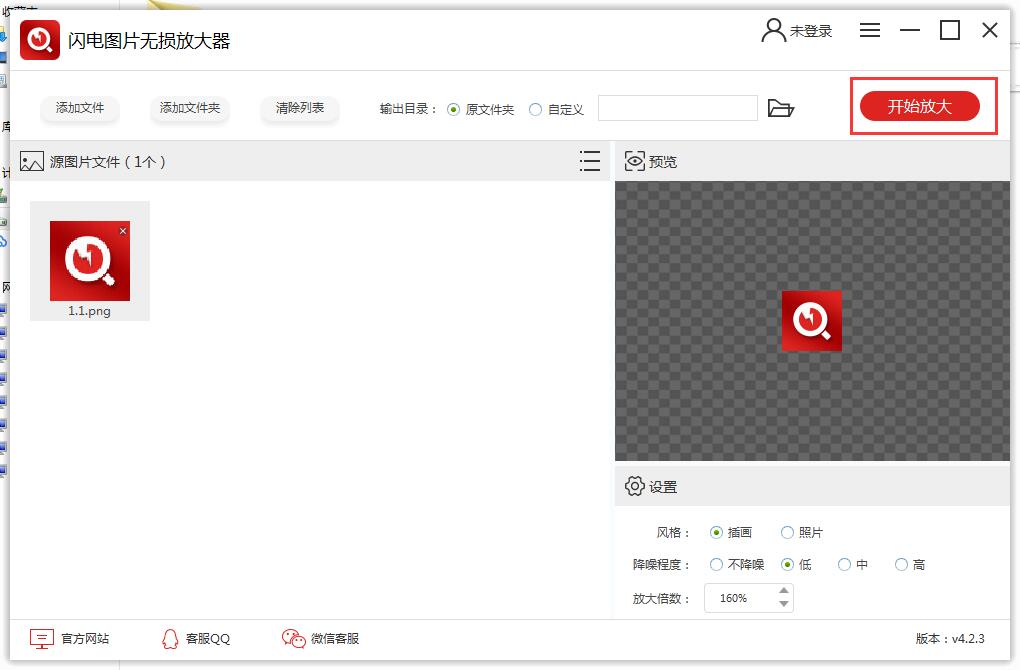
5. It reminds you that you need to log in before you can zoom in. Click to log in.
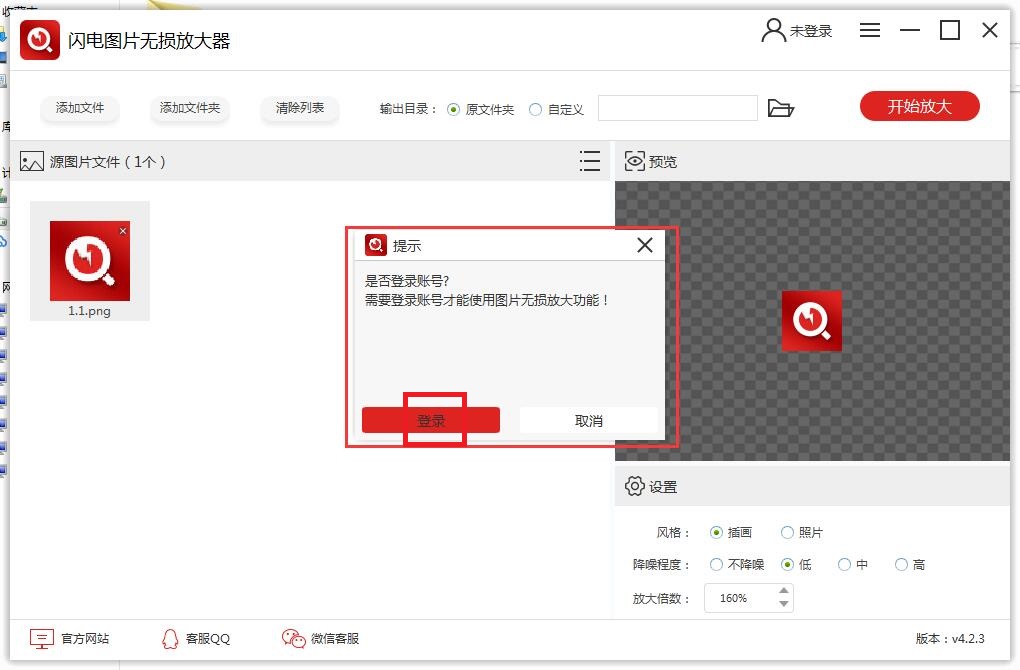
6. The software supports WeChat login or mobile phone number SMS verification login
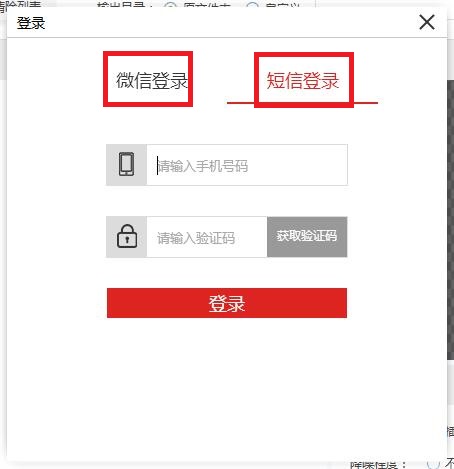
7. You can enlarge the picture after logging in.
Lightning Picture Lossless Amplifier update log:
1. Modify user-submitted bugs
2.Add new features
Huajun editor recommends:
Lightning Picture Lossless Amplifier is a high-performance software that meets everyone's requirements. The software is free and non-toxic. It has absolutely positive reviews. Our Huajun Software Park has the most authoritative software, which is green and free, officially authorized, and similar.Photo BlowUp,Adobe Illustrator CC,AutoCad 2020,Beautiful pictures,ps download Chinese version free cs6, I hope everyone will come to download it!




















Useful
Useful
Useful