



NDS emulator installation steps
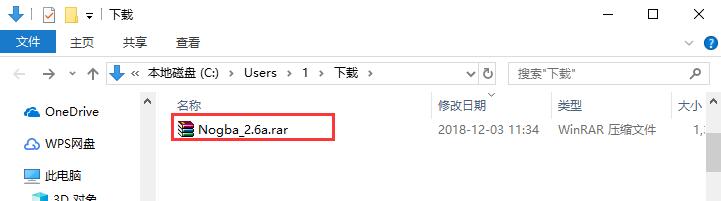
1. Download the NDS simulator software package named "Nogba_2.6a.rar" from Huajun Software Park, and decompress the compressed package directly.
Note: To decompress the compressed package, you need to use a compression and decompression tool. WinRAR is recommended because the technology is mature and reliable. WinRAR download address:http://softwaredownload4.com/soft/5.htm
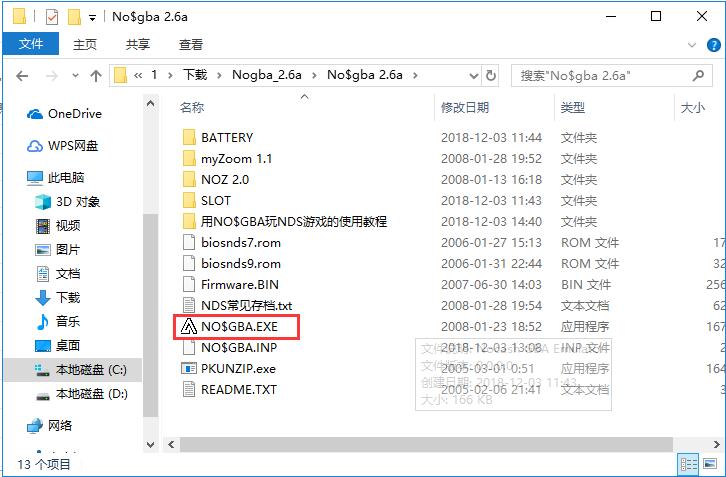
2. Then find the "NO$GBA.EXE" file in the extracted folder, double-click the file with the left mouse button to open the game, and you can start the game without installation.
How to use NDS simulator
1. Open "NO$GBA.EXE" in the decompressed folder
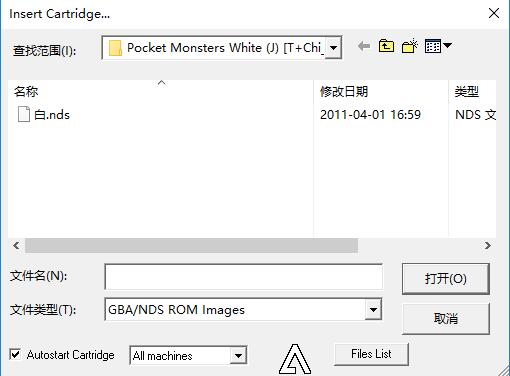
2. The NDS simulator main window will pop up, click the arrow after the search range. Then find the directory where the game files are stored in the new window that opens, click the left mouse button to select the file, and then click the "Open" button.
NDS emulator menu introduction
Utility——Tools menu
Upload to GBA or NDS:Transfer files to GBA or NDS
Remote Access...:Remote access
Cheats: cheats
Errors: Errors (error information statistics of the ROM by the emulator)
Screenshot: Screenshot (the captured picture is placed in the clipboard)
Options ——Settings menu
Emulation Setup: Emulator settings
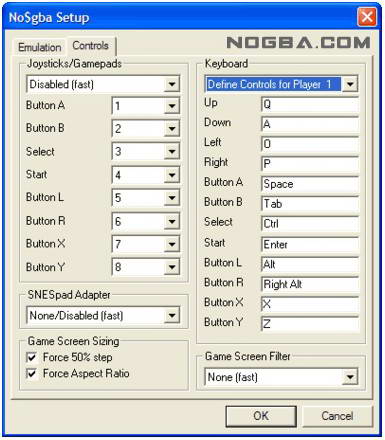
Controls Setup: Controller settings
Save Options: Save settings
This menu can be said to be the most important of the simulator, and the various settings of this menu will be explained in detail
NDS emulator new version features
1. Repair the compatibility of some games.
Huajun editor recommends:
The NDS simulator is very simple to operate and is one of the must-have software for many NDS players. It allows you to experience the thrill of large-screen NDS games. Everyone is welcome to download. This site also provides FC simulator, PS2 simulator, etc. for you to download.




Useful
Useful
Useful