



FC emulator highlights
Full platform compatibility and multi-format support
Supports multiple formats of classic FC game ROMs: NES (mainstream cassette format), FDS (Nintendo disk drive-specific format), NSF (music file format), covering all needs from games to audio tracks.
Cross-device operation: Compatible with Windows, macOS, and Linux systems, and some versions even support Android/iOS mobile terminals to achieve a nostalgic experience anytime, anywhere.
Ultimate performance optimization
Friendly for low-end devices: Code optimization and resource management ensure smooth running on old computers or integrated graphics cards to avoid lags or frame drops.
Dynamic frame rate adjustment: Automatically adapt the frame rate according to hardware performance to balance image quality and smoothness, such as maintaining stable operation at 60FPS in "Super Mario Bros."
Massive game resource library
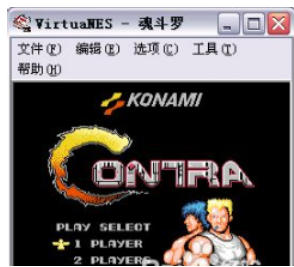
Built-in game downloads: Provide legal download channels for thousands of classic FC game ROMs (subject to copyright regulations), covering masterpieces such as "The Legend of Zelda", "Contra" and "Tank Wars".
Category search function: sort by type (action, adventure, puzzle), age or popularity to quickly locate your favorite games.
Features of FC emulator
All types of controller support
Controller Adaptation: Compatible with mainstream controllers such as Xbox, PS, Switch Pro, etc., and supports vibration feedback function (such as the vibration when shooting in "Green Corps").
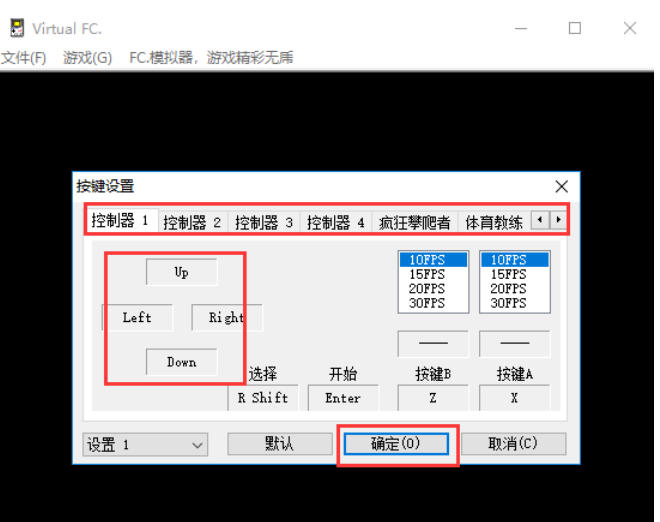
Keyboard mapping: Customize the key layout, support burst settings (such as automatic shooting in "Contra"), and improve operating efficiency.
Joystick/touch support: The mobile version supports virtual joystick and touch operations, restoring the handheld feel.
Instant archiving and reading
Multi-slot archive: supports more than 10 archive slots, and can save game progress at any time (such as before key levels in "MapleStory").
Quick file loading: Load archives with one click to avoid repeated clearance and improve game efficiency.
Cheats and cheating functions
Built-in code library: Provides unlimited lives, invincible mode and other classic cheat codes, and supports custom code input.
Debugging tools: Advanced users can modify the memory address to implement customized game parameters (such as modifying the character attributes of "Double Dragon").
FC emulator function
Image quality upgrade options
Filter effect: Supports CRT simulation, 4x scan line and other filters to restore the retro TV display effect.
Resolution Scaling: Stretch the native 256x240 pixel screen to 4K resolution to maintain clarity (for example, the edges of the characters in "Kirby" are smoother).
Audio optimization technology
Low-latency audio: Through ASIO driver or DirectSound optimization, it eliminates the out-of-sync problem of audio and video in games such as "Mega Man".
NSF music playback: Extract game BGM separately, support loop playback and audio track switching, and create an exclusive nostalgic music library.
LAN online battle
Supports local connection of 2-4 people (requires the same network), and reproduces cooperative/confrontational gameplay such as "Hot Blooded Football" and "Squirrel Fight".
Network online plug-in: realize global online battles through third-party plug-ins and expand the social experience.
Game modification and ROM editing
Built-in editor: Modify level design, character attributes, etc. (such as adding custom levels to "Super Mario").
ROM patch support: Apply Chinese patches and BUG repair patches to improve game integrity.
Cloud synchronization and cross-device inheritance
After binding the account, archives and cheat settings can be synchronized to the cloud, and game progress can be seamlessly inherited when changing devices.
FC emulator FAQ
Insufficient hardware configuration
Reason: Low CPU processing power, insufficient memory, or poor graphics card performance.
Solution: Upgrade the hardware (such as CPU, memory, graphics card), or reduce the simulator resolution and image quality settings.
Minimum configuration recommendations: dual-core CPU, 2GB memory, integrated graphics card (discrete graphics card is better).
Improper emulator settings
Reason: Wrong renderer selection, too high resolution, filter effect turned on, etc.
Solution:
Try different renderers (eg Direct3D, OpenGL).
Reduce the resolution, turn off or reduce the filter level (such as HQ2x, HQ4x).
Adjust vertical sync settings and try turning it on or off to reduce screen tearing or stuttering.
FC emulator update log:
1. The details are more outstanding!
2. BUG gone without a trace
Huajun editor recommends:
FC simulator is professional, easy to operate, and powerful. It is one of the leaders in the software industry. You are welcome to download it. This site also providesTrain Simulator 12,Gens,Snake War,Night God Android Emulator,PSP emulatorJPCSPWaiting for you to download.

















Your comment needs to be reviewed before it can be displayed