If you are looking for software to use, go to Huajun Software Park! software release AI product list

Hello, if there is a need for software inclusion, please package the software and attach the software name, software introduction, software-related screenshots, software icon, soft copy, business license (if you do not have a business license, please provide the front and back of the corresponding developer ID card and a photo of yourself holding the ID card), and send it to email http://softwaredownload4.com/sbdm/user/login

Close >>

Send to email:news@onlinedown.net

Close >>

Location: Home pagePC softwareEducation and teachingAstronomy and geography Google Earth Chinese version
Google Earth Chinese version

Google Earth Chinese version V7.1.7.2606 official version

QR code
  • Software licensing: free software
  • Software size: 33.8MB
  • Software rating:
  • Software type: Domestic software
  • Update time: 2024-12-30
  • Application platform: winall
  • Software language: Simplified Chinese
  • Edition: V7.1.7.2606 official version

Download the service agreement at the bottom of the page

Software introduction Related topics FAQ Download address

Basic introduction
Google Earth Chinese version first LOGO
A new version of Google Earth is released! PC6 immediately found the latest version of the official Google Earth 7 installation file, which fully supports Chinese. Google has opened a global satellite map. Using the Chinese version of Google Earth, you can view all regions in the world, from Beijing to Tokyo, from Sydney to New York. You can see all corners of the world that can be scanned by satellites, and even the balcony of your home. The editor and many friends have found their homes on Google Earth. It is so accurate!

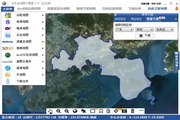
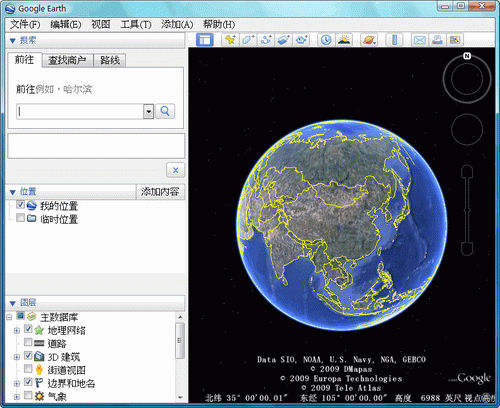
Screenshot of Google Earth Chinese version

Introduction to use

After the installation is complete, when you open the software, a prompt box will pop up. First-time users can take a look at this to know how to operate it. However, its operation is actually quite simple. You will know how to use it after clicking it twice.
The interface at the beginning is a picture centered on China on Earth.


If you want to see a certain area, you can double-click that place. Keep double-clicking and it will zoom in until you reach the flat map. Using Google Earth, you can see some places very clearly, and some places will be blurry. Personally, I feel that this should be caused by environmental problems. In places with serious pollution, the effect will be blurred, but in places like Tibet or places with few people, it will be clearer.
When the distance is close, the software will list some collected photos of this place for everyone to view.
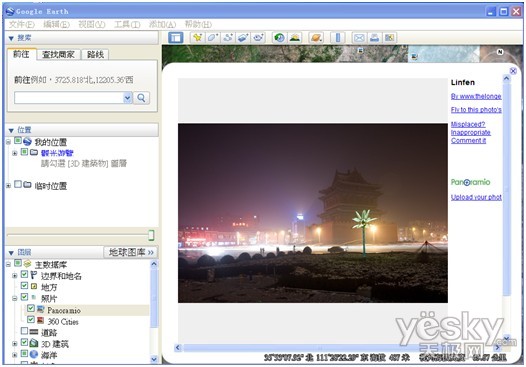
Screenshot of Google Earth Chinese version

When you use Google Earth to select places, some famous places will also be very clear.
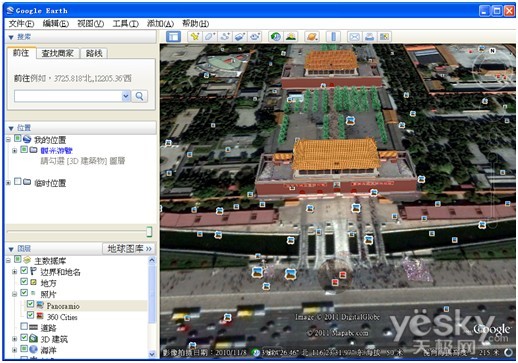
Screenshot of Google Earth Chinese version

When it reaches this level of clarity, you can continue to click on this place and it will switch to a floor plan, so that it will look the same as when you are in front of the building, giving you the feeling of being inside it.
If you don't know the specific location of that place, you can also search it through the search box. Enter the name of the place in the search box, or if there are coordinates, enter the coordinates, and Google Earth will automatically help you reach the place.
For example, enter the coordinates of the Sphinx and it will automatically find this place for you.
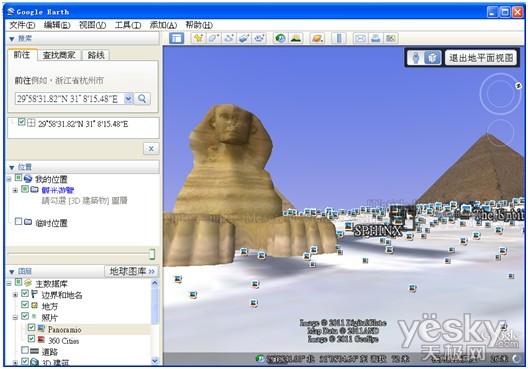
Screenshot of Google Earth Chinese version

Finally, we provide you with the coordinates of some famous attractions and buildings for your entertainment..
Arc de Triomphe: 48°52'26.79"N,2°17'42.66"E
Palace of Versailles: 48°48'17.76"N,2° 7'18.24"E
Notre Dame: 48°51'11.39"N,2°20'56.95"E
Louvre Museum: 48°51'39.74"N,2°20'9.26"E
Eiffel Tower: 48°51'29.54"N,2°17'40.19"E
Colosseum: 41°53'24.32"N,12°29'31.16"E
Statue of Liberty: 40°41'21.48"N,74° 2'40.38"W
Pyramid of Khufu: 29°58'43.41"N,31° 8'5.06"E
Sphinx: 29°58'31.81"N,31° 8'15.10"E


Related topics

  • Google Maps

    Google Maps

  • Google

    Google

  • Google calendar encyclopedia

    Google calendar encyclopedia

  • Google Software Collection

    Google Software Collection

FAQ

Google Earth Chinese version

Google Earth Chinese version V7.1.7.2606 official version

close