




- Green versionView
- Green versionView
- Green versionView
- Green versionView
Task manager function
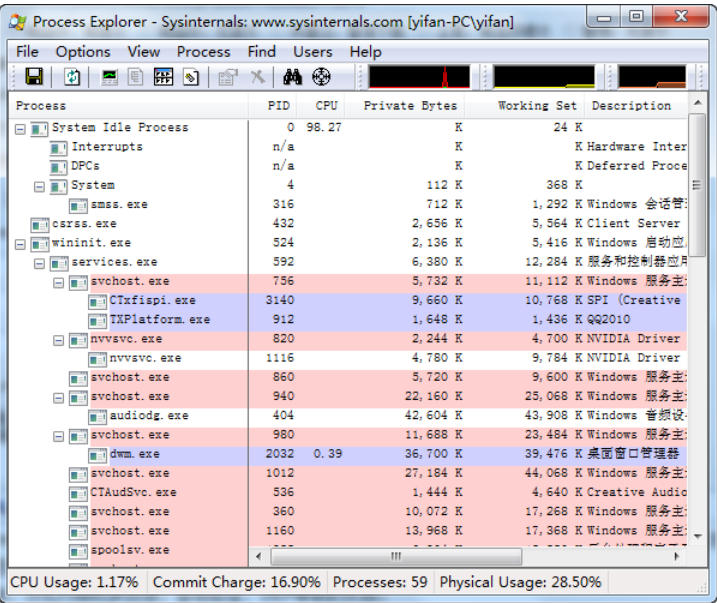
Process and thread management: Process Explorer can display detailed information of all processes, including process ID, path, command line, priority, number of handles, number of threads, etc. Users can view more details by double-clicking the process or right-clicking the menu, such as the process's performance chart, module list, thread list, handle list, stack trace, etc.
Service Monitoring: Process Explorer can monitor the running status of system services and help users identify and manage background services.
Hardware resource monitoring: Process Explorer can monitor the usage of hardware resources such as CPU, memory, I/O, GPU, etc. in real time and display it in chart form to facilitate users to intuitively understand system performance.
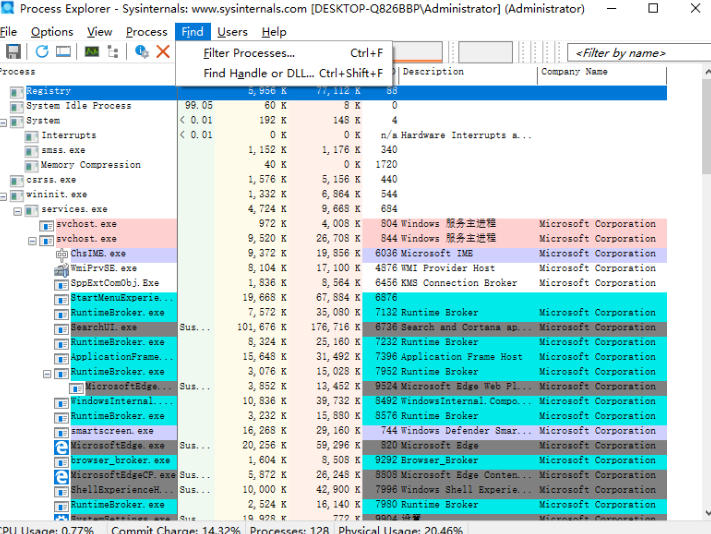
Process search and location: Process Explorer provides a powerful search function. Users can quickly locate the target process through keywords such as process name, PID, path, etc., and supports regular expression filtering.
Suspend/Resume and End Process: Users can suspend, resume or end processes as needed to release system resources or solve the problem of unresponsive processes.
Context menu extension: Process Explorer supports context menu extension. Users can quickly perform common operations through the right-click menu, such as viewing process properties, ending the process, etc.

Task Manager Highlights
Color-coded processes: Process Explorer uses color coding to distinguish system processes, user processes, service processes, etc., allowing users to see at a glance which process may have a significant impact on system performance.
Process Tree View: Process Explorer provides an intuitive process tree view, allowing users to easily view the hierarchical relationships and dependency paths between processes.
Detailed handle and memory information: Process Explorer can display all handles and files opened by each process, as well as detailed memory usage, which is not common in other tools.
Drag-and-drop function: Users can drag and drop processes to folders, command prompts or startup folders, etc., to facilitate quick operations.
Real-time update and filtering: Process Explorer can update process information in real time and supports filtering functions, allowing users to quickly find the information they need.
Digital signature verification and virus database comparison: Process Explorer supports checking the digital signature of the process to verify whether the process is signed by a trusted publisher to assist in identifying malware. At the same time, it also supports submitting process paths to VirusTotal for online scanning to quickly detect potential threats.
Task Manager FeaturesEfficient Resource Usage: Although Process Explorer is a feature-rich, information-intensive application, it uses system resources quite efficiently. It consumes only minimal CPU and memory resources and can run smoothly even on low-configuration machines.
Intuitive and Simple User Interface: Process Explorer has an intuitive and simple user interface that is easy to learn and use. The interface is well laid out and users can quickly find the information they need. In addition, it supports a variety of user-defined view and layout configurations, allowing users to adjust what information is displayed and how it is displayed to their preferences.
Good Extensibility: Process Explorer allows users to install additional plug-ins to further expand its functionality. These plug-ins can be downloaded and installed from the Sysinternals official website, which greatly expands the application scenarios of Process Explorer.
High Compatibility: Process Explorer supports multiple operating system versions, including all major versions of Windows, resulting in high compatibility.
"Access Denied" error
Usually due to insufficient permissions
Try running Process Explorer as administrator
Unable to end some system processes
Certain critical system processes are protected by Windows
Unable to terminate even with administrator rights
Task Manager update log:
1.Fix some bugs
2. Optimized some functions
Huajun editor recommends:
This software is powerful and easy to operate. I hope you will like it. In addition, this site also has.NET,Batch Butler,Cloud Machine Manager,Hard drive serial number reader,Quickly hide taskbar icon toolWaiting for software, welcome to Huajun Software Park to download!


















Useful
Useful
Useful