If you are looking for software to use, go to Huajun Software Park! software release AI product list

Hello, if there is a need for software inclusion, please package the software and attach the software name, software introduction, software-related screenshots, software icon, soft copy, business license (if you do not have a business license, please provide the front and back of the corresponding developer ID card and a photo of yourself holding the ID card), and send it to email http://softwaredownload4.com/sbdm/user/login

Close >>

Send to email:news@onlinedown.net

Close >>

Location: Home pagePC softwareSystem softwareSystem assistance wimboot installation assistant tool
wimboot installation assistant tool

wimboot installation assistant tool 1201.88.2.0

QR code
  • Software licensing: free software
  • Software size: 0.82MB
  • Software rating:
  • Software type: Domestic software
  • Update time: 2024-12-26
  • Application platform: WinAll
  • Software language: Simplified Chinese
  • Edition: 1201.88.2.0

Download the service agreement at the bottom of the page

Software introduction Related topics FAQ Download address

Basic introduction
wimboot installation auxiliary tool section first LOGO
The wimboot installation auxiliary tool is a very practical Windows system installation auxiliary software. As we all know, Microsoft has added a new WIMBoot function in Windows 8.1 update. The biggest advantage of this function is that it takes up less space after the system is installed. Using this software can make you install the system easily and quickly. If necessary, you can download it and try it.
Similar software
Release Notes
Software address

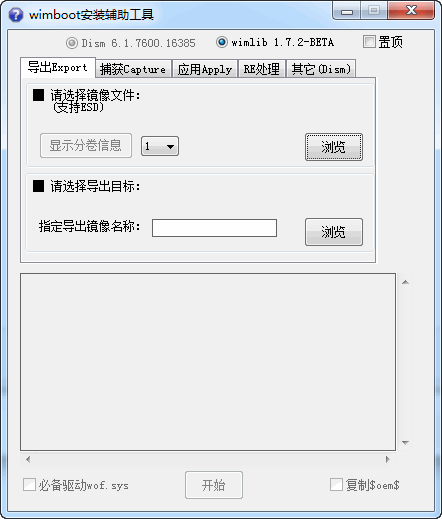
Screenshot of wimboot installation assistant tool

How to use

1. First, process the wim file first
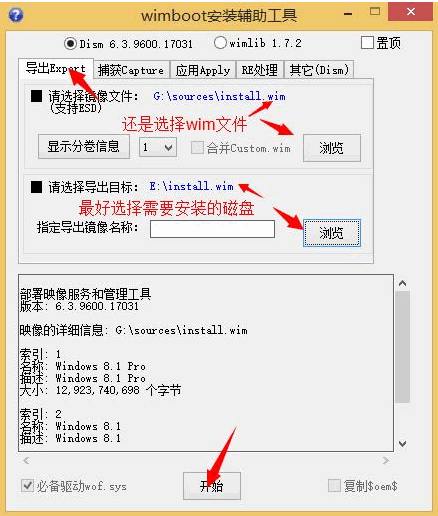
Screenshot of wimboot installation assistant tool


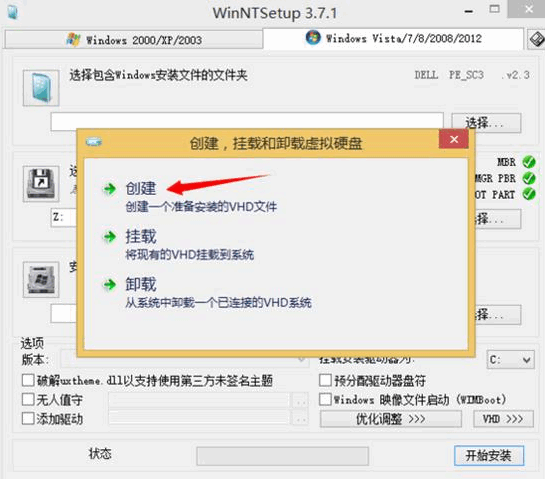
2. Then create a new vhd file

Screenshot of wimboot installation assistant tool

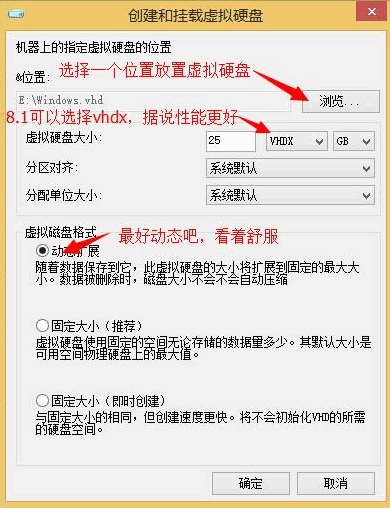
3. Mount the hard disk

Screenshot of wimboot installation assistant tool

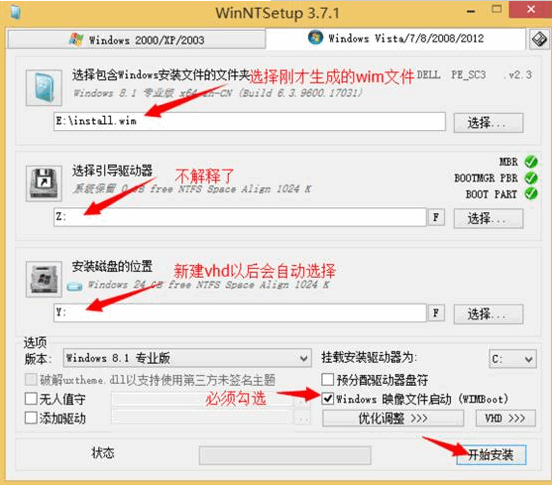
4. The next step is to combine them

Screenshot of wimboot installation assistant tool

5. After putting it all together, you can update the boot program. After updating, click OK to restart.
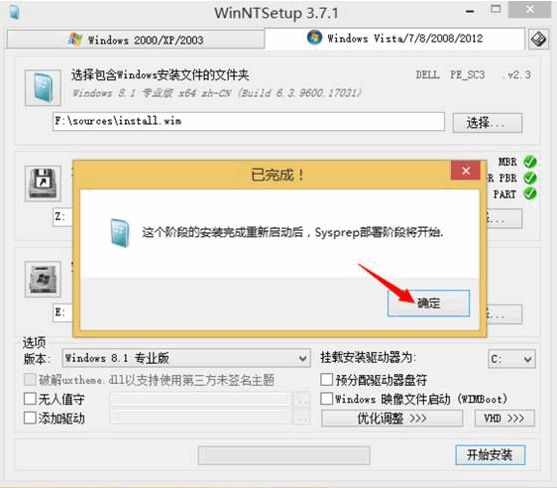
Screenshot of wimboot installation assistant tool

6. After restarting, you will come to the system installation interface. You can follow the system prompts to install the system step by step.
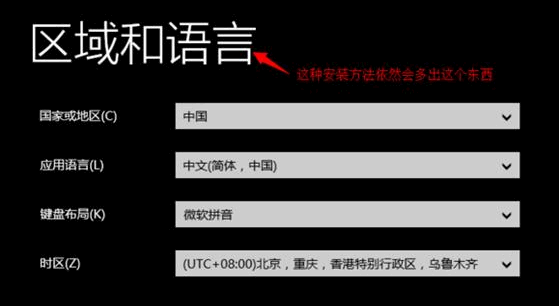
Screenshot of wimboot installation assistant tool

Things to note

1. The pointer file can be started in VHD/VHDX;

2. When deploying the pointer file, the format of the drive letter where the pointer file and wimboot.wim are located must be an NTFS partition;

3. Changes to the wim system pointer partition can be saved as a new incremental wim file (custom.wim in the same folder, the change command can only be used once), and at the same time clear the space occupied by the pointer file, execute under winpe:

DISM /Capture-CustomImage /CaptureDir:C:
FAQ

wimboot installation assistant tool

wimboot installation assistant tool 1201.88.2.0

Close