





- Green versionView
- Green versionView
- Green versionView
- Green versionView
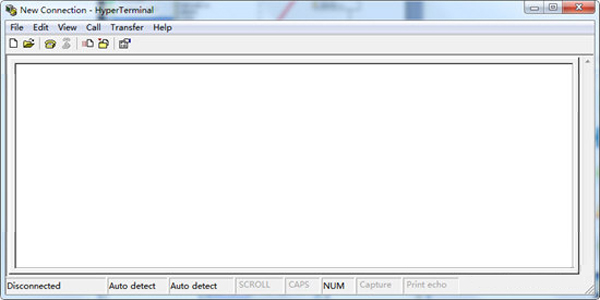
HyperTerminal installation steps
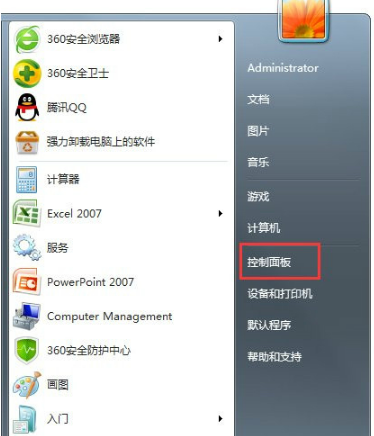
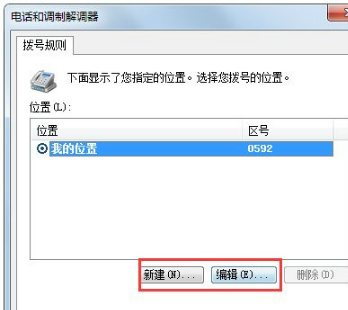
1. First set it in the control panel, Start→Control Panel→Phone and Modem
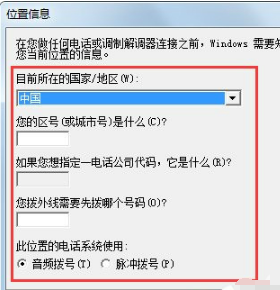
2. Open the location information → select the country, area code, phone number and other related information → OK
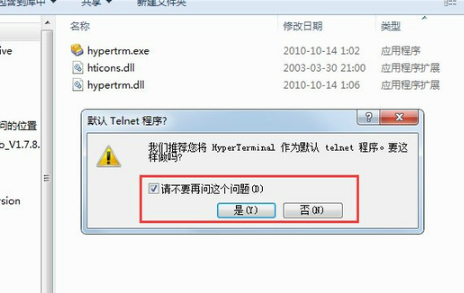
3. Double-click to open the hypertrm.exe program. There will be a default selection. You can decide by yourself, or check "Please don't ask this question again" and then select (yes or no).
If you extracted the HyperTerminal program from the XP operating system by yourself, ensure the integrity of all dynamic link files. For example, the hypertrm.dll file may not be there. Once found, save it in the same folder, otherwise an error will occur when opening;
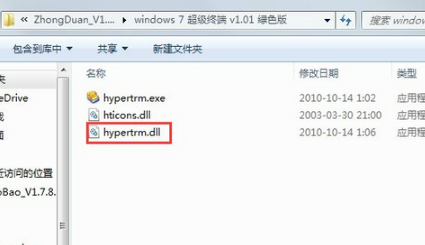
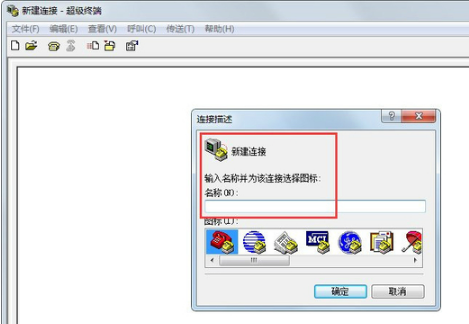
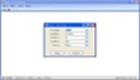
4. At this time, the HyperTerminal interface pops up (indicating that the program is compatible with the operating system), and the name of the new connection is
5. If there are multiple connections, you can also create a new one here. If you make a mistake, you can click Edit and enter the correct message;
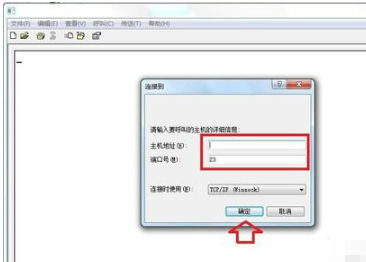
6. Enter the correct IP address.
HyperTerminal FAQ
How to enter commands in HyperTerminal
1. Click the "Start" menu, select "All Programs" - "Accessories" - "Communications" - "HyperTerminal"
2. Enter the name of the new connection in the pop-up "Connection Description" form and click "OK".
3. In the "Connect to" form, enter anything in the "Area Code" input box. Select the serial port in the "Connect using" selection box
4. In the "com10 Properties" form, enter the current serial communication parameters, use the default values here, click the "Restore to Default Values" button, and then click the "OK" button.
5. At this time, you can see the word "Connected" in the status bar of the "Connect-HyperTerminal" window, indicating that it is connected to the serial port.
At this time, you can enter commands under the cursor and view the commands returned by the destination device. According to the type of file to be sent, click the "Send" menu in the menu bar and select the corresponding item. Click the "Disconnect" item on the "Call" menu to disconnect the current connection.
Why is the option of HyperTerminal under win7 blank?
This kind of failure is because after the WIN7 system is installed, HyperTerminal is closed by default.
Solution:
1. Click Start-Control Panel;
2. Click on the program;
3. Click to turn Windows features on or off;
4. Check the Telnet server and Telnet client, and click OK.
How to configure HyperTerminal
1. Enter an area code in the phone number and area code fields to cancel the modem
2. Fill in the icon and name in the "Connection Description" dialog box
3. Select the appropriate COM port in the "Connect to" dialog box, usually COM1;
4. The "COM1" properties dialog box pops up. Press the "Restore to Default" button in the window. After the properties change to "9600, 8, None, 1, None", click OK.
HyperTerminal andSerial port debugging assistantwhat's the difference
HyperTerminal can display Chinese characters. If you need to use Chinese characters when communicating with the microcontroller, it is convenient to use HyperTerminal. When you need to enter data, you can only press the keyboard, and you cannot send and receive hexadecimal numbers. That is, neither sending nor receiving can be hexadecimal numbers, only ASCII codes. But it is possible to send a file.
Generally, the serial port debugging assistant does not support displaying Chinese characters when receiving data. When sending data, it is more convenient. You can input it first and then send it. You can also send and display hexadecimal numbers.
Therefore, you can choose according to actual needs. Sometimes, it is more convenient to use two alternately.
HyperTerminal update log
HyperTerminal v2.7 for Windows update content:
Corrected the detection of the installation environment;
Bug Fix
HyperTerminal v2.6.2 for Windows update content:
Corrected the detection of the installation environment;
Bug Fix
HyperTerminal (win7 HyperTerminal) functions:
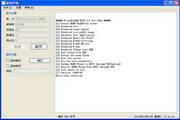
1. Send user input to the serial port immediately;
2. What is displayed is the characters received from the serial port.
Huajun editor recommends:
The editor of Super Terminal personally identified it, and it’s clear that it’s fair and square! There are similar software on this site.NET,Batch Butler,Hard drive serial number reader,Quickly hide taskbar icon tool,Android Emulator Master, welcome to click to download and experience!








Useful
Useful
Useful