





Main functions
Document: Similar to Google Docs or WPS, it supports text layout, tables, image insertion, etc.
Table: Similar to Excel, supports formulas, charts, and pivot tables.
Slideshow: similar to PPT, supports animation and template design.
Forms: Online questionnaires and data collection.
Mind map: visually organize the logical structure.
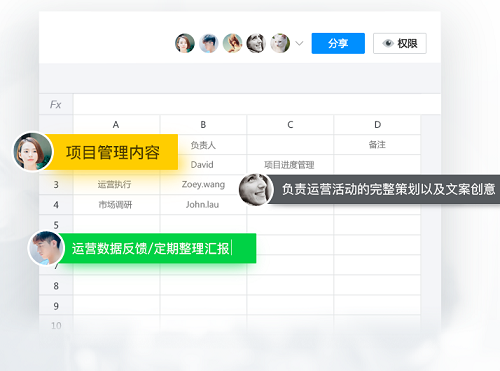
Real-time collaboration: multiple people can edit at the same time, and historical versions can be traced.
Multi-terminal synchronization: supports web version, Windows/Mac client, iOS/Android App.
Free to use: Basic functions are completely free, no subscription required.
Tencent ecological integration: can be shared directly to WeChat/QQ and supports quick access to mini programs.
Rich templates: Provides a large number of templates for work reports, study notes, project management, etc.
FAQ
Content conflicts or gets lost when multiple people are editing?
Tencent documents automatically save historical versions, which can be restored through "File" → "View Revision History".
Prevent multiple people from modifying the same paragraph at the same time.
How to set editing permissions?
Click "Share" in the upper right corner → Set permissions:
Editable: allows others to modify it.
View only: No modification allowed.
Designated members: restricted access personnel (requires Enterprise WeChat/Tencent Document Advanced Edition).
Tencent online document update log:
1. The pace of optimization never stops!
2. More little surprises are waiting for you to discover~
Huajun editor recommends:
Tencent Online Documentation is one of the best software in the industry. I believe many friends will have used it. If you don’t use it anymore, you will be out. This site also prepares for youWancai Office Master OfficeBox,Foxit PDF Suite Advanced Editor,GWD Text Editor,Lizard Safeguard Secure PDF Viewer,Sante CT Viewer

























Your comment needs to be reviewed before it can be displayed