
If you are looking for software to use, go to Huajun Software Park! software release AI product list

Hello, if there is a need for software inclusion, please package the software and attach the software name, software introduction, software-related screenshots, software icon, soft copy, business license (if you do not have a business license, please provide the front and back of the corresponding developer ID card and a photo of yourself holding the ID card), and send it to email http://softwaredownload4.com/sbdm/user/login

Close >>

Send to email:news@onlinedown.net

Close >>

Location: Home pagePC softwareSystem softwaree-reading Txt Reader(Text Reader)
Txt Reader(Text Reader)

Txt Reader (Text Reader) 0.6.6 for linux

QR code
  • Software licensing: free software
  • Software size: 0.07MB
  • Software rating:
  • Software type: Domestic software
  • Update time: 2024-12-31
  • Application platform: Linux
  • Software language: Simplified Chinese
  • Edition: 0.6.6 for linux

Download the service agreement at the bottom of the page

Software introduction Related topics FAQ Download address

Recommended for you:- Txt Reader text reader

Basic introduction
Txt Reader paragraph head LOGO
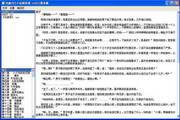
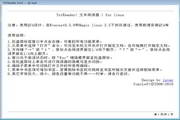
TxtReader (Text Reader) for linux is a simple novel reader, mainly used to read plain text e-books.

Note: Designed using QT4, tested under Everest0.5.9 and Magic linux 2.5. Please install the QT4 library before use.

Instructions for use:

​ ​ 1. Right-click on the tray icon or window to see all function menus.

​ ​ 2. Select the "Open" command from the menu to browse the local folder and open the specified document; you can also drag and drop to open the specified document.

​​​ 3. Use the arrow keys "→" or "↓" and click the mouse on the left 1/4 of the reading interface to turn the page downwards; "↑" or "←" and click the mouse on the right 1/4 of the reading interface to turn the page upward.

​ 4. When the window is active, press the "Esc" key to hide the interface to the tray icon.

​​ 5. Click on the tray icon to switch between hiding and displaying the reader.

​ ​ 6. The encoding used when opening files can be switched in the encoding submenu.

​​ 7. You can add bookmarks to the bookmark item in the menu. If you need to delete a bookmark, you can jump to the page indicated by the bookmark and select the delete menu.

​​ 8. Other font enlargement, reduction, color setting and other functions are not listed one by one, please try it yourself.

2014-11-23 0.6.6

​​​-Fixed the bug that the file could not be paged correctly when opening it for the first time.

Related topics

  • Which computer txt reader is better? Collection of computer txt readers

    Which computer txt reader is better? Collection of computer txt readers

  • Which txt text editor is better? txt text editor software collection

    Which txt text editor is better? txt text editor software collection

  • txt reader software topic

    txt reader software topic

FAQ

Txt Reader(Text Reader)

Txt Reader (text reader) 0.6.6 for linux

close