





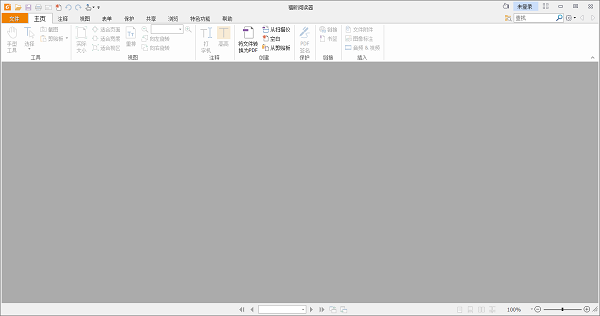
Foxit Reader software introduction
The software is specially designed to meet the PDF viewing needs of enterprises and government agencies. It provides batch deployment options and integrates commonly used enterprise content management systems and cloud storage services. It is a suitable choice for large enterprise groups. For now, this software can be said to be the most optimized in the office industry and has the fastest and most secure PDF engine, providing users with the most secure PDF document processing functions.
Features of Foxit Reader software
The software is compact, takes up less system resources, and starts up quickly;
Supports quickly adding, editing and deleting bookmarks in PDF documents;
Supports quick viewing of PDF and printing of PDF files/PDF file packages;
Supports multi-tab document browsing mode, easily helping you switch between different PDF files;
Multiple document reading modes and multiple page display modes for you to choose from;
Foxit Reader Software Highlights
It is small in size, very lightweight and takes up very little memory; the framework is fully optimized, starts instantly, and renders faster, bringing an extremely fast reading experience.
Personalized reading
The reader provides two reading modes: single page mode and book mode, and also has full screen, slideshow and other functions to switch at will. Multiple reading modes allow you to explore the sea of books as you like.
Directory extraction
The reader can automatically extract the document directory and display it. This greatly facilitates you to quickly locate the content you need by viewing the document directory, making reading easier.
Precise search
The optimized text search technology allows you to quickly and accurately search the content of PDF files, making it easier for you to read.
Automatic reading
By double-stopping, after generating the cross arrow, the page can be automatically scrolled up and down by adjusting the position of the cross arrow.
Foxit Reader FAQ
Startup fails or crashes
Cause: It may be that the software version is too old, system incompatibility, software conflict, insufficient system resources or virus infection, etc.
Solution:
Make sure the version of Foxit Reader is compatible with the operating system. Visit the official website to view the list of supported operating systems.
Use system tools or third-party software to check and repair program files.
Close software that may conflict with Foxit Reader.
Check the error log for details on the crash.
Try creating a new user profile.
Close unnecessary programs and files, or increase computer memory.
Check if there is a newer version of Foxit Reader and upgrade it.
Run anti-virus software to fully scan the system.
Foxit Reader update log
Optimize user feedback issues and improve detailed experience
Huajun editor recommends:
The editor promises that as long as you use Foxit Reader, if you don’t like it, you can come and hit me! The editor has also prepared for youSecSeal Security Viewer,Founder Apabi Maker,frp file reader (ONEView Demo),DynaDoc Free Reader,winmail.dat reader (winmail reader)



























Useful
Useful
Useful